Description
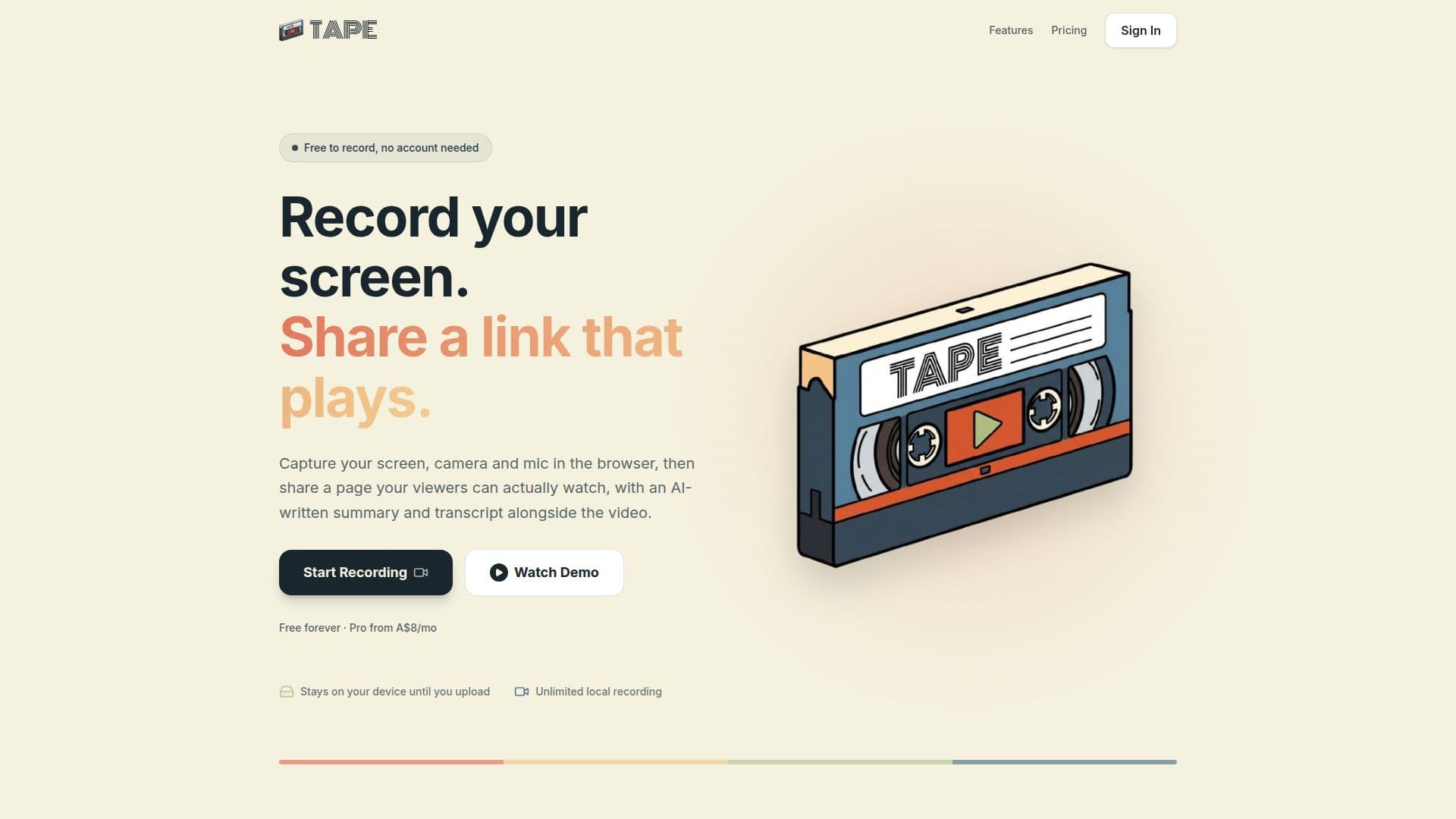
Tape is a comprehensive screen and video recording application designed for ease of use and efficient sharing. It allows users to capture their screen, camera, or both, along with microphone audio, directly within their web browser without requiring any installations or extensions. This accessibility means recordings can be initiated quickly, even without an account.
Read More
A core feature of Tape is its integration of AI to enhance recorded content. For every recording, Tape can generate an AI-powered title, a concise summary, key points, and a full transcript. This AI processing is powered by Google's enterprise Gemini API, ensuring that recordings are used solely for transcription and summarization and are never utilized to train AI models, addressing privacy concerns.
Once a recording is complete, Tape handles the hosting and provides a shareable link that plays directly in a real video player, eliminating sign-in walls or complex cloud permissions for viewers. Share pages include the AI-generated summary, key points, and transcript with one-click copy buttons, allowing viewers to quickly grasp the content without watching the entire video. Users have full control over their shared links, with the ability to stop sharing at any time. Pro accounts offer additional features like password-protected links and the removal of Tape branding from share pages.
Recordings initially reside on the user's device, providing privacy and control. Users can choose to keep the file locally, export it to their own Google Drive or OneDrive, or upload it to Tape's hosting for sharing. The platform offers a free tier with unlimited local recording, 5 hosted videos, and 5 AI summaries per month, alongside a Pro plan that provides unlimited hosted videos and AI summaries, password protection, and no branding, all billed in Australian dollars.
- CategoryVideo Generation & Editing
- Pricing ModelFreemium
- DeploymentCloud
- PlatformsWeb (Desktop Browsers)
Tape's Core Features
Record screen, camera, and microphone in browser
No installation or extension required
AI-generated titles, summaries, and key points
Full AI transcripts with one-click copy
Shareable links with public video player
Record without an account
Unlimited local recording of any length
Export recordings to Google Drive or OneDrive
Password-protected share links (Pro)
Remove Tape branding from share pages (Pro)
Stop sharing links at any time
Trimming functionality for recordings
Audio sent to Google's enterprise Gemini API for AI processing
Recordings not used to train AI models
Works on current desktop versions of Chrome, Edge, Firefox, and Safari
How to use Tape?
Open Recorder: Navigate to use-tape.com/record in a desktop browser (Chrome, Edge, Firefox, or Safari).
Configure Audio/Camera: Select your microphone input and optionally enable the camera for a face bubble.
Start Recording: Click 'Start Recording', choose the screen, window, or tab to share, and confirm.
Stop Recording: Click 'Stop Recording' when finished; the preview page will open.
Trim Recording: On the preview page, drag the trim handles to cut the start and end of the video.
Generate AI Summary: In the AI Summary & Transcript section, start a run to get a title, summary, key points, and transcript.
Upload and Share: Upload the tape to get a shareable link, with AI text included on the share page.
Protect Share Link (Pro): For Pro accounts, set a password in the share settings to restrict access.
Tape's Use Cases
- Quick Explainer Videos
- Software Demos
- Tutorial Creation
- Feedback & Bug Reporting
- Meeting Recaps
- Asynchronous Communication
- Educational Content
- Personal Knowledge Capture