Description
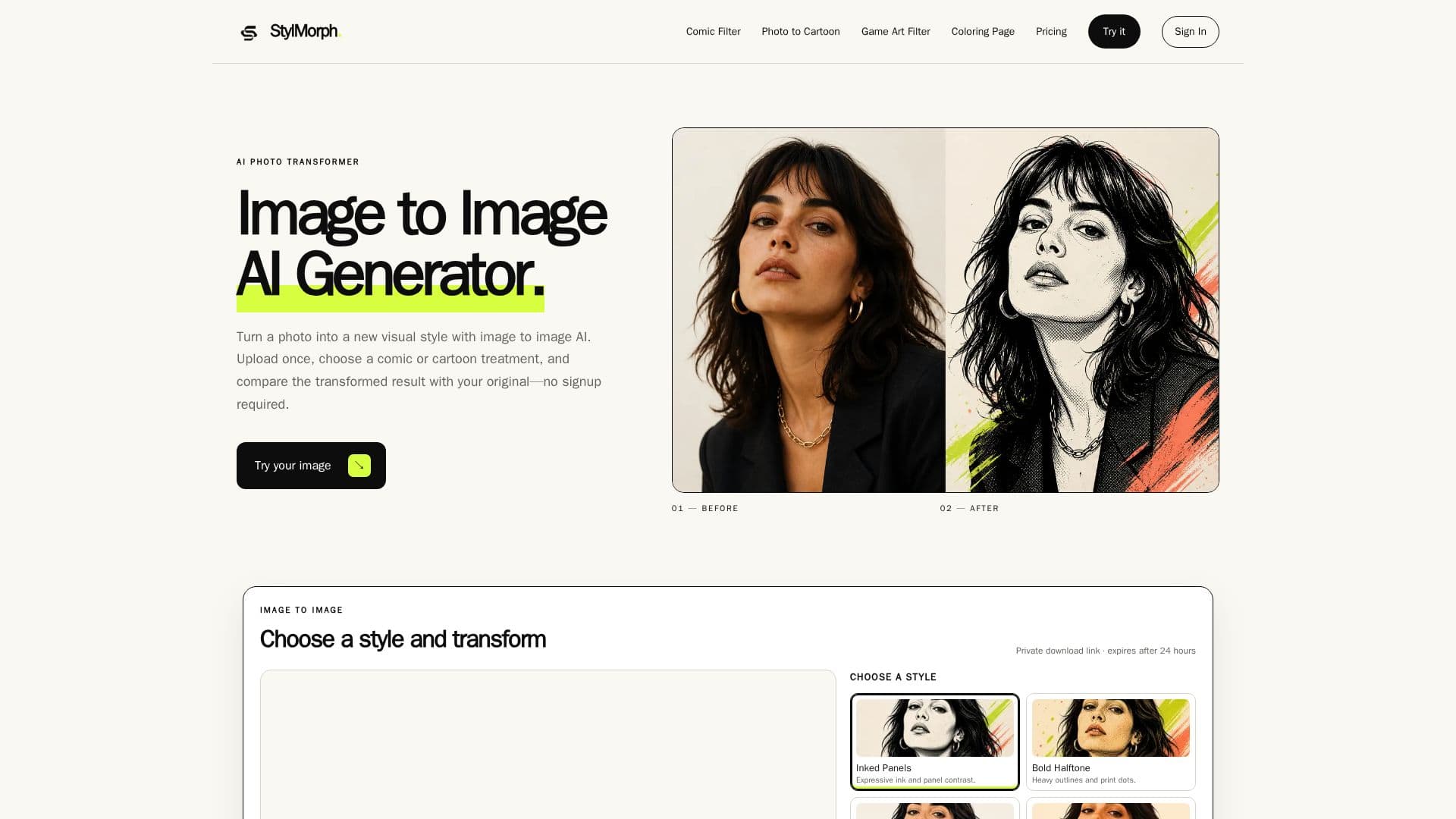
StylMorph is an online platform designed to transform ordinary photographs into visually distinct artistic styles using image-to-image AI technology. The service allows users to convert their photos into comic, cartoon, or game-art aesthetics, providing a creative outlet for personal projects or social media content.
Read More
The process is straightforward: users upload a JPEG, PNG, or WebP image up to 10 MB. They then choose from a selection of focused treatments, which include various comic filters (ink, line art, halftone), cartoon styles (approachable illustrated color), and game art filters (open-world, neon future-city, pixel-art). Once a style is selected, StylMorph processes the image, redrawing it to preserve the subject, pose, and overall composition while applying the chosen visual treatment. Users can compare the transformed result with their original photo before downloading.
Beyond its core image transformation capabilities, StylMorph offers a suite of related image tools. These include PhotoCraft Image Editor for general browser-based editing, an Add Speech Bubbles tool for placing dialogue on pictures, an Instagram Grid Maker to split photos into tiles, an Image Aspect Ratio Calculator, a Remove Metadata from Photo utility for privacy, a Before and After Photo Maker for comparisons, and a Photo Frame Size Calculator. A unique feature is the Photo to Coloring Page tool, which converts photos into printable black-and-white line art, ideal for children's activities or relaxation.
StylMorph operates on a credit-based system. New users can try one image transformation for free as a guest, without needing to create an account. For additional transformations, users can purchase one-time credit packs. These paid credits do not expire and do not involve a subscription. The platform ensures privacy by automatically expiring uploaded originals and generated results after 24 hours. Secure checkout is handled by Stripe, and failed transformations automatically restore credits. StylMorph is suitable for individuals looking to add a creative flair to their photos, create unique social media content, or generate custom coloring pages.
- CategoryAI Photo Editors
- Pricing ModelFreemium
- DeploymentCloud
- PlatformsWeb
StylMorph's Core Features
Image to Image AI Transformation
Comic Filter Treatments (ink, line art, halftone)
Cartoon Color Redrawing
Game Art Filter (open-world, neon future-city, pixel-art)
Photo to Coloring Page Converter
Free Guest Use (one image per identity)
No Account Required for Free Use
One-Time Credit Packs (no subscription)
Paid Credits Never Expire
Full-Size Downloads
Cross-Device Credit Balance
Failed Job Credit Restoration
Original and Result Comparison View
Image Metadata Removal
Speech Bubble Addition
How to use StylMorph?
Upload Photo: Select a JPEG, PNG, or WebP image up to 10 MB.
Choose Style: Pick from available comic, cartoon, or game-art treatments.
Transform Image: Start the transformation process and keep the page open.
Compare & Download: View the transformed result alongside the original and download if desired.
Purchase Credits (Optional): Buy credit packs for additional transformations beyond the free allowance.
StylMorph's Use Cases
- Artistic Photo Transformation
- Social Media Content Creation
- Custom Coloring Pages
- Digital Art Exploration
- Image Privacy Enhancement
- Visual Comparison
- Comic Book Style Photos
- Game Art Style Photos