
ToolPotion
AI Advisor
Submit a Tool (Free)

Spreadsheet to App

AI AppsAI App BuildersFreemium · Web

Spreadsheet to App helps small teams build hosted web applications directly from their spreadsheet data. Users can connect Google Sheets or import Excel and CSV files. The platform allows describing app requirements in plain language, previewing in Studio, and publishing web apps. It offers a free plan with one app and limited AI usage, making it accessible for initial projects.

Visit Website
Share
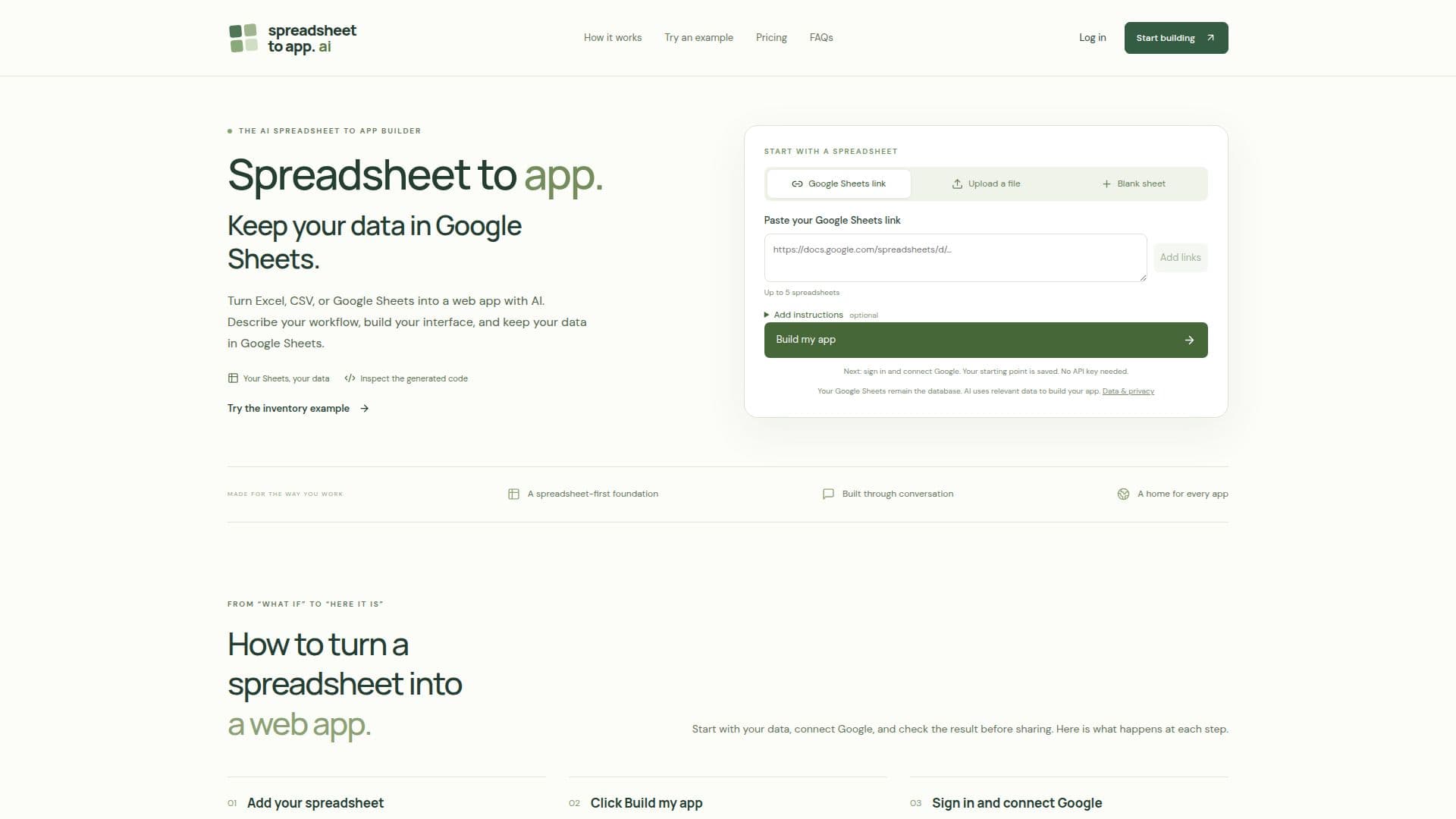
Spreadsheet to App screenshot

Spreadsheet to App is a platform designed to transform spreadsheet data into functional web applications. It enables small teams to build hosted web apps using existing data from Google Sheets, Excel workbooks, or CSV files. The core idea is to keep business data within Google Sheets while providing a user-friendly interface for interaction.

Read More

The process begins by adding a spreadsheet, either by pasting a Google Sheets link or uploading an Excel or CSV file. Users then describe their desired workflow or app functionality in plain language. The platform uses AI to build the app, which can then be reviewed privately in Studio. Here, users can test the preview, inspect the generated code, and request further changes using AI. Once satisfied, the app can be published, receiving its own hosted address.

Key capabilities include direct Google Sheets connections, allowing apps to read from and write to the original sheets, and the conversion of uploaded Excel or CSV files into Google Sheets within the user's account. The platform supports various use cases, such as creating inventory apps, customer relationship management (CRM) tools from customer lists, project dashboards, and other internal tools. It emphasizes a spreadsheet-first design, ensuring that Google Sheets remains the single source of truth for business data.

The platform offers a freemium model. The Free plan includes one app, one seat, and limited monthly AI usage, with no credit card required to start. Paid plans like Basic, Pro, and Business offer increased app limits, more included seats, and higher AI allowances, with additional seats available for a monthly fee. The Business plan provides unlimited AI usage. It's important to note that formula cells in spreadsheets are read-only in the app, and new rows do not automatically copy formulas. The platform creates hosted web apps that open in a browser, not native mobile apps.

Spreadsheet to App is ideal for teams that want to add a focused web interface to their existing spreadsheet workflows without needing to code. It provides workspace permissions for team collaboration, allowing distinct build, publish, and view roles. While it offers robust features for data interaction and app creation, it's designed for shared team workflows and does not provide enforced per-user row isolation for confidential client records within a shared table, nor does it offer native app-store packaging.

  • CategoryAI App Builders
  • Pricing ModelFreemium
  • DeploymentCloud
  • PlatformsWeb

  • Build web apps from Excel, CSV, or Google Sheets

  • AI app building based on plain language descriptions

  • Direct Google Sheets connections for data reads and writes

  • Private app previews in Studio

  • Hosted app publishing at a dedicated address

  • Workspace permissions for team collaboration

  • Inspect and edit generated app code

  • Retains five most recent code and environment checkpoints

  • Converts Excel/CSV uploads to Google Sheets

  • Formula cells are read-only in the app

  • No coding experience required to start

  • Data remains in Google Sheets as the primary database

  • Freemium pricing model available

  • Shared AI allowance across workspace plans

  • Ability to change or cancel plans anytime

  1. Add Spreadsheet: Paste a Google Sheets link or upload an Excel/CSV file, then describe your workflow.

  2. Build App: Click 'Build my app' and sign in, connecting your Google account and selecting relevant files.

  3. Review in Studio: Test the private preview, inspect code, and request AI changes to refine the app.

  4. Publish App: Use 'Publish' in Studio to host your app at its own address and share with your team.

  5. Manage Data: Review visitor data access and permissions before publishing, ensuring data privacy.

  • Inventory Management
  • Customer Relationship Management
  • Project Tracking Dashboard
  • Internal Tools & Directories
  • Order Tracking

Spreadsheet to App Reviews

Loading...

Popular AI Tools Like Spreadsheet to App

Glide is a no-code platform that transforms spreadsheets into intelligent, custom applications. It empowers businesses to automate manual work, manage data, and build responsive…

AI App Builders

Ranked #16 in AI App Builders

View Tool

No-code platform that transforms spreadsheets into intelligent, custom applications. It empowers businesses to automate manual work, manage data, and build responsive…Glide is a no-code platform that transforms spreadsheets into intelligent, custom applications. It empowers businesses to automate manual work, manage data, and build responsive…

FeaturedAI App Builders
Ranked #16 in AI App Builders

Google AppSheet

AI Platforms

Google AppSheet is a no-code platform that allows users to build powerful applications to transform business processes. It integrates with various data sources and automates…

AI App Builders
View Tool

AI Platforms

No-code platform that allows users to build powerful applications to transform business processes. It integrates with various data sources and automates…Google AppSheet is a no-code platform that allows users to build powerful applications to transform business processes. It integrates with various data sources and automates…

AI App Builders
See the Top 150 AI Platforms

Microsoft Excel is a leading spreadsheet application that simplifies data analysis and visualization. With features like real-time collaboration and intelligent assistance from…

AI Spreadsheet Tools

Ranked #1 in AI Spreadsheet Tools

View Tool

Leading spreadsheet application that simplifies data analysis and visualization. With features like real-time collaboration and intelligent assistance from…Microsoft Excel is a leading spreadsheet application that simplifies data analysis and visualization. With features like real-time collaboration and intelligent assistance from…

AI Spreadsheet Tools
Ranked #1 in AI Spreadsheet Tools

Softr

AI Apps

A no-code AI app builder for business operations that turns spreadsheets and data sources into secure portals, internal tools, and custom business apps with granular permissions.

AI App Builders

Ranked #12 in AI App Builders

View Tool

AI Apps

A no-code AI app builder for business operations that turns spreadsheets and data sources into secure portals, internal tools, and custom business apps with granular permissions.

FeaturedAI App Builders
Ranked #12 in AI App Builders

Google Sheets is an online spreadsheet tool that enables real-time collaboration and data analysis. It leverages AI to enhance formatting and analysis, allowing users to work…

AI Spreadsheet Tools
View Tool

Online spreadsheet tool that enables real-time collaboration and data analysis. It leverages AI to enhance formatting and analysis, allowing users to work…Google Sheets is an online spreadsheet tool that enables real-time collaboration and data analysis. It leverages AI to enhance formatting and analysis, allowing users to work…

AI Spreadsheet Tools
See the Top 250 AI Apps

Coefficient is a no-code spreadsheet automation platform that connects Google Sheets and Excel to over 100 business systems. It enables live data sync, automated dashboards, and…

AI Data Analysis

Ranked #12 for Generating Excel formulas

View Tool

No-code spreadsheet automation platform that connects Google Sheets and Excel to over 100 business systems. It enables live data sync, automated dashboards, and…Coefficient is a no-code spreadsheet automation platform that connects Google Sheets and Excel to over 100 business systems. It enables live data sync, automated dashboards, and…

AI Data Analysis
Ranked #12 for Generating Excel formulas

Numerous.ai is an AI-powered spreadsheet plugin that integrates ChatGPT directly into Google Sheets and Excel. It simplifies complex tasks like content generation, data…

AI Spreadsheet Tools

Ranked #13 for Generating Excel formulas

View Tool

AI-powered spreadsheet plugin that integrates ChatGPT directly into Google Sheets and Excel. It simplifies complex tasks like content generation, data…Numerous.ai is an AI-powered spreadsheet plugin that integrates ChatGPT directly into Google Sheets and Excel. It simplifies complex tasks like content generation, data…

FeaturedAI Spreadsheet Tools
Ranked #13 for Generating Excel formulas

CData Excel Add-ins provide seamless connectivity between Excel and various data sources, enabling users to access, analyze, and manipulate data directly within Excel. This tool…

AI Spreadsheet Tools
View Tool

Provide seamless connectivity between Excel and various data sources, enabling users to access, analyze, and manipulate data directly within Excel. This tool…CData Excel Add-ins provide seamless connectivity between Excel and various data sources, enabling users to access, analyze, and manipulate data directly within Excel. This tool…

AI Spreadsheet Tools
See the Top 250 AI Apps
1 of 8