
Description
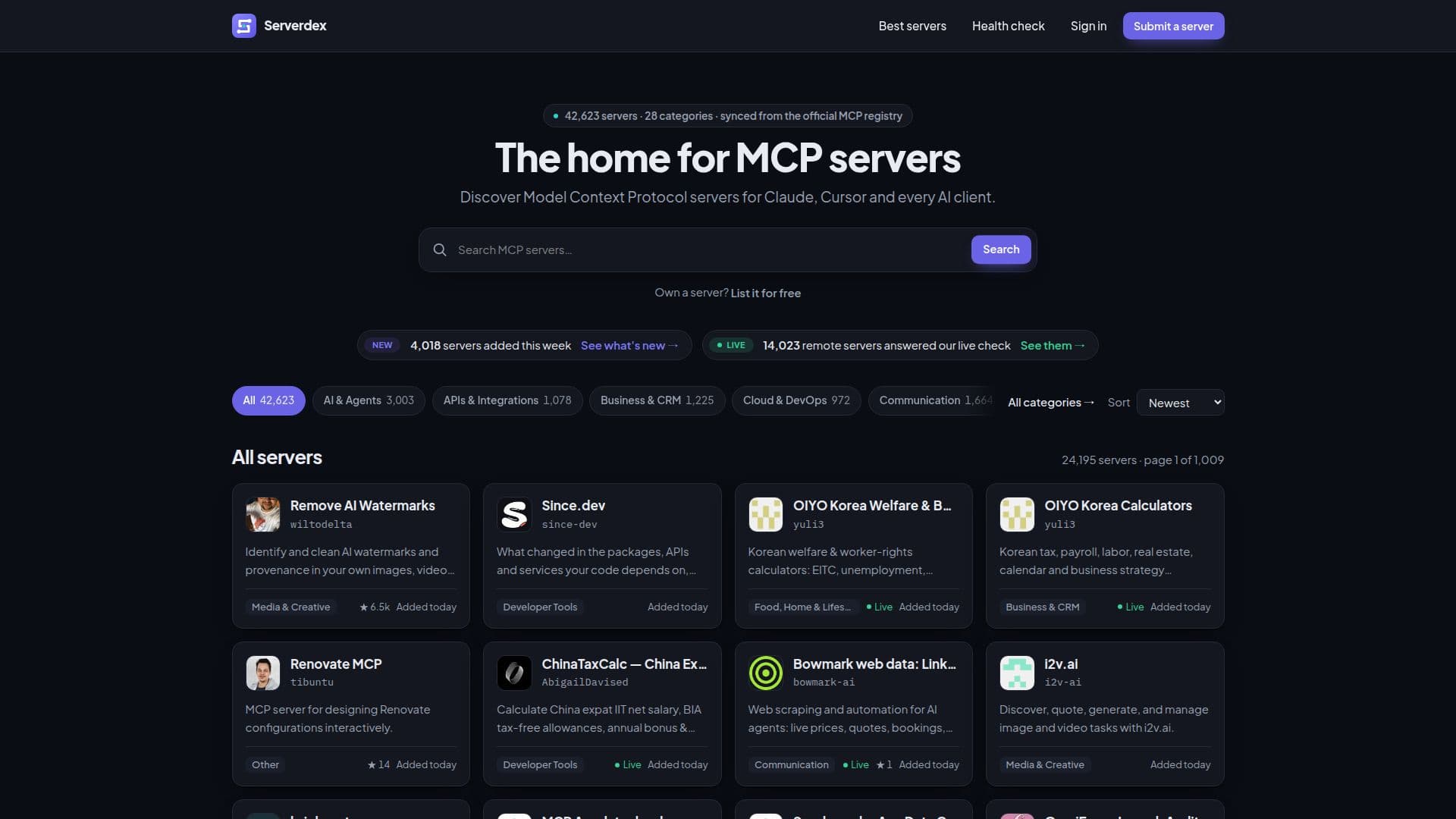
Serverdex serves as a central, searchable directory for Model Context Protocol (MCP) servers, facilitating the discovery and integration of AI tools. It provides a comprehensive listing of MCP servers compatible with popular AI clients such as Claude and Cursor, as well as other AI clients. Users can easily navigate the directory by category, making it simple to find servers tailored to specific needs, whether for developer tools, security, or AI and agents.
Read More
The platform offers practical functionalities like the ability to copy install configurations directly, streamlining the process of connecting servers to AI clients. It also helps users locate associated remotes and packages, ensuring a complete setup. For server owners, Serverdex provides a free listing service, enabling them to showcase their MCP servers to a broad audience of AI developers and users.
Beyond basic discovery, Serverdex offers detailed information for each listed server, including its status (maintained, open source), credential requirements (API key, OAuth), and deployment type (remote or local). This transparency helps users assess the safety and suitability of servers before integration. The directory also provides one-click installation buttons for clients like Cursor and VS Code, and clear command-line instructions for others like Claude Code and Codex.
Serverdex also exposes a public JSON API and a remote MCP server, allowing programmatic access to its directory data. This enables developers to integrate Serverdex's server listings into their own applications or AI agents, facilitating automated discovery and management of MCP resources. The API offers functionalities like searching servers, retrieving server details, and listing categories, all while adhering to clear attribution requirements for data usage.
Overall, Serverdex aims to be the definitive home for MCP servers, fostering an interconnected ecosystem where AI clients can seamlessly discover and utilize a wide array of specialized tools and services.
- CategoryCoding & Development
- Pricing ModelFree
- DeploymentRemote / Local
- PlatformsWeb
Serverdex's Core Features
Searchable directory of MCP servers
Browse servers by category
Copy install configurations for AI clients
Find associated remotes and packages
Free listing for MCP server owners
Compatibility with Claude, Cursor, VS Code, Codex, and Gemini CLI
Detailed server information (maintenance, source, credentials)
One-click installation for supported clients
Public JSON API for programmatic access
Remote MCP server for AI client integration
Security scan and health checks for listed servers
Attribution requirements for API data usage
Provides server version and registry status
Offers install badges for websites and READMEs
How to use Serverdex?
Discover Servers: Browse the Serverdex directory by category or use the search function to find MCP servers relevant to your AI client or task.
Review Server Details: Click on a server listing to view detailed information, including its description, category, version, maintenance status, and credential requirements.
Connect to Client: Copy the provided install configuration snippet or use the one-click 'Add to' buttons for clients like Cursor or VS Code.
Configure AI Client: Paste the configuration into your AI client's MCP config file (e.g., claude_desktop_config.json, ~/.cursor/mcp.json) or execute the provided command-line instructions.
Restart Client: Restart your AI client (Claude, Cursor, VS Code, etc.) to load the newly added MCP server and its tools.
Utilize Tools: Once connected, your AI client can access the tools and functionalities exposed by the MCP server.
List Your Server: If you own an MCP server, submit it to Serverdex for free to increase its visibility within the AI community.
Serverdex's Use Cases
- Discovering AI Tools
- Integrating Developer Tools
- Enhancing AI Agent Security
- Managing Business & CRM Data
- Extending AI Client Capabilities
- Programmatic Server Discovery
- Listing MCP Servers