
Description
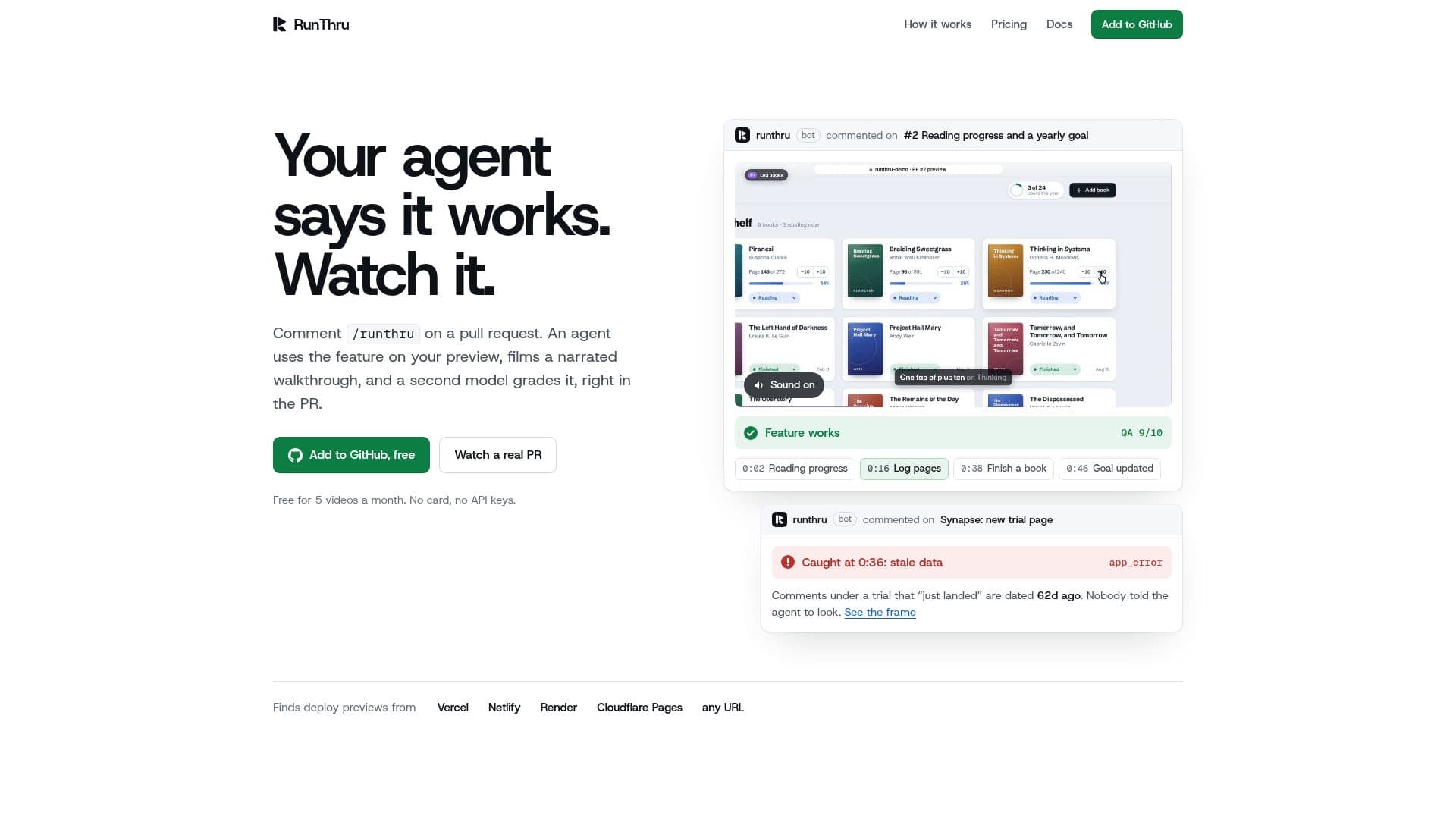
RunThru is a GitHub application designed to streamline the pull request review process by providing automated, narrated video walkthroughs of code changes. When a developer comments `/runthru` on a pull request, an AI agent springs into action. It opens the preview deployment in a real browser, interacts with the feature affected by the change, and records a narrated video walkthrough complete with captions and chapters.
Read More
Following the video creation, a second AI model independently reviews the footage. This model analyzes the video to determine if the feature works as intended, posting a verdict directly to the pull request. If issues are detected, it provides timestamped details and even suggests fixes. This entire process, from comment to verdict, typically takes about 5 to 8 minutes, offering a rapid and thorough review.
RunThru differentiates itself from traditional AI code review or test agents by actively running the change rather than just reading the diff or generating test suites. Its output is a human-watchable narrated video, making it accessible to non-engineering stakeholders like product managers and designers. It is particularly effective for pull requests generated by AI coding agents (e.g., Claude Code, Cursor, Codex, Copilot), as it quickly flags features that don't function correctly before human reviewers spend time on the diff.
The platform supports various deploy previews, including Vercel, Netlify, Render, and Cloudflare Pages, and can also be directed to any custom URL. For previews requiring authentication, users can configure demo credentials or Vercel Protection Bypass secrets. RunThru operates with strict security, reading only pull requests, diffs, and deploy previews, and never pushing code or running repository code. It only activates when a user with write access comments `/runthru`.
Videos are shareable via a dedicated page with a unique link, email, or MP4 download, allowing anyone to view them without an account. Slack notifications can also be configured to send every video or only those requiring attention. Pricing includes a Free tier for 5 videos per month, a Pro tier at $29/month for 30 videos, and a Team tier at $99/month for 100 videos, with options for higher quality, custom branding, and priority rendering on paid plans. Enterprise options are available for self-hosting with custom model keys.
- CategoryAI Code Review & Testing
- Pricing ModelFreemium
- DeploymentCloud, Self-hosted
- PlatformsWeb
RunThru's Core Features
Automated pull request verification via AI agent
Narrated video walkthroughs of feature changes
Independent QA verdict on feature functionality
Timestamped issues with suggested fixes in pull requests
Support for Vercel, Netlify, Render, Cloudflare Pages, and custom URLs
Configurable for authenticated preview environments
Shareable video pages with chapters, verdict, and transcript
Slack notifications for video updates and verdicts
Multiple video cuts (16:9, 1:1, 9:16) and resolutions (720p, 1080p60, 4K)
Customizable video branding (colors, narrator, music) on paid plans
Self-hosted CLI and GitHub Action for localhost and iOS Simulator support
Integration with GitHub Checks for required status checks
Updates the same pull request comment on re-runs
Supports PRs written by AI coding agents
Does not push code or run repository code
How to use RunThru?
Install GitHub App: Install the RunThru Video GitHub app and select the repositories it can access.
Trigger Walkthrough: Comment `/runthru` on any pull request with a deploy preview to initiate a video walkthrough.
Add Direction (Optional): Include specific instructions in your comment, e.g., `/runthru show the new export menu, then download a CSV`.
Configure Previews/Logins (Optional): Use a `.runthru.yml` file in your repository root to specify preview URLs, static folders, login prompts, or Vercel bypass secrets.
Review Verdict: RunThru posts a comment on the pull request with the video, chapters, transcript, and an AI-generated QA verdict.
Share Videos: Use the provided share page link, email option, or download the MP4 to share videos outside GitHub.
Set Up Slack Notifications (Optional): Connect a Slack channel via runthru.co/connect to receive video updates.
Re-run on Push: Comment `/runthru` again after a new push to update the existing video and verdict in the same pull request comment.
RunThru's Use Cases
- Pull Request Verification
- AI Agent Code Review
- Stakeholder Demos
- Automated QA Reporting
- CI/CD Integration
- Documentation & Changelogs
- Self-Hosted Development
- Onboarding New Features