Description
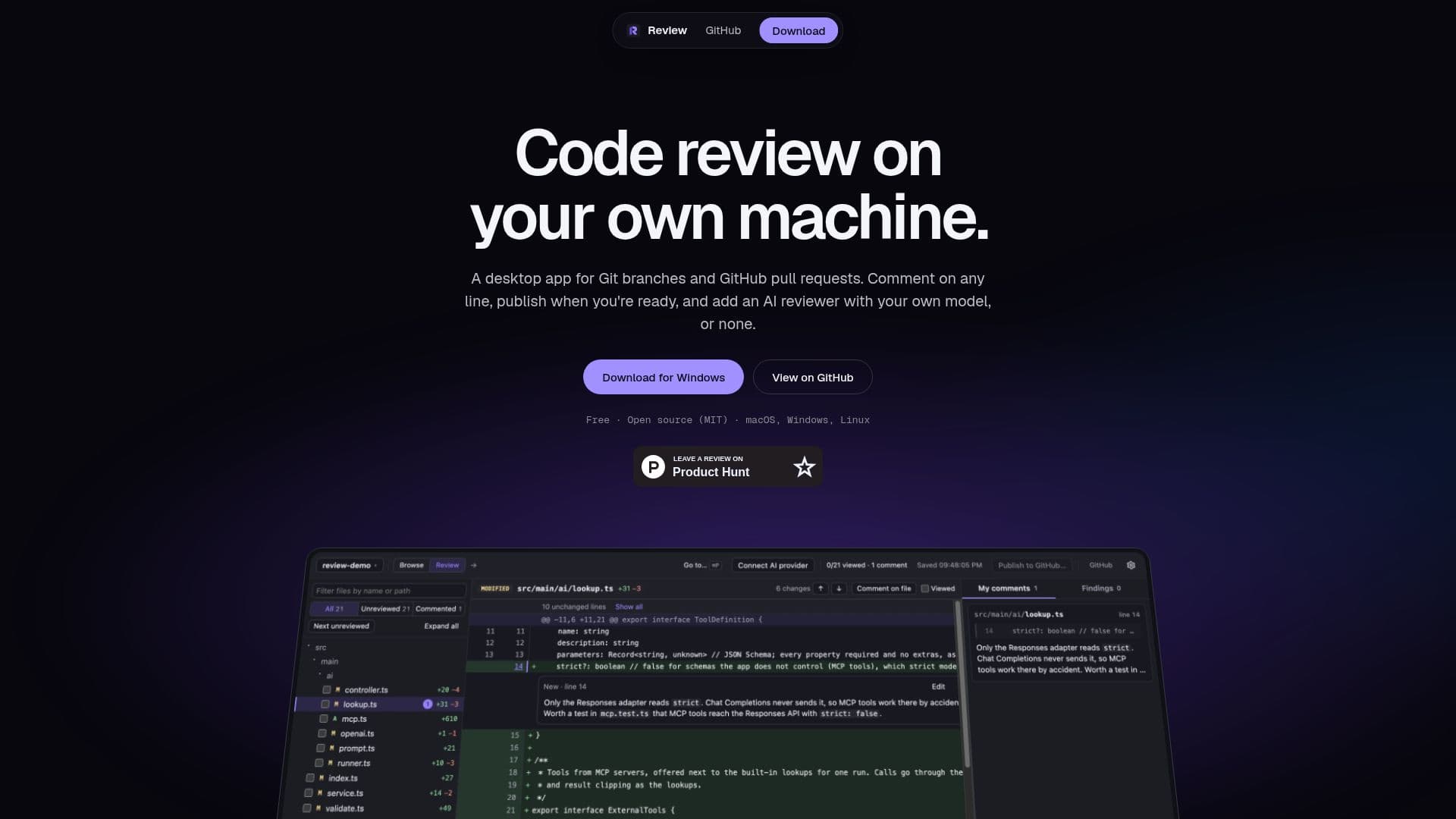
Review is a desktop application designed for developers who need to review Git branches and GitHub pull requests directly on their machines. This tool provides a seamless experience by allowing users to bring their own AI models, such as OpenAI, Anthropic, and others, or to conduct reviews without AI assistance. The application supports various AI models and endpoints, including OpenAI-compatible endpoints and MCP servers.
Read More
One of the key features of Review is its ability to allow users to comment on any line of code. Users can simply click a line number, write their comments, and the comments are saved locally. This ensures that all feedback remains on the user's computer until they decide to publish it to GitHub. The app also offers a quick navigation feature, allowing users to access pull requests, recent reviews, and branches with just a few keystrokes.
Review is designed to be pinned to exact commits, ensuring that the diff does not change even when new commits are pushed. This feature is particularly useful for maintaining consistency in code reviews. Additionally, the app is free to use, although users can choose to support its development through sponsorships.
The application is available for macOS (both Apple silicon and Intel), Windows 10 and 11, and Linux x64. Users should note that the installers are not signed with Apple or Microsoft certificates, which may trigger security warnings upon first opening. However, instructions are provided to bypass these warnings.
Overall, Review is a valuable tool for developers looking to streamline their code review process, offering flexibility in terms of AI integration and a user-friendly interface for managing code reviews locally.
- CategoryAI Code Review & Testing
- Pricing ModelFree
- DeploymentDesktop app
- PlatformsmacOS, Windows, Linux
Review's Core Features
Local Git branch review
GitHub pull request review
Optional AI model integration
Comment on any line
Pinned to exact commits
Free to use
Supports multiple AI models
Works on macOS, Windows, and Linux
How to use Review?
Install: Download and install the app for your OS
Configure: Set up your AI model or choose no AI
Review: Open Git branches and pull requests locally
Comment: Click line numbers to add comments
Review's Use Cases
- Local Code Review
- AI-Assisted Review
- Offline Code Analysis
- Secure Commenting
- Cross-Platform Support