Description
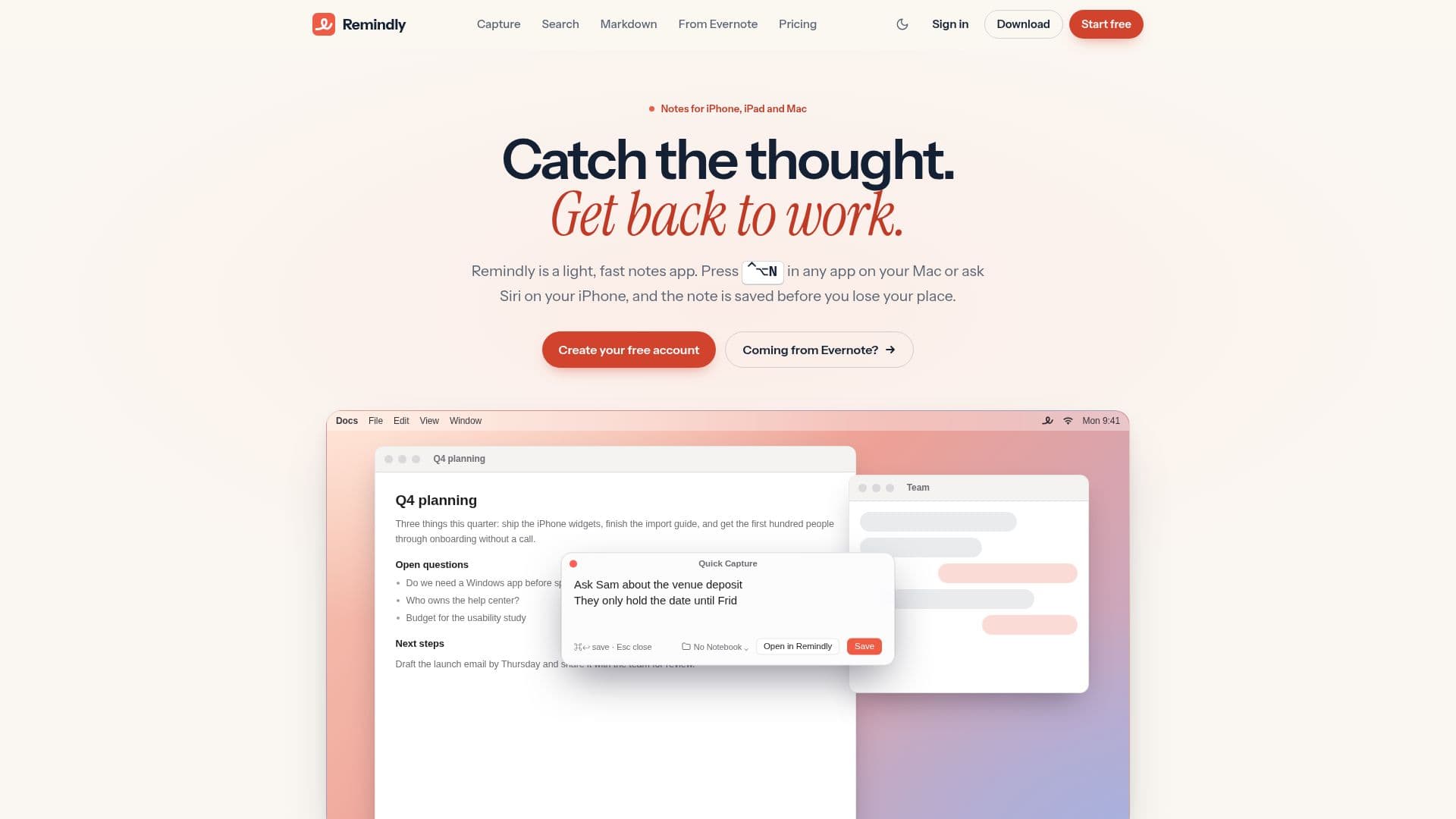
Remindly is a versatile note-taking application designed for speed and efficiency across Apple devices and the web. It allows users to capture thoughts in seconds from any application on a Mac, or directly from Siri and the Lock Screen on an iPhone. A core feature is its on-device storage, ensuring notes are always accessible, readable, and searchable even without an internet connection. Changes made offline automatically sync when connectivity is restored.
Read More
The application supports plain Markdown for notes, offering flexibility and future-proofing. Users can export all notes as Markdown files, organized by notebook, with attachments, making them compatible with other text editors like Obsidian. Remindly also provides robust search capabilities, including optical character recognition (OCR) that reads text within photos, scanned documents, and PDFs directly on the device, enhancing discoverability.
Integration with AI assistants like Claude and ChatGPT is a key differentiator. Once authorized, these assistants can search, read, add, and modify notes, share them via links, and set reminders. Users retain full control, with the ability to revoke access at any time. Additionally, Remindly AI (Labs) is an on-device feature that allows users to ask questions about their notes, tidy them, create checklists, or propose reminders, all without an internet connection and ensuring privacy as data remains on the device.
Remindly offers unlimited notes and notebooks across all plans, including the free tier. Pricing is structured with a Free plan that includes 2 devices and 1 GB of attachments, and a Pro plan at $49/year or $5.99/month, offering unlimited devices and 100 GB of attachments. The Pro plan also unlocks advanced features such as locked notes, bookmarks bar sync, Read Aloud, note history, location-based reminders, and calendar integration. For users migrating from Evernote, Remindly provides a dedicated importer for .enex files on the Mac app, facilitating a smooth transition.
- CategoryAI Note-Taking Apps
- Pricing ModelFreemium
- DeploymentCloud
- PlatformsiOS, iPadOS, macOS, Web, Windows (Web App)
Remindly's Core Features
Quick Capture from any app on Mac
Siri and Lock Screen note capture on iPhone
On-device note storage for offline access
Searchable text within photos, scans, and PDFs (on-device OCR)
Integration with Claude and ChatGPT for note management
Remindly AI (Labs) for on-device note assistance
Unlimited notes and notebooks on all plans
Markdown export of all notes and attachments
Evernote (.enex) import on Mac
Reminders with notifications and snooze options
Location-based reminders (Pro plan)
Note sharing via links with read/edit permissions
App Lock with Face ID/Touch ID/passcode
Locked notes and notebooks with passphrase (Pro plan)
Web Clipper for Safari, Chrome, and Firefox
How to use Remindly?
Capture a Note: Use ⌃⌥N on Mac for Quick Capture, say "Add a note in Remindly" to Siri, or tap the New Note button on your iPhone's Lock Screen.
Organize Notes: Group notes into notebooks, use nested tags, and link notes together by typing [[ to create internal references.
Set Reminders: Add a time-based reminder to any note for notifications on your devices, or use location-based reminders (Pro) for alerts upon arrival/departure.
Search Your Content: Utilize the search bar to find words within note titles, text, and even inside attached PDFs, scanned documents, and photos.
Integrate AI: Connect Remindly with Claude or ChatGPT to allow them to search, add, or modify your notes, and set reminders.
Export Notes: On Mac, use File → Export All Notes as Markdown... to save all your notes as .md files with attachments for use in other applications.
Import from Evernote: Export your notebooks from Evernote as .enex files, then import them via the Remindly Mac app to transfer your archive.
Remindly's Use Cases
- Quick Idea Capture
- Offline Note Taking
- Document and Photo Search
- AI-Assisted Note Management
- Meeting Note Organization
- Personal Reminders
- Evernote Migration
- Secure Information Storage
- Research and Article Clipping