Description
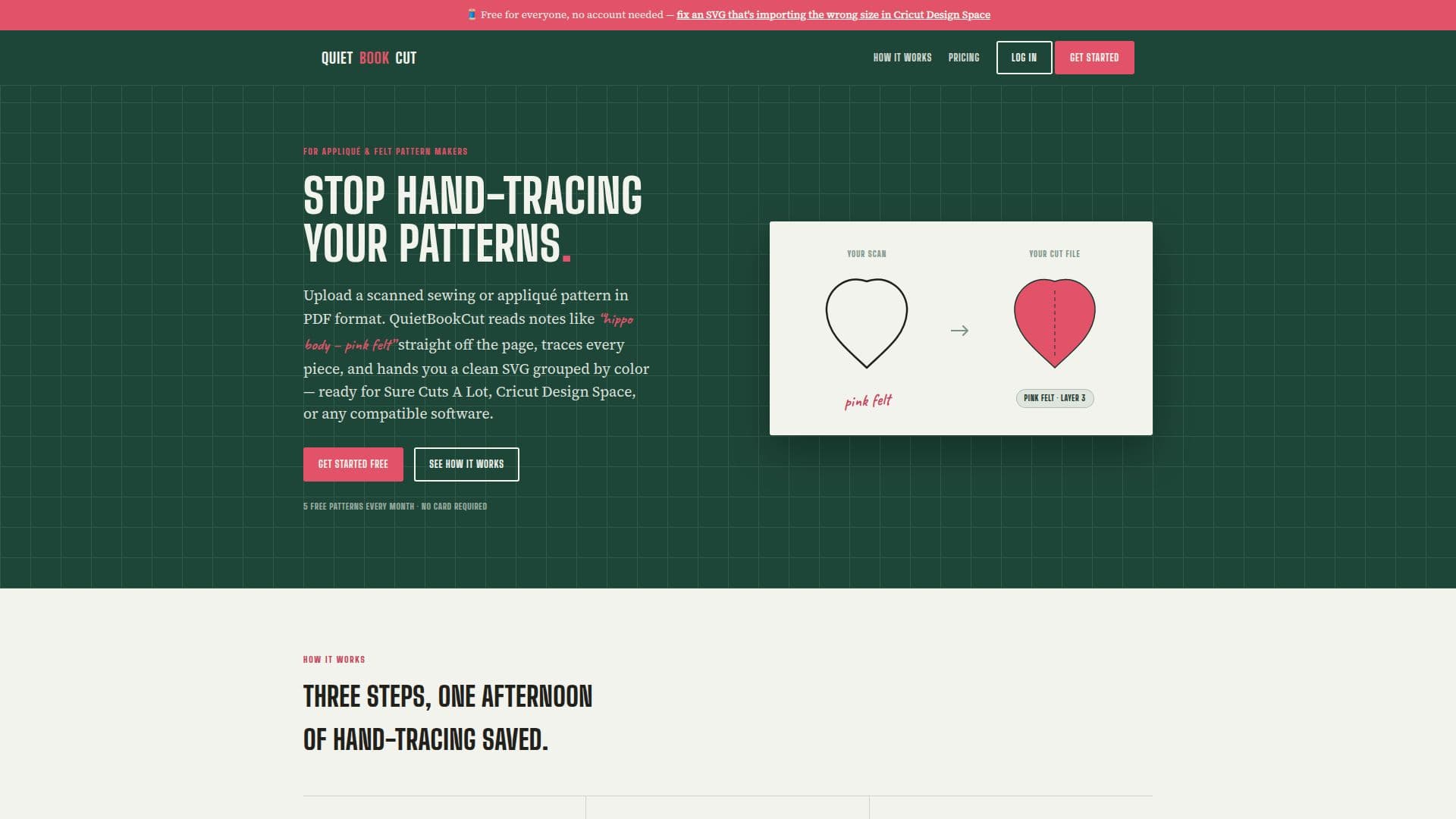
QuietBookCut is a specialized tool designed to convert hand-drawn or scanned sewing and appliqué patterns from PDF format into cut-ready SVG files. This tool eliminates the tedious process of hand-tracing patterns in software like Illustrator or Inkscape. Users can upload a PDF of their pattern, and QuietBookCut will read handwritten color notes and trace each piece, delivering a color-grouped SVG file ready for cutting software such as Cricut Design Space or Sure Cuts A Lot.
Read More
The process is straightforward: upload your PDF, let QuietBookCut trace and read the notes, and download your SVG file. The tool is designed to handle complex patterns, including those with multiple colors and pieces, making it ideal for quiet books, felt storybooks, and appliqué patterns. It uses a vision model to read handwritten notes, ensuring accuracy and reducing the need for manual input.
QuietBookCut offers a freemium pricing model, allowing users to convert and download up to five patterns per month for free. Additional downloads require credits, which can be purchased or earned through referrals. Credits never expire, and conversion is always free; users only pay for downloading the finished SVG patterns.
Developed by ProxiBlue, an Australian software developer, QuietBookCut is a practical tool for crafters and designers looking to streamline their workflow. It is particularly useful for those who frequently work with sewing patterns and need a reliable way to convert them into digital formats for cutting machines. The tool also includes a correction editor for fine-tuning the SVG files, ensuring that every piece is accurately represented and ready for use.
- CategoryComputer Vision Tools
- Pricing ModelFreemium
- DeploymentCloud
- PlatformsWeb
QuietBookCut's Core Features
PDF to SVG conversion
Reads handwritten color notes
Color-grouped SVG output
Free tier with 5 downloads per month
Credit-based additional downloads
Correction editor for fine-tuning
Compatible with Cricut Design Space
Developed by ProxiBlue
How to use QuietBookCut?
Upload: Submit your scanned PDF pattern
Trace: Let QuietBookCut read and trace each piece
Edit: Use the correction editor if needed
Download: Get your color-grouped SVG file
QuietBookCut's Use Cases
- Sewing Pattern Conversion
- Appliqué Design
- Quiet Book Crafting
- Felt Storybooks
- Cricut Projects