
Description
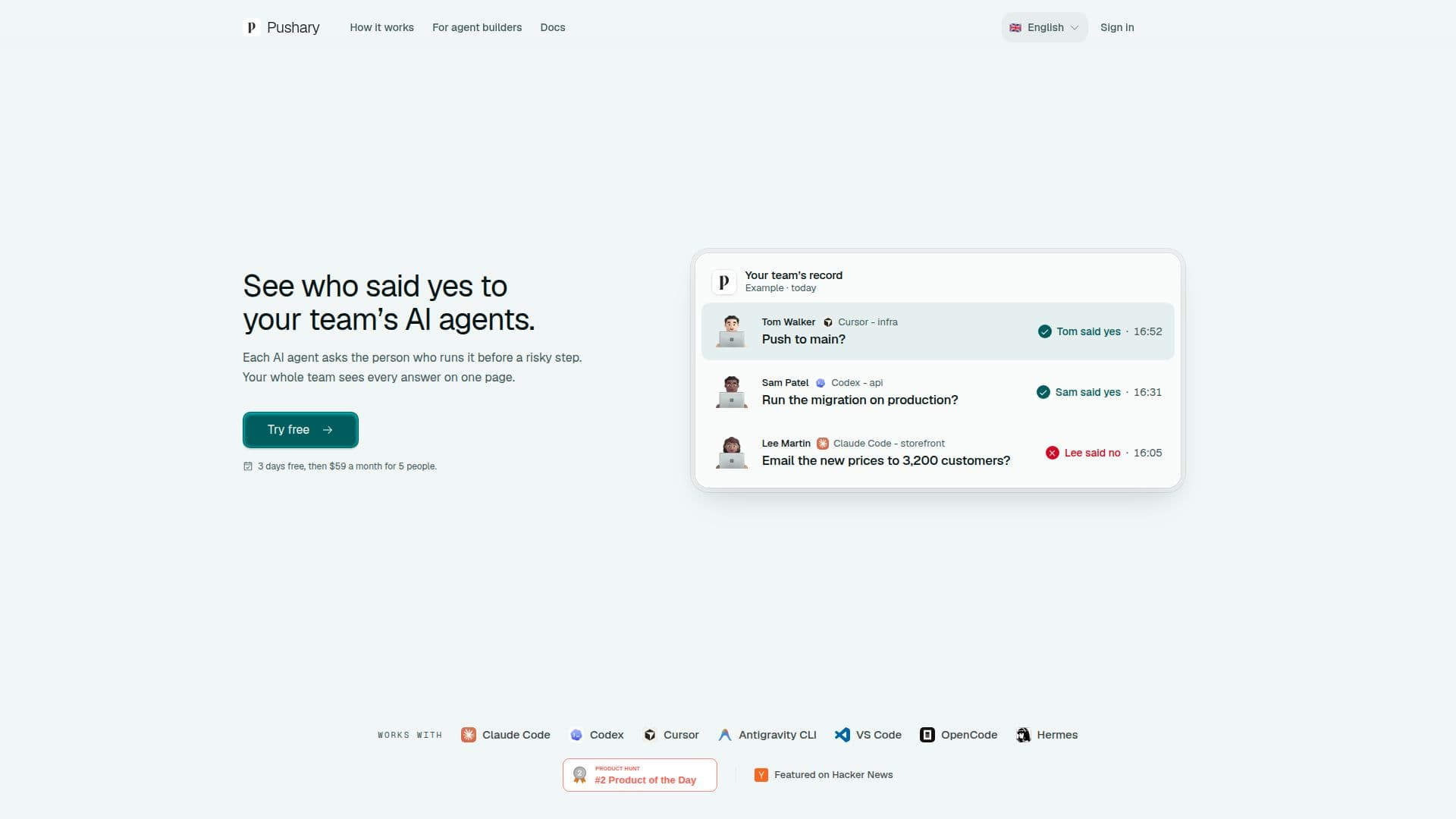
Pushary for Teams acts as a critical decision layer for AI agents, ensuring that potentially risky actions are approved by a human before execution. It integrates with various AI coding agents such as Claude Code, Codex, Cursor, Antigravity CLI, Hermes, and OpenCode, providing a unified approval system. When an AI agent proposes an action, such as refunding money, sending a message, or deleting data, Pushary routes the request to the appropriate team member for approval or denial via their phone or Mac app. If no one responds, the action is automatically blocked, preventing unauthorized or unintended operations.
Read More
This platform creates a comprehensive and immutable audit trail, recording every request, who asked, who answered, and when. This shared record is accessible to the entire team, fostering transparency and accountability across all connected AI tools. Unlike individual agent tools that might only send notifications to the agent's owner, Pushary for Teams centralizes approvals, making it easier to track decisions and identify the source of any issues. The system also flags steps that might warrant a second look, such as very fast approvals on risky actions, without scoring or ranking individuals.
Pushary for Teams supports flexible permission policies, allowing organizations to define rules for different types of actions. For instance, routine tasks can be auto-approved, while critical operations like pushing to production or emailing a large customer base can be routed to a specific lead or require team consensus. The platform records shell commands, file edits, and other agent activities, displaying them by their first words, file path, or patch start. Answers from the phone app, Mac app, and dashboard are attributed to a named individual, ensuring clear ownership of decisions.
The service is designed for teams, with a workspace-based subscription model where the company pays for seats, and teammates use their own accounts without needing separate personal subscriptions. It offers a 3-day free trial, after which the Team plan costs $59 per month for 5 people, with additional seats available at $12 per month. Pushary emphasizes data minimization and security, storing API keys as hashes and redacting known secrets from approval requests. Session transcripts are encrypted and redacted on the agent machine before syncing, with options to disable these features for enhanced privacy. The platform is built and operated by RalphNex OÜ, an Estonian company, and offers support for security and data-processing reviews for enterprise clients.
- CategoryAutomation & Agents
- Pricing ModelSubscription
- DeploymentCloud
- PlatformsMac, iOS, Android, Web
Pushary for Teams's Core Features
AI Agent Approval Workflow
Centralized Audit Trail for AI Actions
Cross-Tool Compatibility (Claude Code, Codex, Cursor, etc.)
Mobile and Mac App Approvals
Configurable Permission Policies
Role-Based Approval Routing
Activity Logging and Reporting
Real-time Push Notifications
Data Minimization and Security Measures
Exportable Decision History (CSV, JSON)
Fail-Closed Mechanism for Unanswered Requests
Team Management and Seat Billing
Encrypted Session Transcripts (Optional)
Kill Switch for Runaway Agents
Completion Alerts for Long Tasks
How to use Pushary for Teams?
Start Trial: Begin a 3-day free trial for a new workspace.
Connect Agents: Connect the Mac app or CLI to your AI agents (e.g., Claude Code, Codex, Cursor).
Pair Devices: Connect your phone to receive approval requests.
Invite Team: Invite teammates to the workspace, allowing them to connect their own devices.
Define Policies: Write rules to determine which agent actions require approval and who should approve them.
Approve Actions: Receive push notifications on your phone or Mac for risky agent steps and approve or deny them.
Monitor Activity: View the shared team record to see all agent requests and human decisions.
Export Data: Export audit trails in CSV or JSON format for review or compliance.
Pushary for Teams's Use Cases
- Preventing Risky AI Actions
- Maintaining Audit Trails
- Team Collaboration on AI Tasks
- Implementing Approval Workflows
- Securing Production Deployments
- Managing Customer Communications
- Enhancing AI Agent Accountability
- Integrating with Multiple AI Tools