Description
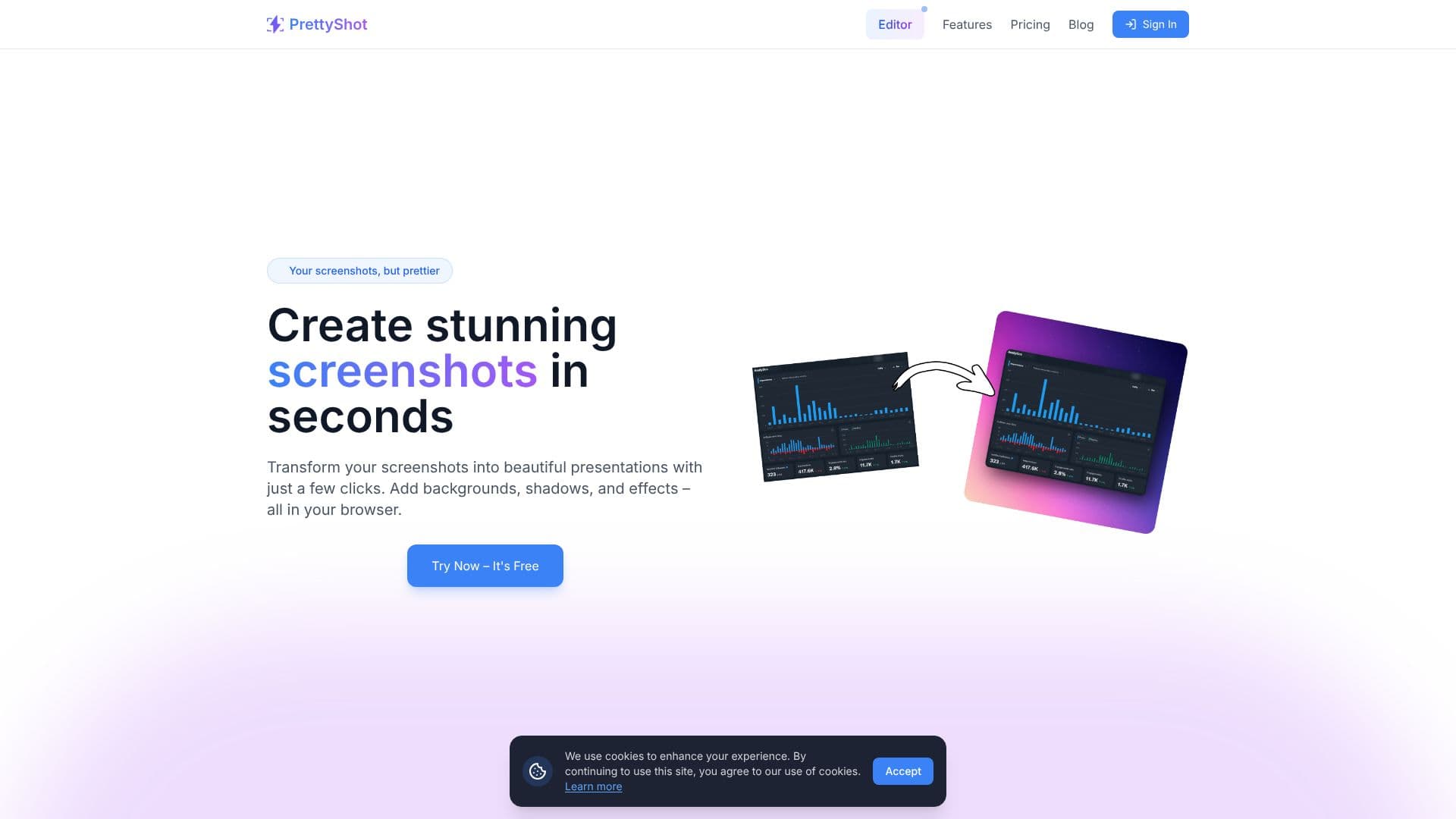
PrettyShot is a web-based tool designed to elevate your screenshots from basic captures to polished presentation assets. It empowers users to transform ordinary images into visually stunning graphics with remarkable ease and speed. The platform offers a suite of powerful yet simple features, all accessible directly within your browser, eliminating the need for complex software installations.
Read More
At its core, PrettyShot focuses on enhancing the aesthetic appeal of screenshots. Users can select from a diverse range of beautiful backgrounds, including solid colors, gradients, or even upload their own custom images with blur effects. This allows for a personalized touch that perfectly complements the content of the screenshot. Beyond backgrounds, the tool provides a collection of effects designed to make images pop, such as realistic shadows and reflections, adding depth and professionalism.
For an even more polished look, PrettyShot offers professional device mockups. Present your screenshots within sleek frames of popular devices like phones, tablets, laptops, and desktop monitors, giving your visuals a modern and contextually relevant presentation. The platform also includes a convenient preset system, enabling users to save their favorite combinations of effects and backgrounds for instant application, streamlining the workflow for repetitive tasks.
PrettyShot caters to a wide audience, including developers showcasing UI designs, content creators illustrating tutorials, marketers creating promotional materials, and anyone looking to present information more effectively. The value proposition lies in its ability to deliver professional-quality visuals quickly and affordably, with a generous free tier and an accessible Pro plan for advanced features.
The tool is built for simplicity, allowing users to achieve impressive results with just a few clicks. Whether you're aiming for a clean, minimalist look or a vibrant, eye-catching design, PrettyShot provides the flexibility and tools necessary to achieve your vision. Join thousands of users who are already creating more engaging and beautiful screenshots in seconds.
- CategoryAI Graphic Design Tools
- Pricing ModelFreemium
- DeploymentCloud
- PlatformsWeb
PrettyShot's Core Features
Transform screenshots into presentations
Add backgrounds (solid colors, gradients, custom uploads)
Apply effects like shadows and reflections
Use professional device mockups (phones, tablets, laptops, desktops)
Create and apply custom presets for one-click transformations
AI background generation (PRO feature)
AI background removal (PRO feature)
No watermark on PRO plan
Image overlays (PRO feature)
Vinette and Noise effects (PRO feature)
How to use PrettyShot?
Upload Screenshot: Select the screenshot you want to enhance.
Customize Visuals: Choose backgrounds, add effects, and apply mockups.
Save Presets: Save your favorite combinations for future use.
Export Image: Download your beautifully transformed screenshot.
PrettyShot's Use Cases
- Enhance UI Screenshots
- Create Tutorial Graphics
- Design Marketing Visuals
- Professional Presentation Assets
- Personalize Content