Description
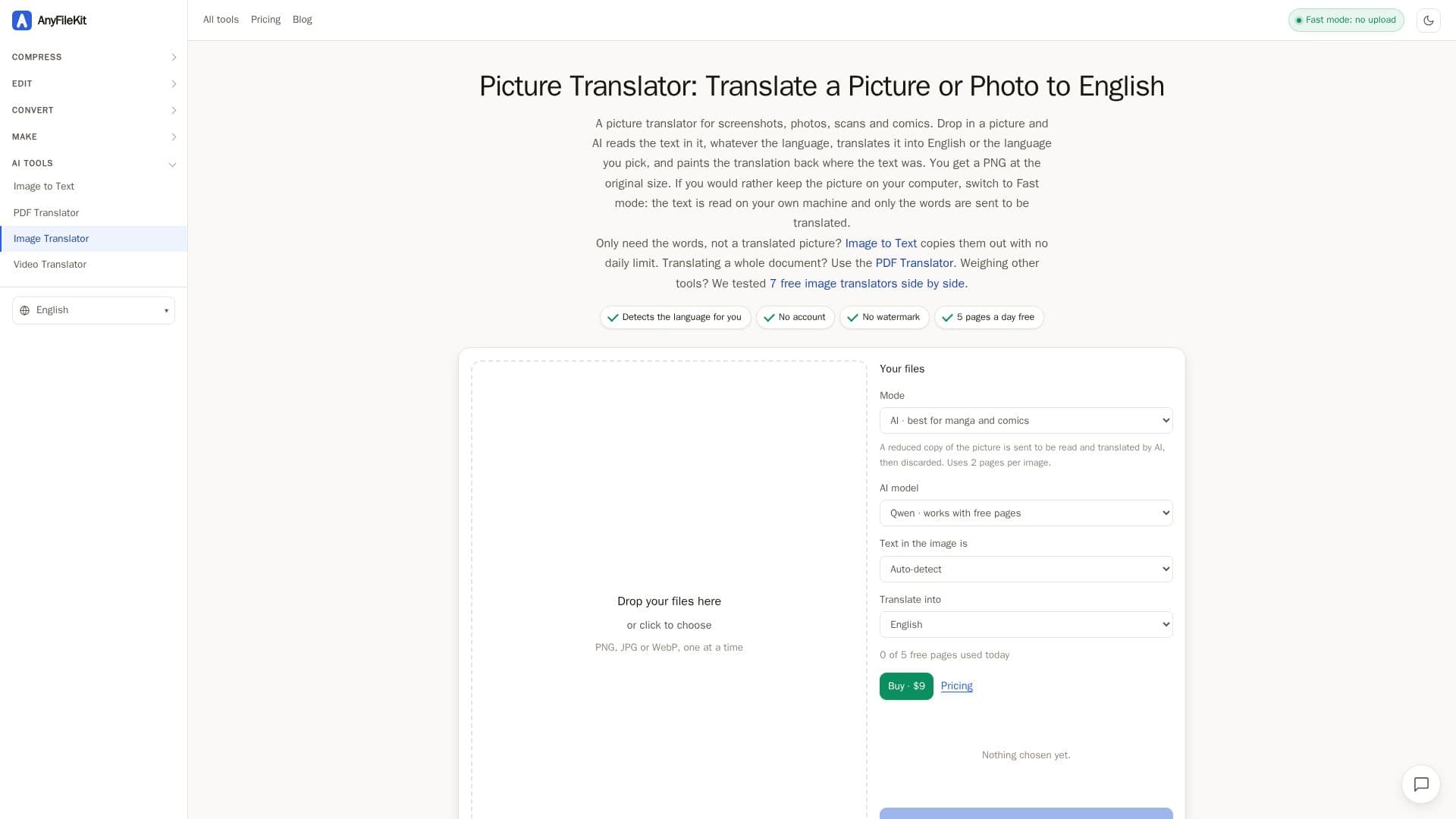
Picture Translator by AnyFileKit offers an advanced solution for translating text embedded in images, supporting over 60 languages. This web-based tool is designed to handle various visual content, including screenshots, photos, scanned documents, and comics. Its core functionality revolves around an AI mode that intelligently reads text from pictures, auto-detects the language, translates it, and then seamlessly overlays the translated text back onto the image in the original position.
Read More
The AI mode is particularly adept at managing challenging scenarios such as angled text, busy backgrounds, and text within speech bubbles, making it ideal for translating manga, manhwa, and comic pages. It translates each line in context rather than word-by-word, preserving the meaning and flow. The output is provided as a high-quality PNG file at the original pixel size, without watermarks or requiring a sign-up.
For users concerned about data privacy or seeking faster processing for simpler images, Picture Translator offers a "Fast mode." In this mode, the image is processed directly within the user's browser, and only the extracted text is sent for translation. This ensures that the picture itself never leaves the user's device. Fast mode is effective for clean screenshots and documents, though AI mode is recommended for more complex visuals.
The service provides a daily allowance of 5 free pages. A "page" is defined as 3,000 characters of source text. Translating a picture in AI mode typically uses 2 pages, allowing for two comic pages or multiple smaller translations per day. For heavier usage, a 30-day pass is available for $9, covering 1,500 pages across all AnyFileKit AI translators. The tool is accessible directly through a web browser on both desktop and mobile devices, eliminating the need for app installations.
- CategoryAI Translators
- Pricing ModelFreemium
- DeploymentCloud
- PlatformsWeb
Picture Translator's Core Features
Translate text in pictures across 60 languages
Automatic language detection for source text
Translated text painted back onto the original image
AI mode for complex images, angled text, and busy backgrounds
Fast mode for on-device processing and enhanced privacy
Supports translation of manga, manhwa, and comic speech bubbles
Translates sound effects in comics
Outputs translated images as PNG files at original size
No watermark on translated images
No account or sign-up required for basic use
5 free pages per day allowance
Option to copy original and translated text as a list
Works in browser on both desktop and mobile devices
Handles mixed languages within a single picture
Paid pass available for increased page allowance
How to use Picture Translator?
Choose a Picture: Select a screenshot, photo, scanned page, or comic page from your device.
Pick a Language: Choose the desired translation language from the "Translate into" list.
Start Translation: Press the "Start" button to initiate the translation process.
Review and Download: Download the translated result as a PNG, or copy the original and translated text from the list below.
Picture Translator's Use Cases
- Translate Screenshots
- Translate Photos of Signs
- Translate Scanned Documents
- Translate Manga and Comics
- On-the-Go Translation
- Language Learning Aid
- Business Document Translation
- Research and Information Gathering