Description
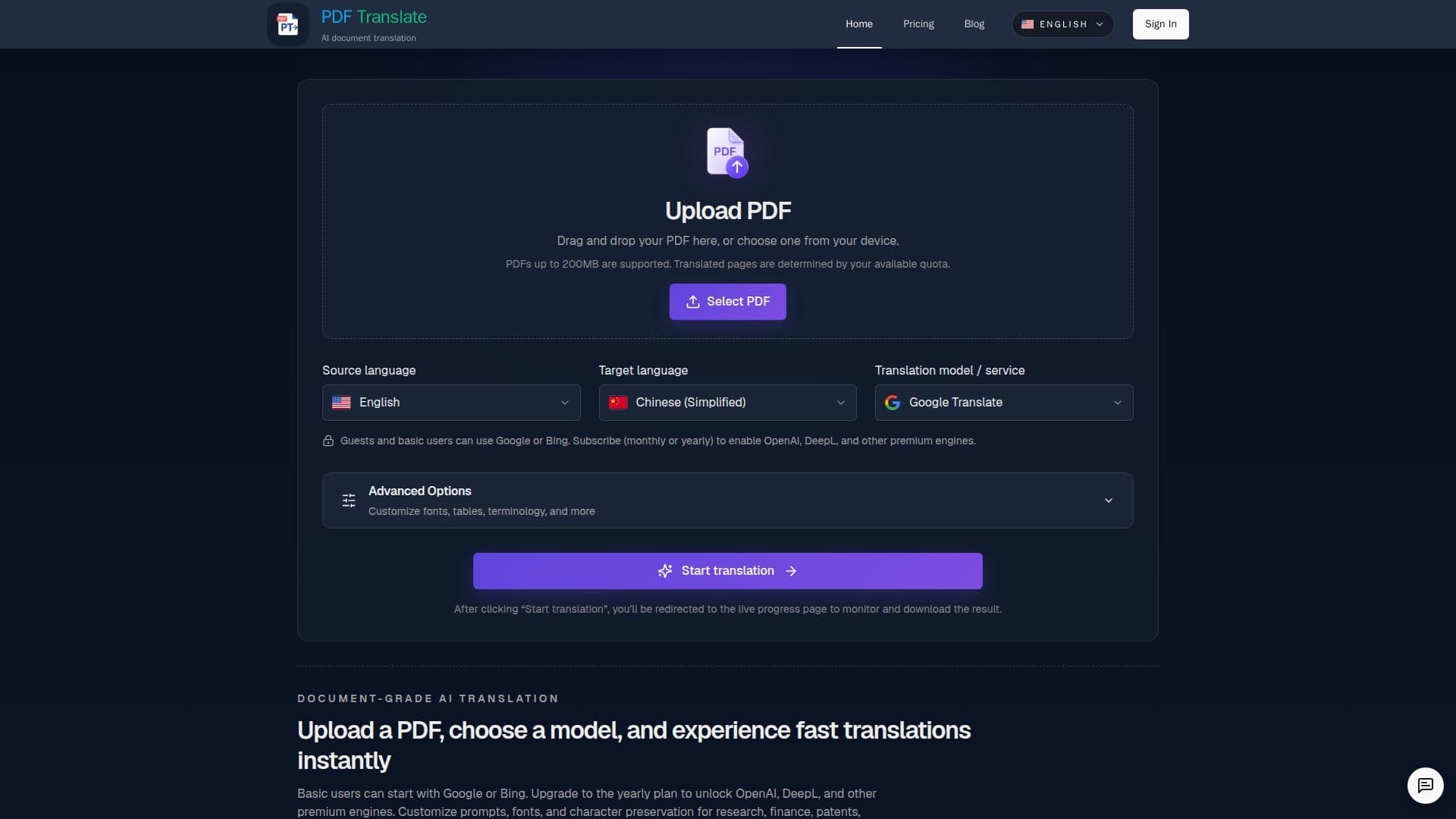
PDF Translate is an online tool designed to facilitate the translation of PDF documents into over 100 languages. Users can upload their PDFs and choose from various AI translation engines, including Google, Bing, OpenAI, and DeepL, to receive fast and accurate translations. The tool ensures that the original layout, fonts, tables, and images are preserved, making it ideal for translating contracts, lesson decks, and technical manuals.
Read More
The platform offers a free tier that allows users to translate up to 10 pages per day using Google and Bing engines. For those needing more, there are pay-per-use packs and subscriptions that unlock access to premium engines and additional features. Users can customize translations by choosing specific models and setting parameters for character preservation and layout integrity.
PDF Translate supports a wide range of document types, including scanned pages, and offers options to download translations in mono or dual-column formats for easy review. The tool is browser-based, requiring no software installation, and is compatible with Mac, Windows, iOS, Android, and Linux.
Security is a priority, with TLS encryption and GDPR-aligned retention policies ensuring document privacy. The platform is designed for global use, supporting languages from major business hubs to regional dialects, making it suitable for various industries and roles. Whether for academic papers, business reports, or customer support documents, PDF Translate provides a streamlined and secure translation solution.
- CategoryAI Translators
- Pricing ModelFreemium
- DeploymentCloud
- PlatformsCloud
PDF Translate's Core Features
Free PDF translation
Supports 100+ languages
Preserves original layout
Access to Google and Bing engines
Premium engines available
No software installation
Secure TLS encryption
Customizable translation settings
How to use PDF Translate?
Upload: Drag and drop your PDF
Select Languages: Choose source and target languages
Translate: Let the AI engine process the document
Download: Retrieve the translated PDF
PDF Translate's Use Cases
- Business Reports
- Academic Papers
- Technical Manuals
- Contracts
- Customer Support