Description
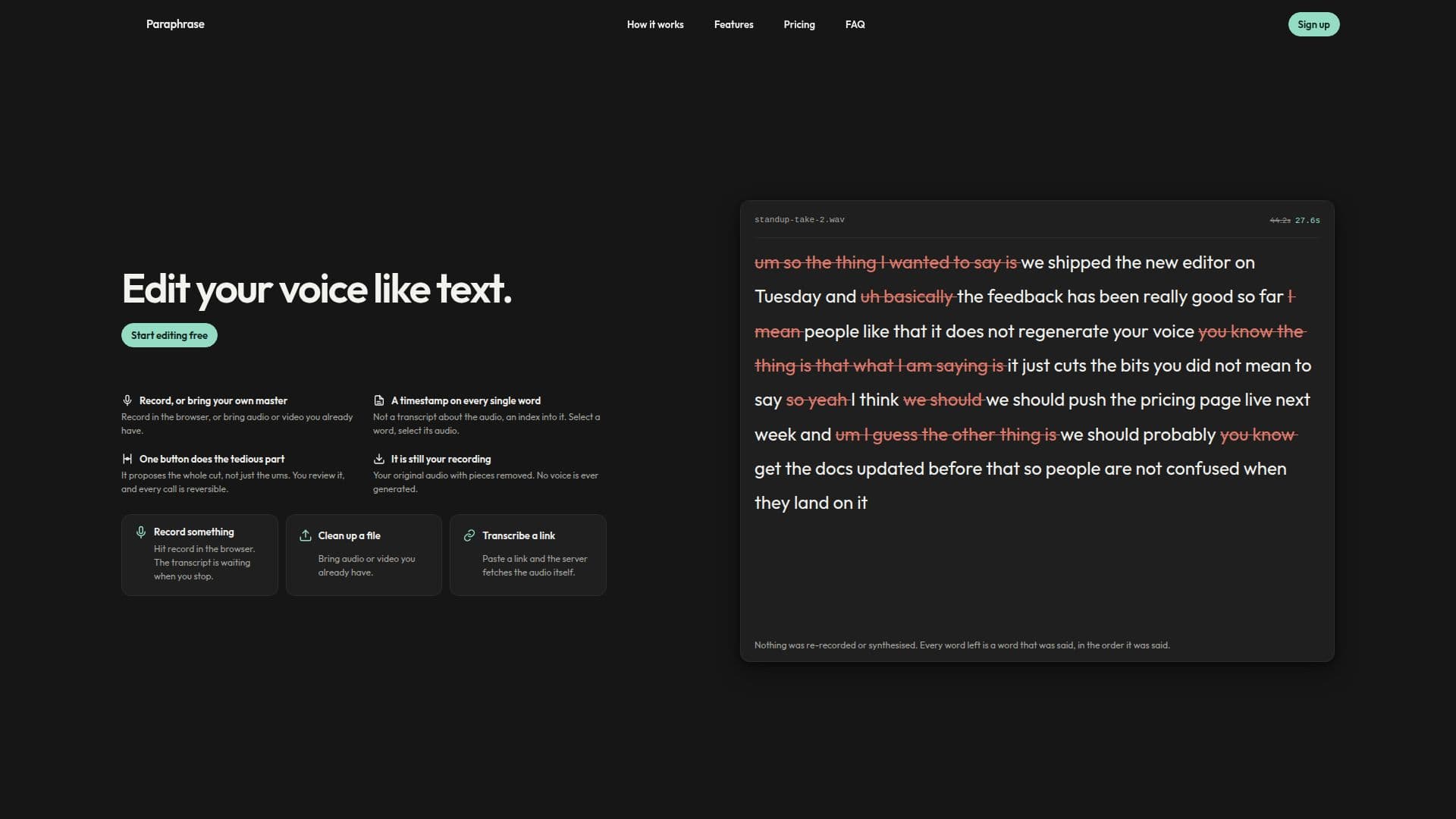
Paraphrase offers a unique approach to audio editing, treating spoken content like editable text. The core functionality revolves around transcribing audio with precise word-level timestamps, allowing users to modify their recordings by simply editing the generated transcript. When a word is deleted or moved in the transcript, the corresponding audio segment is cut or reordered, ensuring that the exported file is always a clean, edited version of the original recording, never a synthetic voice.
Read More
The platform supports recording directly within the browser or uploading existing audio and video files. Once a recording is processed, users receive a detailed transcript where every word is linked to its exact audio slice. This enables highly granular editing, such as removing filler words, correcting false starts, or reordering sentences by dragging words in the transcript. The system ensures that any edit, whether manual or AI-assisted, is applied consistently to the underlying audio structure.
Paraphrase includes an "AI button" that intelligently reads the transcript and proposes a cleaned-up version of the recording. This AI identifies and removes hesitations, repeated words, and unnecessary padding, while also suggesting rephrasing for better flow. Importantly, the AI only uses words already spoken by the user, maintaining the authenticity of the original voice. Users can review and override any of the AI's suggestions word by word, ensuring full control over the final output.
The tool is designed for efficiency, particularly for tasks like podcast editing, where precise cuts and clean-ups are crucial. It supports exporting edited audio in various formats, including WAV, FLAC, MP3, M4A, and Opus. For video uploads, it can export MP4 with both picture and sound cut at the same word boundaries. Paraphrase operates on a credit system, where one credit buys one second of source audio, and re-editing a transcribed recording is always free, as the original master audio is preserved.
Privacy is a key focus, with Paraphrase explicitly stating that no audio is used to train any models. The platform offers a single Premium plan with flexible billing options (monthly, annually, triennially) and a free account that includes enough credit for a short recording. Support is available via email or Discord.
- CategoryAI Audio Editors
- Pricing ModelFreemium
- DeploymentCloud
- PlatformsWeb
Paraphrase's Core Features
Word-level transcription with timestamps
Edit audio by deleting or reordering words in transcript
AI-powered cleanup for hesitations, false starts, and filler words
Manual editing capabilities for precise control
Record voice directly in browser
Upload existing audio and video files
Export edited audio in WAV, FLAC, MP3, M4A, Opus
Export edited video as MP4 (for video uploads)
Non-destructive editing; original audio preserved
No synthetic voice generation; always uses original recording
Supports up to four hours per single recording
Free re-editing of transcribed recordings
Multi-take project management
Supports 25 European languages for transcription
Privacy-focused: audio not used for model training
How to use Paraphrase?
Create Project: Start a new project and choose to record directly in the browser or upload an existing audio/video file.
Get Transcript: Paraphrase automatically transcribes your recording, providing a timestamp for every word.
Edit Audio: Use the AI cleanup button to automatically remove hesitations and filler words, or manually delete, restore, and reorder words in the transcript.
Review & Refine: Review the proposed edits, overriding any AI suggestions word by word as needed.
Export Recording: Export your cleaned and edited recording in your preferred audio format (WAV, FLAC, MP3, M4A, Opus) or as MP4 for video.
Paraphrase's Use Cases
- Podcast Editing
- Voice Note Refinement
- Interview Cleanup
- Lecture & Presentation Editing
- Video Content Editing
- Speech Practice & Review
- Audiobook Production