Description
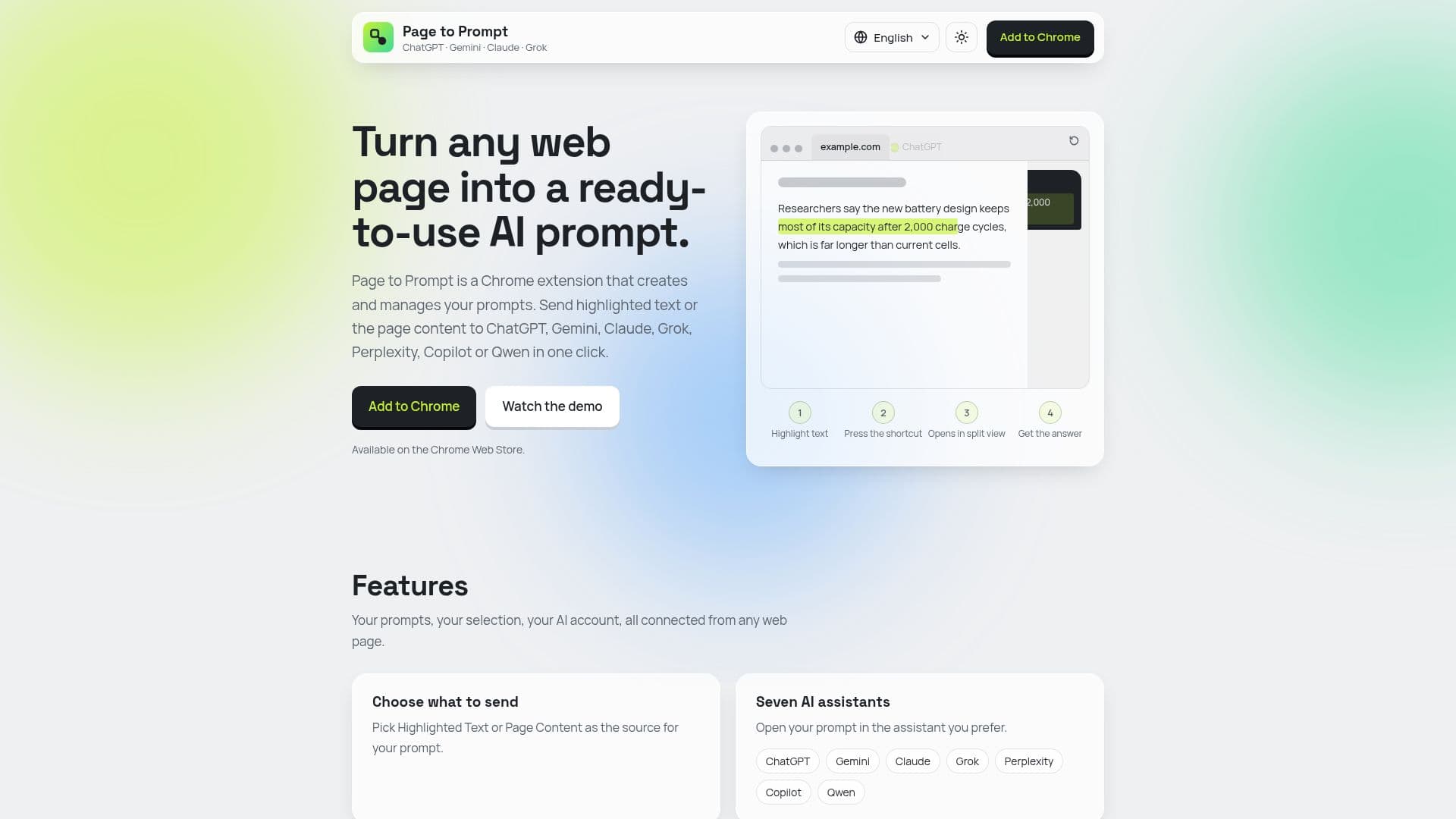
Page to Prompt is a versatile Chrome extension that transforms any web page into a source for ready-to-use AI prompts. It simplifies the interaction with popular AI assistants by enabling users to quickly send selected text, full page content, the page URL, or its title directly to their preferred AI, including ChatGPT, Gemini, Claude, Grok, Perplexity, Copilot, and Qwen.
Read More
The extension is built around user convenience, offering a robust prompt management system. Users can save and organize their own prompts, incorporating placeholders like `{{SELECTED_TEXT}}` to dynamically insert highlighted content. Before sending, prompts can be edited on the fly, or new ones can be typed directly within the extension interface. This flexibility ensures that users can tailor their AI interactions precisely to their needs.
A key feature of Page to Prompt is its ability to maintain conversation continuity. The extension intelligently remembers which AI tab it connected to, allowing subsequent prompts to continue within the same conversation thread rather than starting a new one. This is particularly useful for extended research or iterative tasks, and it supports simultaneous conversations across multiple AI assistants, each remembered separately.
Operating through a simple four-step process, Page to Prompt eliminates the need for manual copy-pasting and cleanup. Users can activate the extension via a right-click context menu or a keyboard shortcut (Cmd + Shift + P). They then choose their source content (highlighted text or page content) and select an AI assistant. Finally, they pick a saved prompt or compose a new one, and the AI assistant opens in a split view, ready to provide an answer. The product is offered as a monthly subscription for $5.99, handled securely by Polar, and includes unlimited conversions and future updates. Users receive a license key via email to unlock the extension. It's important to note that Page to Prompt is a software product and requires users to have their own accounts with the respective AI services, as it is not affiliated with them but merely facilitates the connection.
- CategoryPrompt Engineering Tools
- Pricing ModelSubscription
- DeploymentCloud
- PlatformsChrome Extension
Page to Prompt's Core Features
Send highlighted text to AI assistants
Send full page content to AI assistants
Send page URL or title to AI assistants
Integrates with ChatGPT, Gemini, Claude, Grok, Perplexity, Copilot, Qwen
Save and manage custom prompt library
Edit prompts before sending
Type new prompts on the spot
Maintains conversation continuity with AI tabs
Supports multiple AI conversations simultaneously
Quick activation via right-click or keyboard shortcut
Split-view display for AI interaction
Unlimited Page to Prompt conversions
Works on any public web page
Includes all future updates
How to use Page to Prompt?
Open the extension: Right-click and choose Page to Prompt, or press Cmd + Shift + P.
Choose source and AI: Select Highlighted Text or Page Content, then pick your preferred AI assistant.
Pick a prompt: Click a saved prompt to open the AI, or edit it first, or write a new prompt.
Continue conversation: Subsequent prompts will continue in the same AI tab you already opened.
Page to Prompt's Use Cases
- Research Summarization
- Content Creation
- Learning and Study
- Code Analysis
- Language Translation
- Market Analysis
- Technical Documentation