
Description
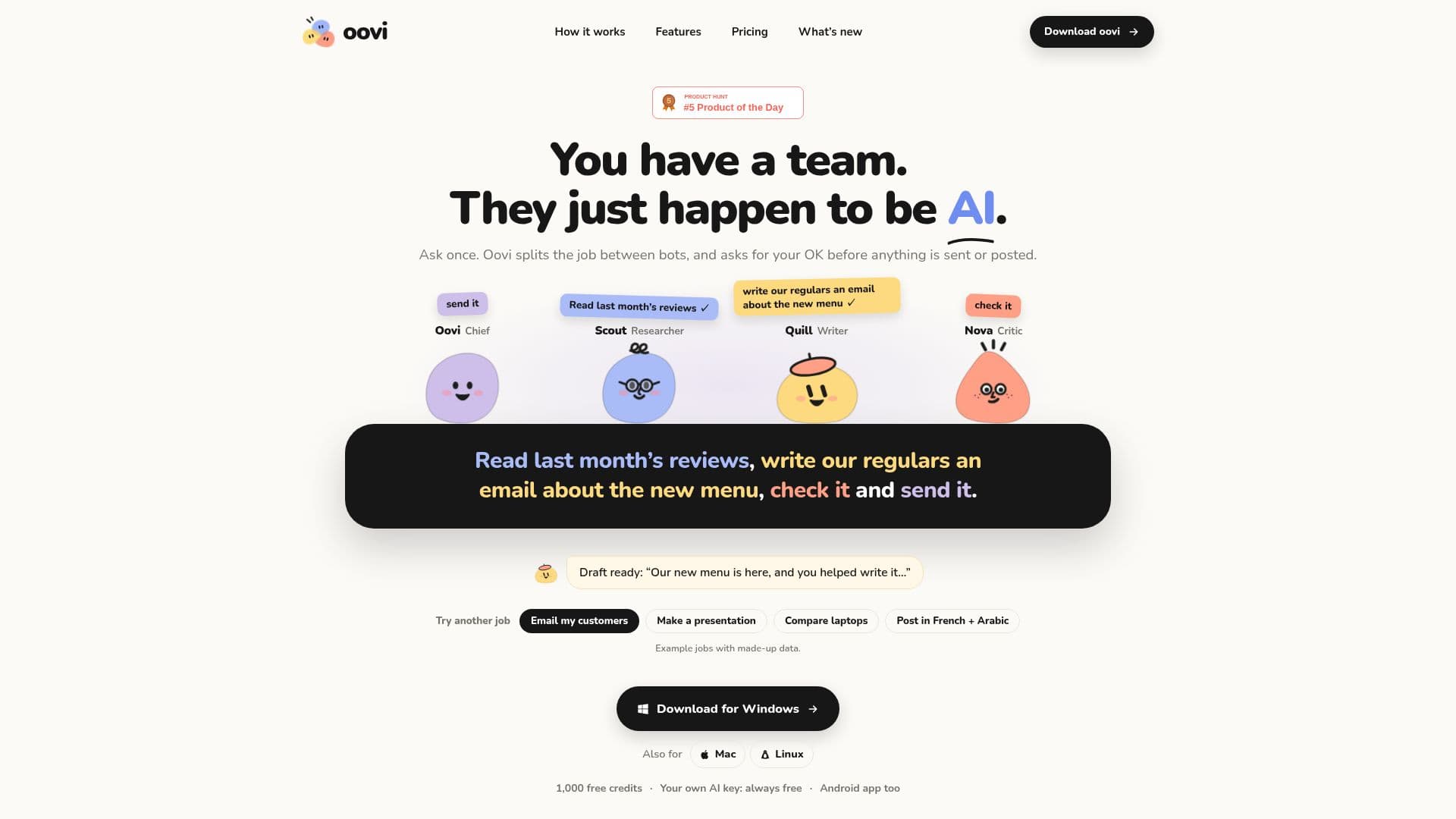
oovi offers users their own customizable team of AI agents designed to collaborate on tasks and turn ideas into reality directly on their computer. The platform emphasizes user control, requiring approval before any agent sends an email, posts content, or interacts with a website. This ensures that users maintain oversight of all actions performed by their AI team.
Read More
The core functionality revolves around a multi-agent system where a single request is split among specialized bots. The initial team includes Oovi Chief (team leader, task planner), Scout Researcher (web search and source retrieval), Quill Writer (content creation like emails and documents), and Nova Critic (review and error checking). Users can also add custom bots with specific jobs, faces, and AI models, organizing them into groups for tailored workflows.
oovi integrates with various real-world applications and files, such as Gmail, Slack, and Notion, allowing bots to perform actions within these platforms. Agents can also use a real browser, with users able to watch live interactions. The system supports working with documents, spreadsheets, slides, and tables, saving generated files directly to the user's computer. Advanced features include routines for automating daily tasks, memory for bots to retain context about user preferences, and skills that allow bots to save and reuse task steps.
Regarding pricing, oovi offers a flexible model. Users can connect their own AI API key (e.g., Claude, GPT, Gemini, Grok, OpenRouter, or local models) for free, paying their provider directly. Alternatively, they can use the built-in model, theOovi, which operates on a credit system. New users receive 1,000 free credits to try the service. Paid plans start from $10 per month, offering varying amounts of monthly credits and daily safety limits to prevent runaway tasks. Unused credits roll over.
The platform is available across multiple operating systems, including Windows, Mac, Linux, and Android, and is designed for quick setup. All chats, files, and API keys remain on the user's device, with keys encrypted, and phone syncing is optional. This focus on local processing and user control underscores oovi's commitment to privacy and data security.
- CategoryAI Agent Builders
- Pricing ModelFreemium
- DeploymentDesktop Application
- PlatformsWindows, Mac, Linux, Android
oovi's Core Features
Team of AI agents working together
User approval required before actions (send, post, click)
Customizable AI agents with specific jobs and models
Integration with external apps (Gmail, Slack, Notion)
Ability for bots to use a real browser with live viewing
File creation and management (documents, spreadsheets, slides)
Automated routines for recurring tasks
Memory for bots to retain user context
Skill saving and reuse for repetitive tasks
Local data storage on user's computer (chats, files, keys)
Support for user's own AI API keys (Claude, GPT, Gemini, Grok, OpenRouter)
Built-in AI model (theOovi) with credit system
Free credits for new users
Paid plans with monthly credits and daily safety limits
Cross-platform compatibility (Windows, Mac, Linux, Android)
How to use oovi?
Install oovi: Download and set up the oovi application on your Windows, Mac, Linux, or Android device.
Choose AI model: Connect your own AI API key for free usage or utilize the built-in theOovi model with credits.
Form your team: Start with the default four agents (Chief, Researcher, Writer, Critic) or add custom bots with specific roles.
Assign a job: Ask your team a task in plain language, and oovi will split the job among the bots.
Monitor progress: Observe each bot's actions and costs as they work through the task.
Approve actions: Review and approve specific actions (e.g., sending an email, posting) before they are executed.
Integrate apps: Connect your existing applications like Gmail, Slack, or Notion to enable bots to interact with them.
Automate routines: Set up recurring tasks, such as daily news summaries, to run automatically.
oovi's Use Cases
- Content Creation & Review
- Web Research & Summarization
- Automated Daily Routines
- Application Integration & Automation
- Data Organization & File Generation
- Personalized AI Assistance
- Project Management Support
- Learning & Skill Development