Description
NinjaTools is an all-in-one AI workspace built around one idea: instead of paying for several separate AI subscriptions, a user pays for one account and gets access to a set of AI tools bundled into a single platform. The site's main entry point is now a search-style dashboard rather than a traditional marketing homepage, reflecting a shift toward putting the chat and search interface front and center.
Read More
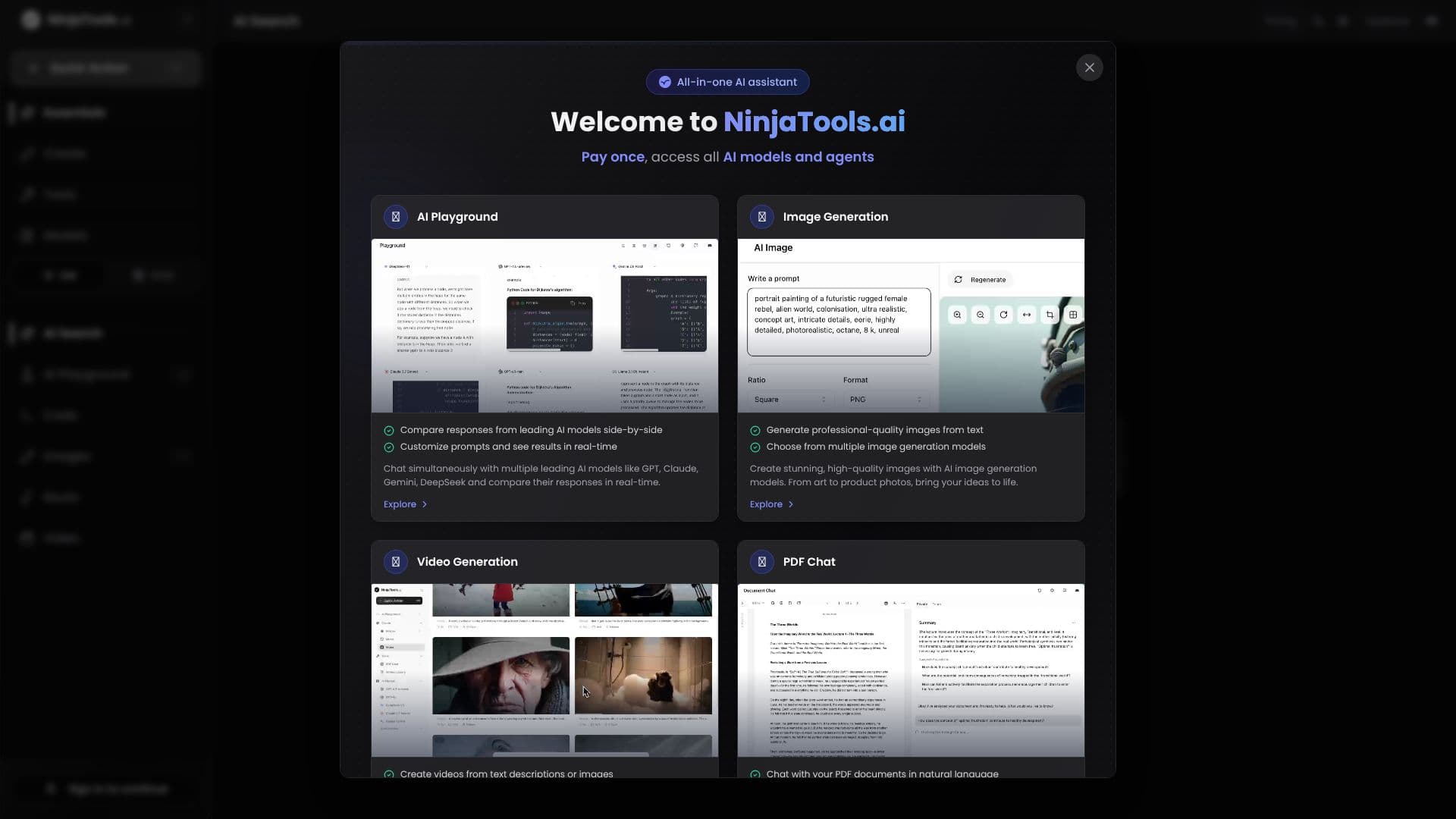
At the center of the workspace is the AI Playground, where a user can send the same prompt to several leading models at once, including GPT-4.1, DeepSeek R1, Claude 3.7 Sonnet, and Gemini 2.5 Pro, and compare the responses side by side before picking one to continue with.
Beyond chat and comparison, NinjaTools packages a set of generation and analysis tools under the same account: AI image generation, AI video generation, AI music generation, and an AI writing assistant for drafting text. A PDF assistant handles document upload and analysis, a mindmap generator turns notes or topics into a visual map, a podcast assistant supports audio content planning, and a YouTube content assistant is built for creators working on video scripts or descriptions.
Pricing is structured as a single subscription rather than per-tool fees, with a starting plan priced at $11 a month. That positions NinjaTools for people who want to try several kinds of AI output, text, images, video, and audio, without maintaining separate accounts and separate bills for each one. The mix of writing, video, podcast, and YouTube tools points toward content creators, students, and other professionals producing multiple types of content, alongside anyone who wants to compare answers across AI models before trusting one for a task.
- CategoryAI Personal Assistants
- Pricing ModelSingle Subscription
- DeploymentCloud
- PlatformsWeb
NinjaTools's Core Features
AI Playground: run one prompt across GPT-4.1, DeepSeek R1, Claude 3.7 Sonnet, and Gemini 2.5 Pro and compare the answers side by side
Search-first dashboard as the main entry point for chat and lookup
AI image generation tool
AI video generation tool
AI music generation tool
AI writing assistant for drafting text
PDF assistant for uploading and analyzing documents
AI mindmap generator for turning notes or topics into a visual map
Podcast assistant for audio content planning
YouTube content assistant aimed at video creators
How to use NinjaTools?
Sign up: create a NinjaTools account and choose a subscription plan.
Start from the dashboard: use the search-style entry point to ask a question or start a chat.
Compare models: open the AI Playground and send the same prompt to GPT-4.1, DeepSeek R1, Claude 3.7 Sonnet, or Gemini 2.5 Pro.
Generate content: switch to the image, video, music, or writing tools depending on what needs to be produced.
Process a document: upload a file to the PDF assistant, or hand a video to the YouTube content assistant.
NinjaTools's Use Cases
- Model comparison
- Content generation bundle
- Document review
- Video and podcast planning