Description
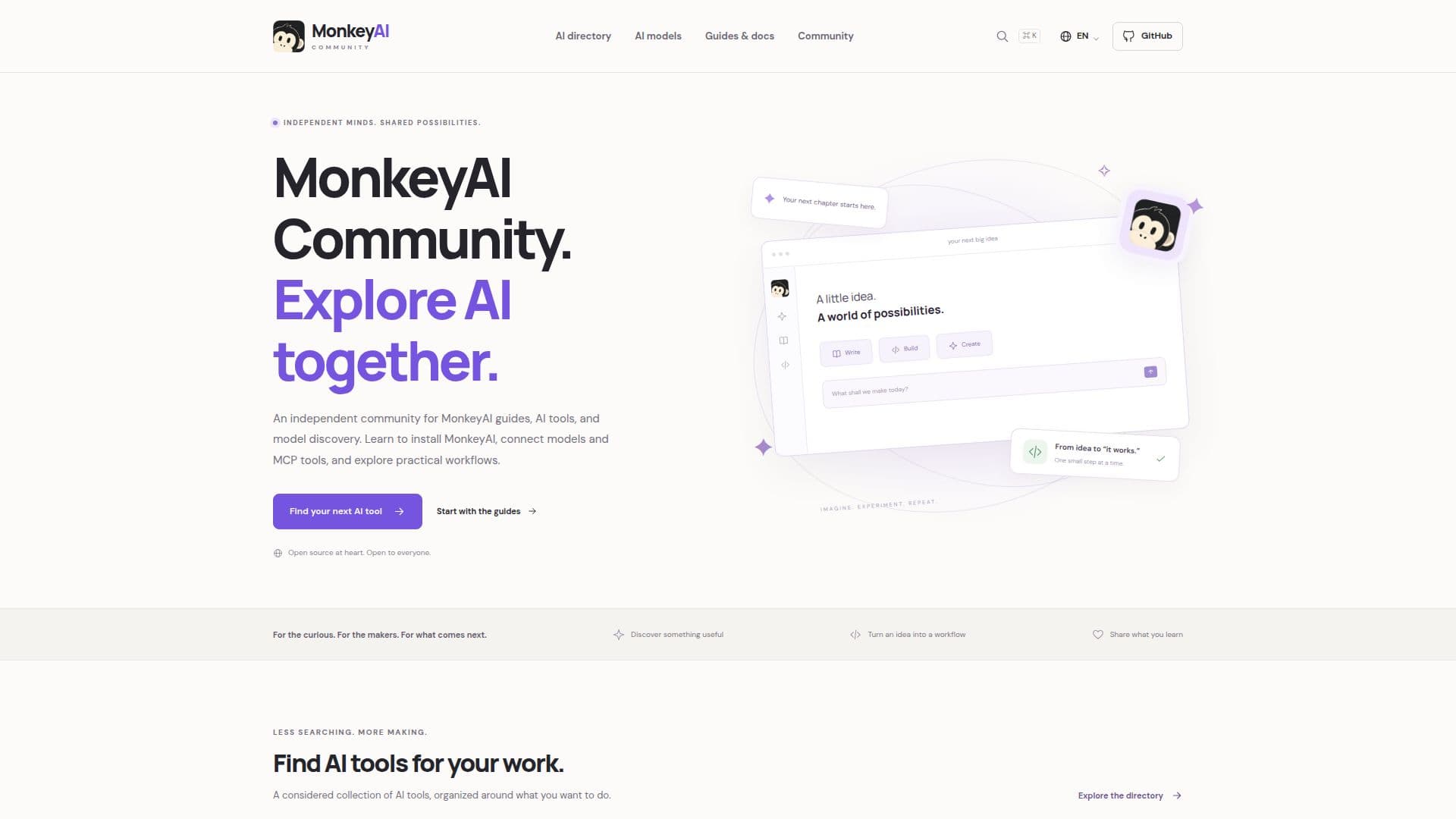
MonkeyAI Community serves as an independent enthusiast resource for individuals and teams exploring AI-assisted work. It aims to connect practical guidance, useful AI tools, and the open-source MonkeyAI project. The community provides a curated collection of AI tools, organized by task, to help users find solutions for their specific needs, whether for thinking, writing, building, or research.
Read More
The platform offers comprehensive guides and documentation designed to help users get started with MonkeyAI. This includes instructions for installation, connecting various AI models (such as GPT, Claude, Gemini, and DeepSeek), and integrating MCP (Multi-Cloud Platform) tools. Users can learn to build verifiable AI workflows, starting from defining tasks and briefs to reviewing results and making workflows reusable. The guides cover scenarios for office work (presentations, documents, spreadsheets), coding (architecture design, code generation, bug fixes), and creative tasks (posters, graphic design, video creation).
MonkeyAI Community emphasizes a practical approach, focusing on understanding models and resources before connecting AI services and business tools. It encourages users to start with clear outcomes and evidence, define checks before requesting final outputs, and use staged approaches for complex tasks. The community also provides insights into different model families, helping users choose the right AI for their workflows.
While the community is independent, it links to the official MonkeyAI project developed by Chaitin and distinguishes its guidance from upstream documentation. The site maintains a small, quiet footprint, with no account system, newsletter database, or advertising trackers. It supports free review for eligible AI tools from small companies, startups, or independent developers, and offers paid listing options for products from larger companies or non-AI tools. Core guides and navigation are available in English, Chinese, and Spanish, promoting learning without language barriers.
- CategoryOther AI Tools
- Pricing ModelFreemium
- DeploymentSelf-Hosted
- PlatformsWeb
MonkeyAI Community's Core Features
AI Tool Directory: Curated collection of AI tools organized by task
Practical Guides: Step-by-step documentation for AI workflows
Model Discovery: Information on various AI model families (GPT, Claude, Gemini, DeepSeek)
MonkeyAI Installation: Guides for self-hosting MonkeyAI on Linux and Docker Compose
Model Connection: Instructions for connecting and configuring AI models
MCP Tool Integration: Guidance on setting up MCP connectors for teams and personal services
Workflow Verification: Methods for building verifiable AI workflows with clear review points
Task-Oriented Briefing: Learn to create briefs with goals, inputs, constraints, and acceptance criteria
Staged Office Workflows: Approach presentations, documents, and spreadsheets in stages
Coding Workflow Checks: Verify code behavior and bounded changes
Design Workflow Checks: Inspect legibility and export dimensions for creative work
Reusable Workflows: Save concise briefs and review checklists for repeated tasks
Multilingual Guides: Core guides and navigation available in English, Chinese, and Spanish
Independent Community: Enthusiast resource distinct from the official MonkeyAI project
Free Tool Review: Eligibility for free listing for small companies and independent developers
How to use MonkeyAI Community?
Explore Tools: Browse the curated directory to find AI tools for specific tasks.
Read Guides: Access practical community documentation for MonkeyAI setup and usage.
Install MonkeyAI: Follow instructions to install MonkeyAI on Linux or deploy with Docker Compose.
Connect Models: Learn to connect and configure various AI models like GPT, Claude, or Gemini.
Integrate MCP Tools: Set up MCP connectors to link personal services and local tools.
Define Tasks: Create clear briefs for AI workflows, specifying goals, inputs, and acceptance criteria.
Build Workflows: Develop verifiable AI workflows for office, coding, or design scenarios.
Review Results: Check outputs against defined criteria and refine workflows for reusability.
MonkeyAI Community's Use Cases
- AI Tool Discovery
- AI Workflow Building
- MonkeyAI Installation
- AI Model Connection
- MCP Tool Integration
- Office Task Automation
- Coding Assistance
- Creative Design Support
- Model Understanding
- Community Learning