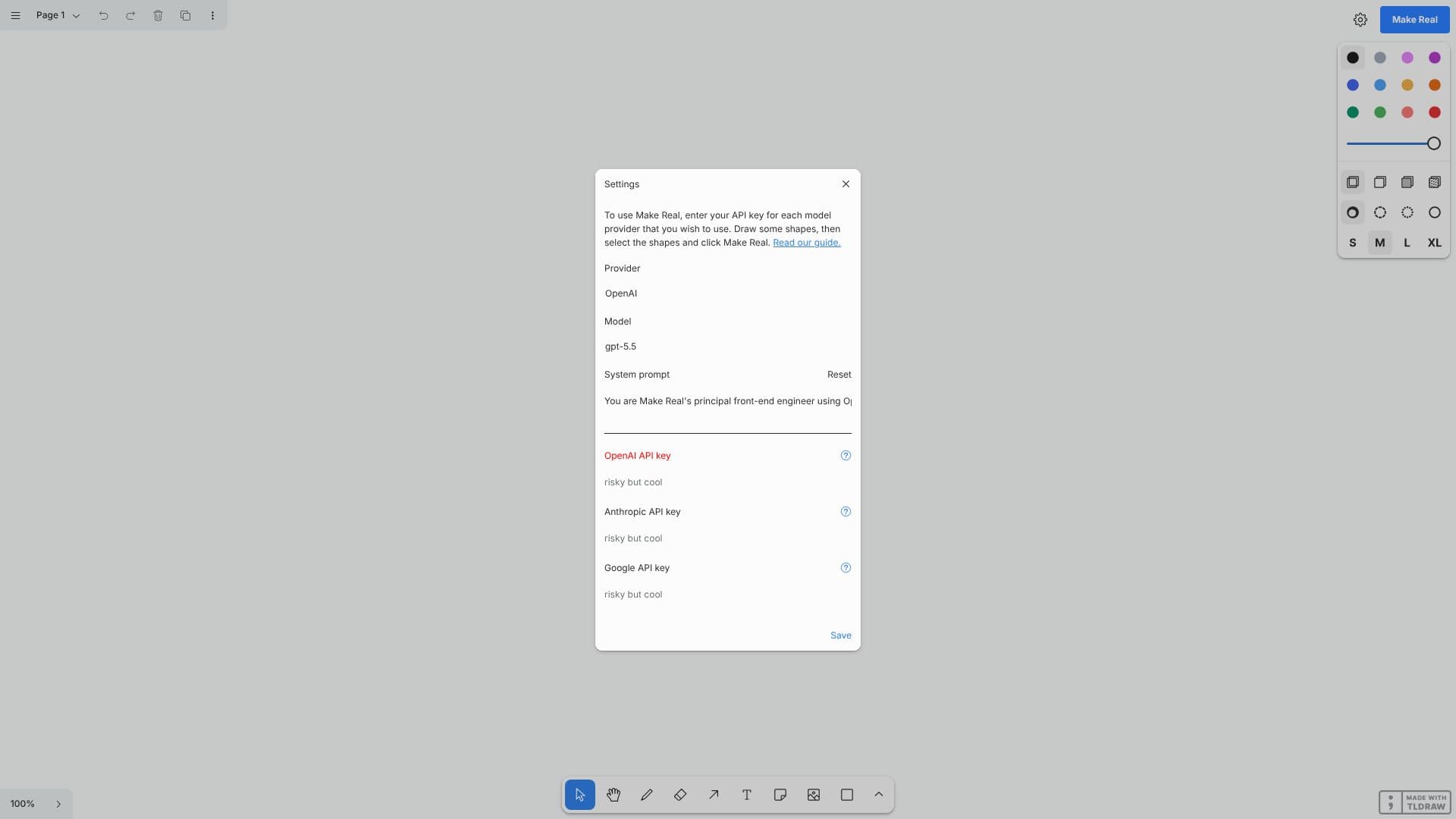
Description
Make Real by tldraw is an innovative AI-powered application designed to bridge the gap between visual UI design and functional code. This tool allows users to draw interface elements directly on a canvas and then transform these visual representations into actual code. The core functionality relies on integrating with various AI model providers, requiring users to input their API keys for services like OpenAI, Anthropic, and Google.
Read More
To use Make Real, users first navigate to the tldraw canvas. They can then draw various shapes and UI components as they would in any design tool. Once the desired elements are drawn, the user selects them and initiates the 'Make Real' process. The AI then interprets the visual design and, leveraging the configured API keys, generates corresponding code. This significantly streamlines the workflow for creating user interfaces, enabling rapid prototyping and development.
The application supports multiple AI model providers, including OpenAI, Anthropic, and Google, offering a selection of models such as gpt-5.5, gpt-5.5-pro, gpt-5.4, gpt-5.4-pro, gpt-5.4-mini, gpt-5.4-nano, gpt-5-mini, and gpt-5-nano. Users can configure system prompts for each provider to guide the AI's code generation process. The ability to reset API keys and save configurations ensures a flexible and personalized user experience.
Make Real is particularly beneficial for UI/UX designers who want to quickly see their designs come to life in code, and for front-end developers looking to accelerate their prototyping and development cycles. It simplifies the process of translating abstract visual ideas into concrete, usable code, thereby enhancing productivity and fostering creativity in the design and development process. The tool emphasizes a user-friendly interface, making advanced AI capabilities accessible to a broader range of professionals.
- CategoryAI UI & UX Design Tools
- DeploymentCloud
- PlatformsWeb
make real • tldraw's Core Features
Draw UI elements on a canvas
Select drawn shapes to initiate code generation
Integrates with OpenAI API
Integrates with Anthropic API
Integrates with Google API
Supports multiple AI model versions (e.g., gpt-5.5, gpt-5.4-pro)
Configurable system prompts for AI models
API key management for providers
Save and reset API key configurations
Visual to code transformation
Rapid UI prototyping
AI-assisted code generation
How to use make real • tldraw?
Draw UI elements: Use the tldraw canvas to sketch out your user interface components.
Select elements: Choose the shapes and elements you want to convert into code.
Configure API keys: Enter your API keys for OpenAI, Anthropic, or Google in the settings.
Generate code: Click 'Make Real' to have the AI translate your design into code.
Refine with system prompts: Adjust system prompts to guide the AI's code generation.
Save settings: Store your API key configurations for future use.
make real • tldraw's Use Cases
- UI Prototyping
- Design to Code
- Rapid Development
- Concept Visualization
- Designer-Developer Collaboration
- AI-Assisted Design