Description
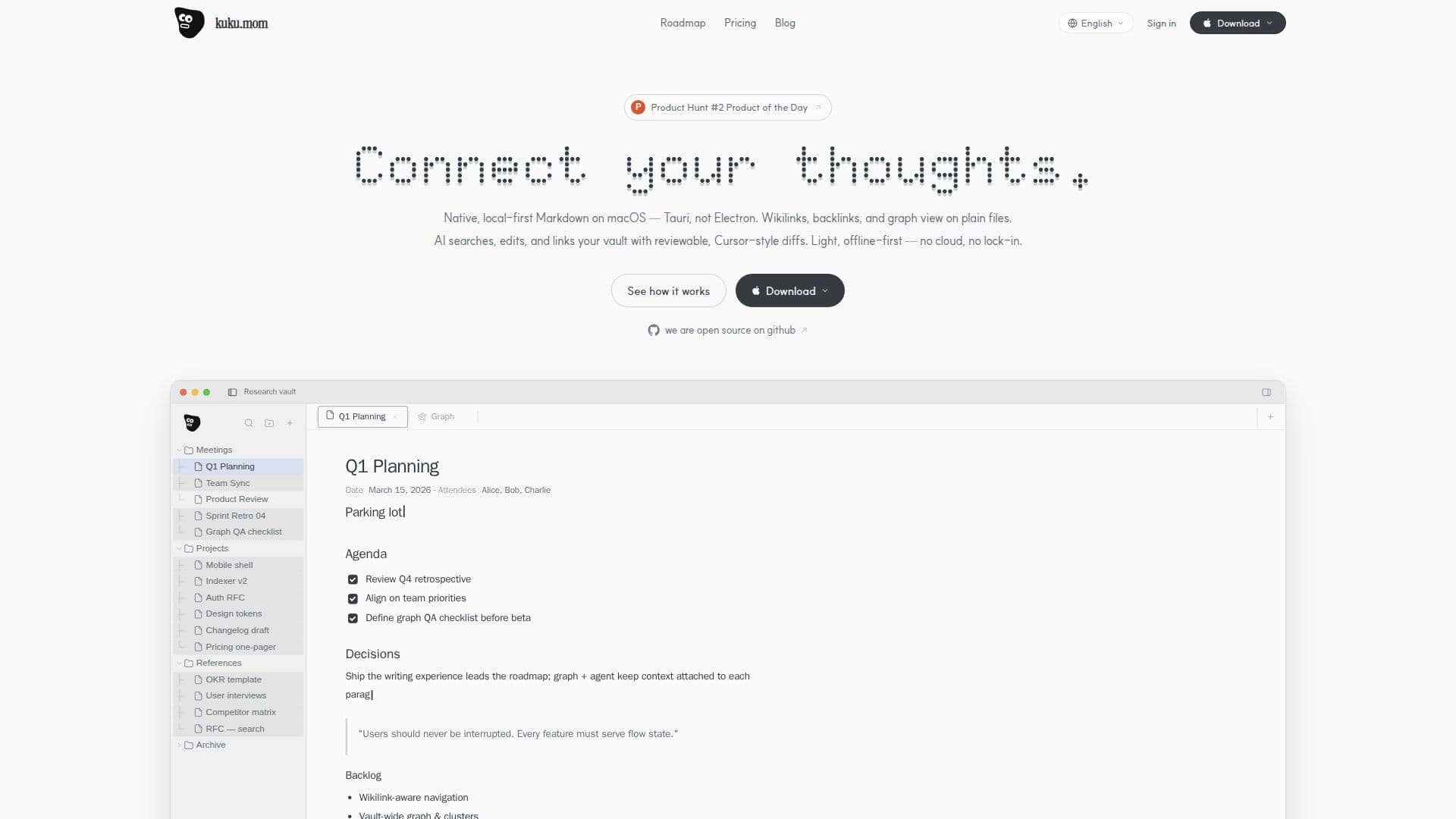
kuku is a local-first Markdown workspace designed specifically for macOS users. It provides a fast and efficient knowledge base that operates offline, ensuring that your data remains secure and accessible without the need for cloud storage. The platform is open-source, allowing users to customize and extend its capabilities as needed.
Read More
One of the standout features of kuku is its AI editing functionality, which includes reviewable diffs. This allows users to make edits with confidence, knowing that changes can be tracked and reviewed easily. The workspace supports wikilinks, backlinks, and graph views, enabling users to connect their thoughts and maintain a comprehensive overview of their knowledge base.
kuku is built using Tauri, not Electron, which ensures a native experience on macOS. The platform is designed to be lightweight and efficient, with no lock-in, meaning users can export their data at any time without restrictions. The AI capabilities of kuku include intelligent document reading and context-aware suggestions, making it easier for users to find the information they need quickly.
The pricing model for kuku is currently in public beta, offering Pro-tier access to all users. Future plans include Free, Pro, Team, and Enterprise tiers, with varying levels of managed services and support. The Pro plan, priced at $10 per month, includes managed accounts, encrypted sync, and remote AI requests. The Team plan, at $15 per seat per month, offers shared workspaces and team memory features.
kuku is ideal for individuals and teams who require a powerful, offline-first Markdown editor with advanced AI capabilities. Its open-source nature and flexible pricing make it accessible to a wide range of users, from freelancers to enterprise teams.
- CategoryAI Knowledge Management
- Pricing ModelFreemium
- DeploymentLocal
- PlatformsmacOS
kuku's Core Features
Local-first Markdown editing
AI editing with reviewable diffs
Wikilinks and backlinks support
Graph view for knowledge visualization
Offline operation with no cloud dependency
Open-source and customizable
Native macOS application
Encrypted sync for Pro and Team plans
How to use kuku?
Download: Install kuku on your macOS device
Configure: Set up your local vault and preferences
Use: Create and edit Markdown documents with AI assistance
Sync: Manage encrypted sync for Pro and Team plans
kuku's Use Cases
- Personal Knowledge Base
- Team Collaboration
- AI-Assisted Editing
- Graph Visualization
- Offline Document Management