Description
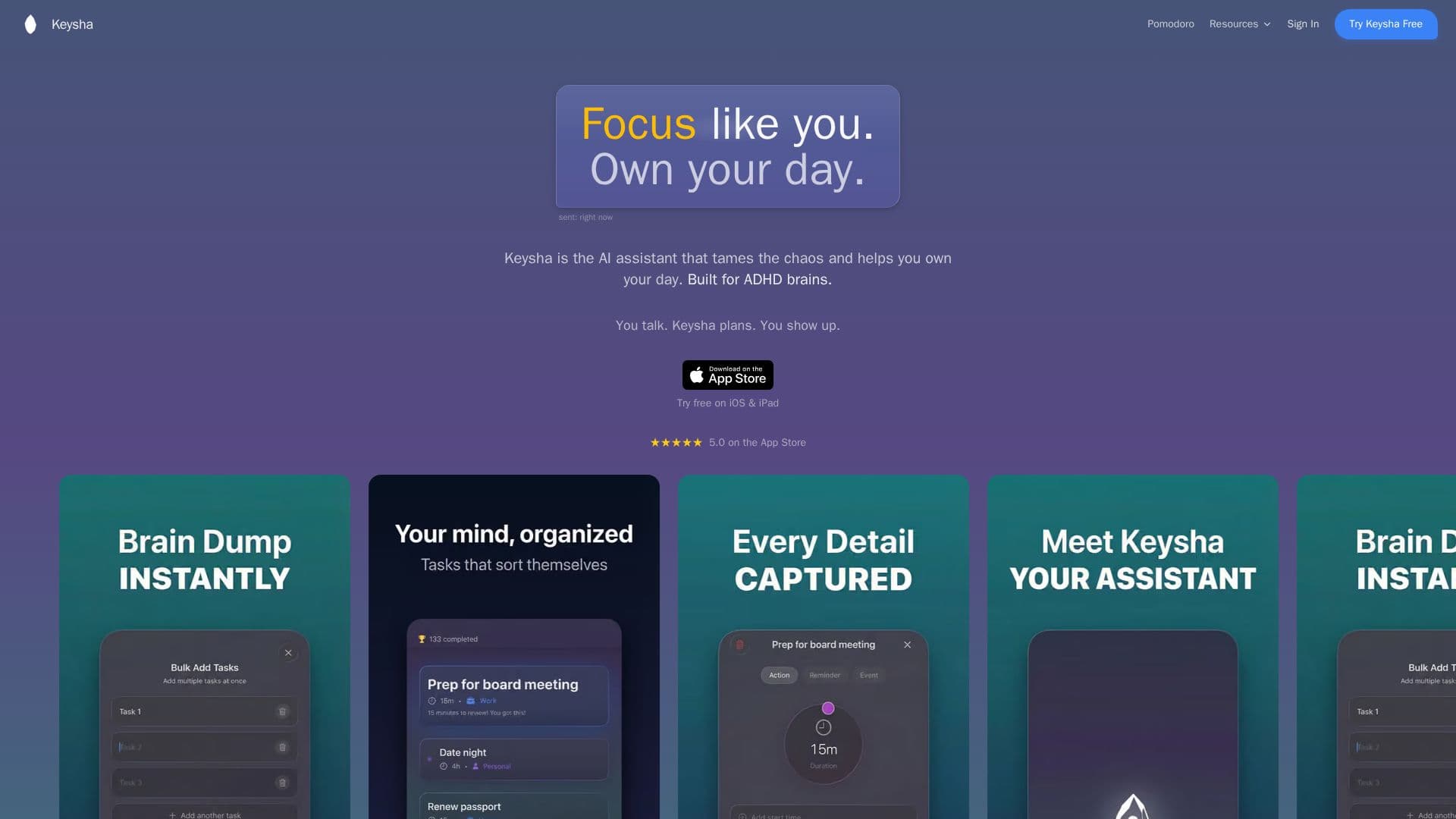
Keysha is a voice-first AI assistant designed to turn chaos into clarity. You talk to it in a natural, real-time conversation rather than issuing rigid voice commands, and it captures, organizes, and prioritizes what is on your mind so you do not have to hold everything in your head. It is built especially for ADHD brains and anyone whose thoughts move faster than their calendar can keep up, including founders juggling projects and parents balancing a household and career.
Read More
Keysha brings tasks, calendar, email, and notes into one app that talks to itself, connecting to Google Calendar, Microsoft Outlook, and Apple Calendar with two-way, real-time sync so it can see your full picture when prioritizing. It learns your energy patterns and adjusts, avoiding rigid schedules, and each morning it surfaces the few things that actually matter right now. The conversational voice interface responds in under 50ms and supports barge-in, so you can interrupt, change your mind mid-sentence, or circle back to something you said earlier.
Keysha is free to start on iOS and iPad with a 7-day free trial of Premium, which runs $11.99/month, no credit card required to begin, and cancellable anytime. The company emphasizes privacy: data is end-to-end encrypted, never sold, and not used to train models, and you can delete everything at any time.
- CategoryAI Personal Assistants
- Pricing ModelFreemium
- DeploymentCloud
- PlatformsiOS
Keysha's Core Features
Voice-first, real-time conversational assistant with barge-in
Under 50ms response time
Captures, organizes, and prioritizes tasks from a brain dump
Two-way sync with Google, Outlook, and Apple calendars
Learns your energy patterns and adjusts the plan
Surfaces the few things that matter most each day
Tasks, calendar, email, and notes unified in one app
End-to-end encryption with no data selling or model training
How to use Keysha?
Get it on iOS: Download Keysha free on iPhone or iPad, no credit card to start.
Connect your calendars: Link Google, Outlook, and Apple Calendar for two-way sync.
Tell Keysha what's on your mind: Brain dump by voice or text, like texting a friend.
Let it build your day: Keysha weighs your calendar, energy patterns, and what's urgent to surface priorities.
Adjust as you go: Tell it what changed and it reprioritizes in real time.
Keysha's Use Cases
- Clear a busy mind
- Plan an ADHD-friendly day
- Adapt on the fly
- Unify tasks and calendar