Description
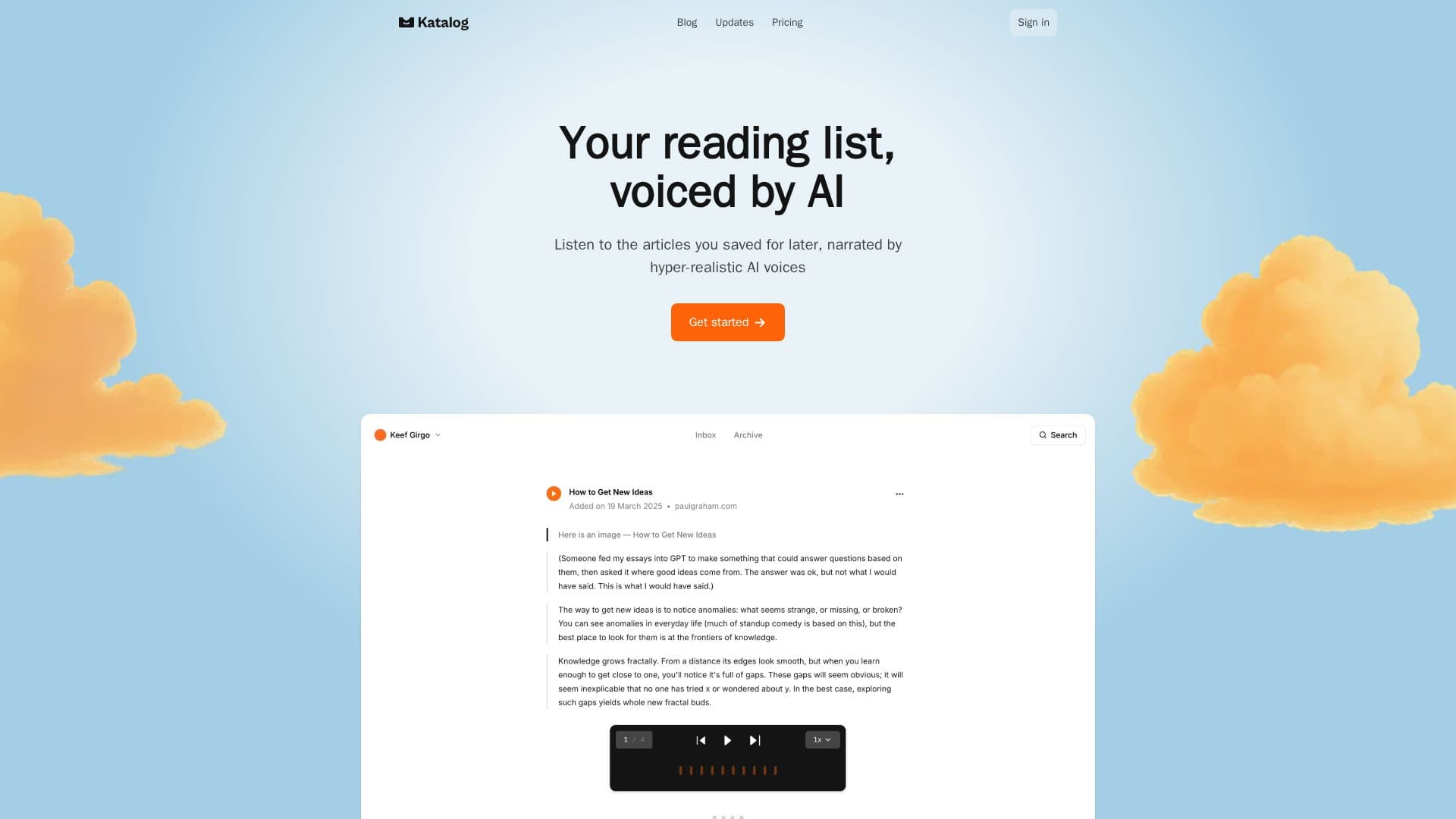
Katalog is a listen-it-later app that turns saved articles into high-quality audio. Users paste any article link, and Katalog keeps a clean copy of the content, so the article remains accessible even if the original page goes offline. Rather than plain text-to-speech, Katalog enhances each article's transcript to produce a more natural listening experience.
Read More
Beyond narration, Katalog supports hands-free interaction while listening. Through its real-time AI conversation feature, users can press and hold to ask questions, get explanations, take notes, or highlight moments in an article using natural speech. A semantic AI search lets users look back through their saved collection to find what they read.
Katalog runs on the web and offers a Chrome extension for saving articles from any site, plus an iOS app available through TestFlight with a public release planned. Listeners can choose from several narration voices, adjust playback speed, and resume from where they left off. Saved articles and audio can be stored for offline listening on iOS.
Katalog is offered through Basic and Pro subscriptions, each with monthly limits on saved articles and generated narrations. New accounts receive two free audio generations to try the experience, and annual plans include a discount.
- CategoryText to Speech
- Pricing ModelFreemium
- DeploymentCloud
- PlatformsWeb, iOS, Chrome
Katalog's Core Features
Save any web article by pasting its link
Hyper-realistic AI voice narration with enhanced transcripts
Real-time AI voice conversations about the article you're hearing
Semantic AI search across your saved library
Chrome extension to save articles from any website
iOS app with offline saving and playback (TestFlight)
Multiple narration voices and adjustable playback speed
Automatic resume from your last listening position
How to use Katalog?
Create an account: Sign up on the web to get two free audio generations.
Save an article: Paste a link or use the Chrome extension to add articles to your library.
Generate narration: Let Katalog optimize the article and produce AI audio.
Listen and interact: Play the narration, adjust speed or voice, and hold to talk to ask questions or take notes.
Find past reads: Use semantic search to revisit anything you've saved.
Katalog's Use Cases
- Clear a reading backlog
- Hands-free learning
- Archive important reads
- Revisit past content