Description
Audeus is a versatile text-to-speech (TTS) application designed to transform written content into spoken audio, making information more accessible and digestible. The app supports a wide range of document formats, including PDFs, Word documents, ePubs, and web articles, allowing users to listen to their content rather than reading it.
Read More
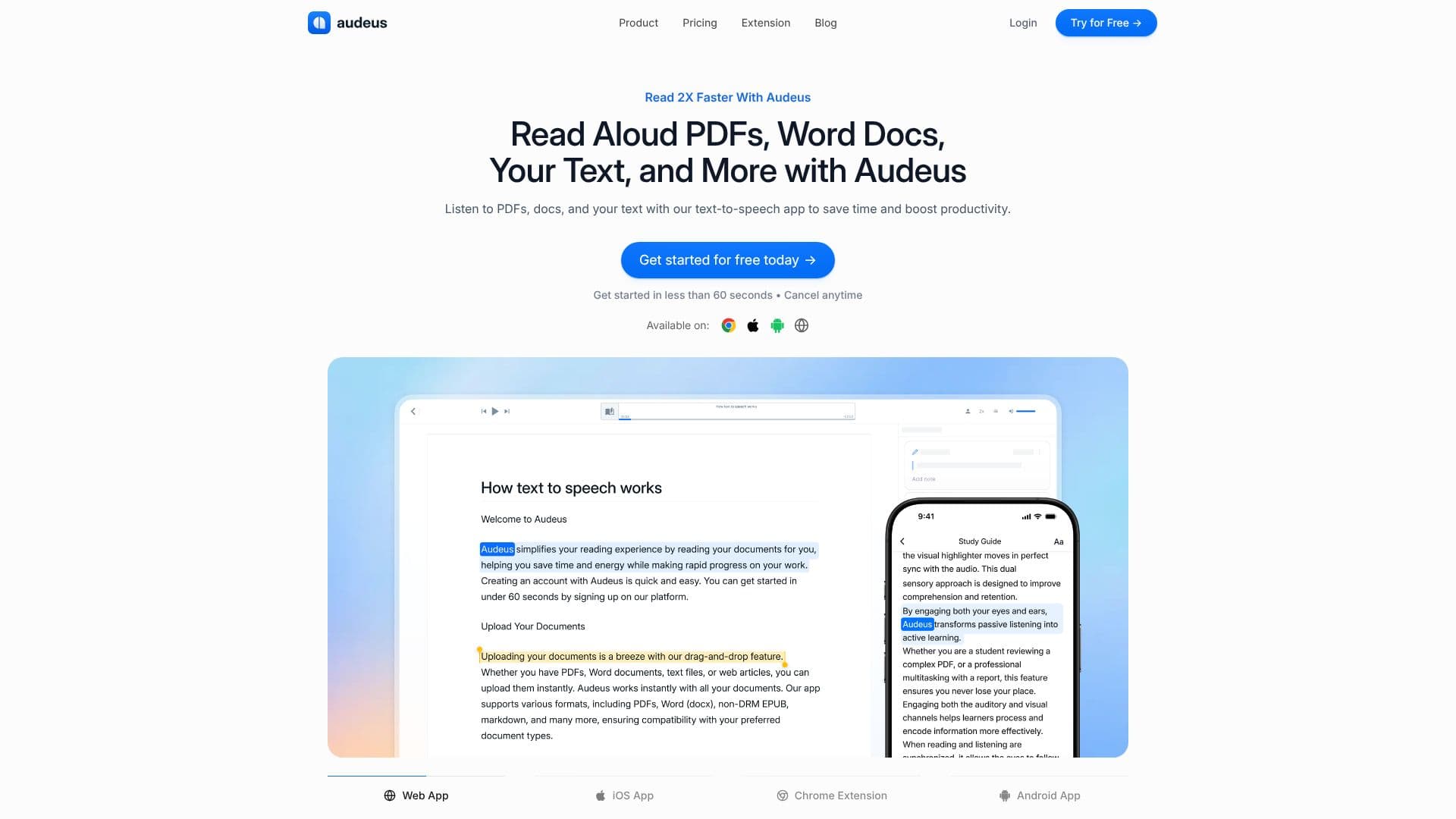
At its core, Audeus utilizes natural AI voices that aim to sound lifelike, enhancing the listening experience and keeping users engaged. This technology is particularly beneficial for auditory learners, individuals with reading difficulties, or anyone looking to multitask. The app offers features like text highlighting, which synchronizes with the spoken audio, ensuring users never lose their place and can maintain focus. This feature is designed to reduce eye strain and combat reading fatigue, making extended listening sessions more comfortable and productive.
Audeus also provides robust customization options, including adjustable playback speed. Users can speed up or slow down the audio to match their comprehension needs, whether they are trying to quickly get through a large volume of text or carefully process complex information. The ability to save listening progress means users can pause and resume at any time without losing their spot, facilitating flexible learning and work habits.
The application is accessible across multiple platforms, including a web app, iOS app, and Android app, as well as a Chrome extension for reading web pages aloud. This cross-platform availability ensures users can access their documents and listen to them on any device, anywhere. Audeus also features an image-to-text-to-speech capability, allowing users to convert text from images, screenshots, and scanned documents into audio, further expanding its utility.
Students, professionals, and language learners can all benefit from Audeus. Students can use it to manage heavy reading loads and improve comprehension for exams. Professionals can stay updated with industry news and reports more efficiently. Language learners can practice listening comprehension with native-sounding voices. The app aims to boost productivity, improve retention, and provide a more engaging way to consume written information, ultimately helping users get more done and feel more confident in their learning and work.
- CategoryText to Speech
- Pricing ModelFreemium
- DeploymentCloud
- PlatformsWeb App, iOS App, Android App, Chrome Extension
Audeus Text to Speech's Core Features
Reads aloud PDFs, Gdocs, web pages, and more.
Utilizes natural, lifelike AI voices for an engaging listening experience.
Features synchronized text highlighting to improve focus and reduce eye strain.
Allows customizable playback speed for efficient content consumption.
Automatically saves listening progress for seamless pausing and resuming.
Supports a wide range of file formats including PDF, Word (docx), and EPUB.
Converts text from images, screenshots, and scanned documents into speech.
Available as a web app, iOS app, Android app, and Chrome extension.
Offers multilingual support for over 50 languages.
Provides reading time estimates for documents based on playback speed.
Allows users to highlight and annotate documents while listening.
How to use Audeus Text to Speech?
Upload Documents: Drag and drop your PDFs, Word docs, text files, or web articles into the app.
Choose Voice & Speed: Select from a variety of natural AI voices and adjust the playback speed.
Listen & Follow Along: Relax as Audeus reads your content aloud, with synchronized text highlighting.
Highlight & Annotate: Mark up important sections and add notes to capture key insights.
Scan & Listen: Use your camera to scan physical documents or notes and have them read aloud.
Paste & Listen: Type or paste text directly into the notepad for instant audio playback.
Access Anywhere: Use the web app, iOS, Android, or Chrome extension to listen on any device.
Audeus Text to Speech's Use Cases
- Improve Reading Comprehension
- Boost Productivity
- Reduce Eye Strain
- Assist Auditory Learners
- Support Language Learning
- Convert Scanned Documents
- Process Web Content
- Proofread Text
- Manage Reading Overwhelm