
Description
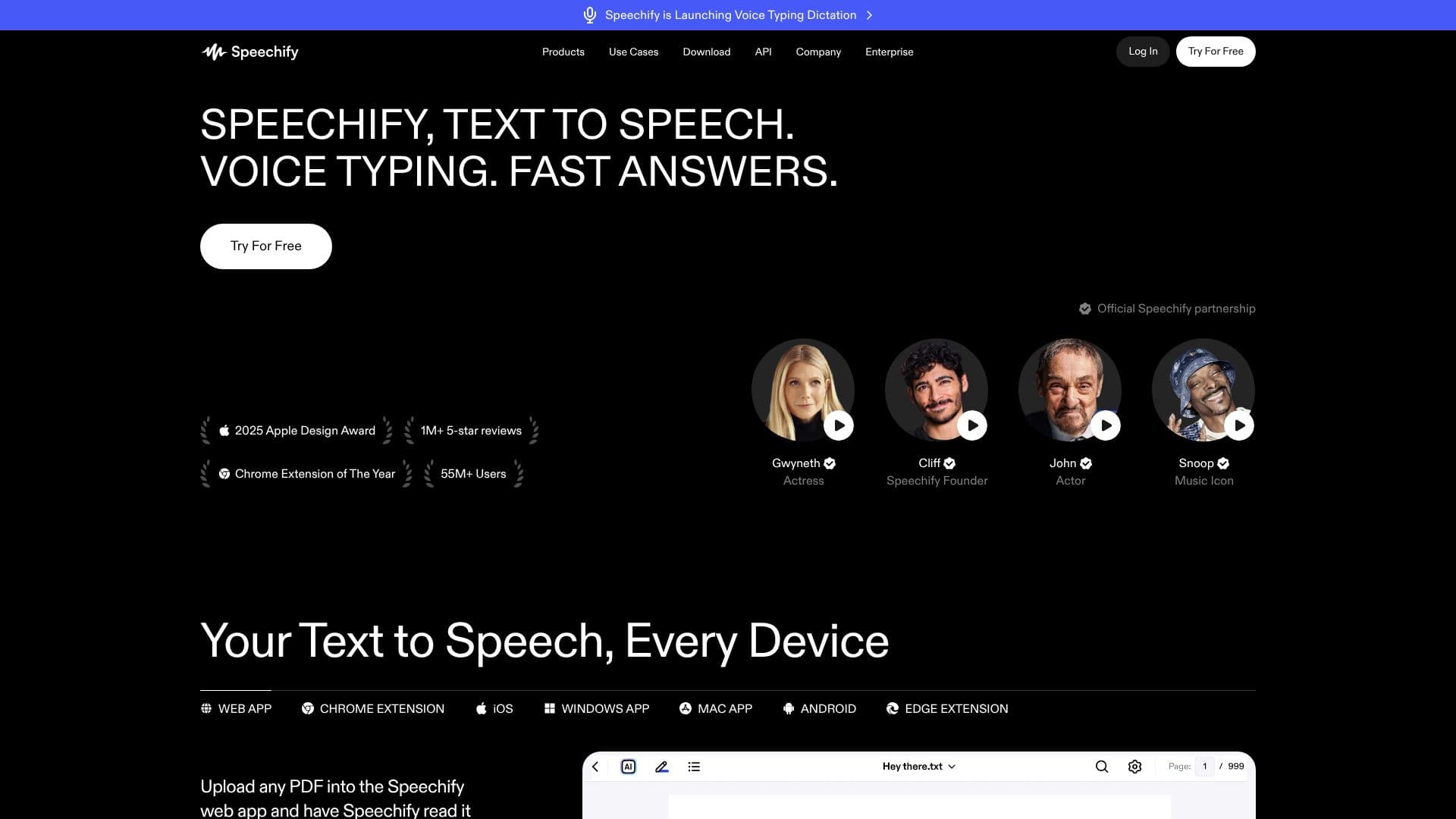
Speechify is a comprehensive Voice AI Productivity Assistant designed to enhance reading, writing, and information comprehension. Leveraging advanced text-to-speech (TTS) technology, it converts any written content, including PDFs, documents, and web pages, into lifelike, emotional AI voices. This allows users to listen to materials at speeds up to 4.5x faster than traditional reading, making it an invaluable tool for learning and productivity.
Read More
Beyond its core TTS capabilities, Speechify integrates voice typing, enabling users to dictate text up to five times faster than typing. This feature is available across various applications, streamlining communication and content creation. The platform also offers AI-powered summarization, allowing users to quickly grasp the key points of lengthy texts, and a unique podcast creation tool that transforms documents or descriptions into audio content with a single click.
Speechify is accessible on virtually every device, including web apps, Chrome and Edge extensions, and native applications for iOS, Android, Windows, and macOS. This cross-platform availability ensures users can seamlessly transition between devices and continue their tasks without interruption. The AI Voice Assistant can also answer questions about content being read, providing context-aware responses and acting as a personal research assistant.
The tool is built for a diverse audience, including students seeking to improve study habits, professionals managing heavy workloads, creators looking for new content formats, and individuals with reading challenges like dyslexia who benefit from auditory learning. Speechify aims to make information more accessible and digestible for everyone, fostering a more inclusive and efficient way to interact with written content. Its commitment to natural-sounding voices and intuitive voice control positions it as a leading solution in the AI speech landscape.
With over 55 million users and recognition such as the 2025 Apple Design Award and Chrome Extension of the Year, Speechify has established itself as a leader in AI-driven productivity. The platform continuously evolves, offering features like AI meeting note-taking and a voice-first workspace, all designed to empower users to achieve more through voice interaction.
- CategoryText to Speech
- Pricing ModelFreemium
- DeploymentCloud
- PlatformsWeb, iOS, Android, Chrome Extension, Edge Extension, Windows, macOS
Speechify: Text to Speech's Core Features
Reads any text aloud with natural-sounding AI voices
Voice typing dictation converts speech to text up to 5x faster than typing
Summarizes documents, PDFs, and web pages
Creates podcasts from documents or descriptions
Answers questions about content being read
Supports over 1,000 AI voices in 60+ languages
Offers adjustable listening speeds up to 4.5x
Provides text highlighting to follow along while listening
Scans and reads physical text from images or documents
Available as a web app, mobile apps (iOS/Android), and browser extensions (Chrome/Edge)
Includes AI Meeting Note Taker for calls and conversations
Enables voice-created documents and asking questions across documents
How to use Speechify: Text to Speech?
Configure: Choose your preferred AI voice, adjust playback speed, and select reading preferences.
Input Content: Upload PDFs, documents, paste text, or provide web links to Speechify.
Listen: Have Speechify read your content aloud with natural-sounding voices.
Dictate: Use voice typing to write emails, notes, or documents hands-free.
Summarize: Ask Speechify to provide summaries of lengthy articles or documents.
Create: Generate podcasts from text or descriptions with a single click.
Interact: Ask your Voice AI Assistant questions about the content you are consuming.
Speechify: Text to Speech's Use Cases
- Reading Assistance
- Productivity Boost
- Learning & Studying
- Content Creation
- Accessibility
- Information Synthesis
- Hands-Free Operation
- Multitasking