Description
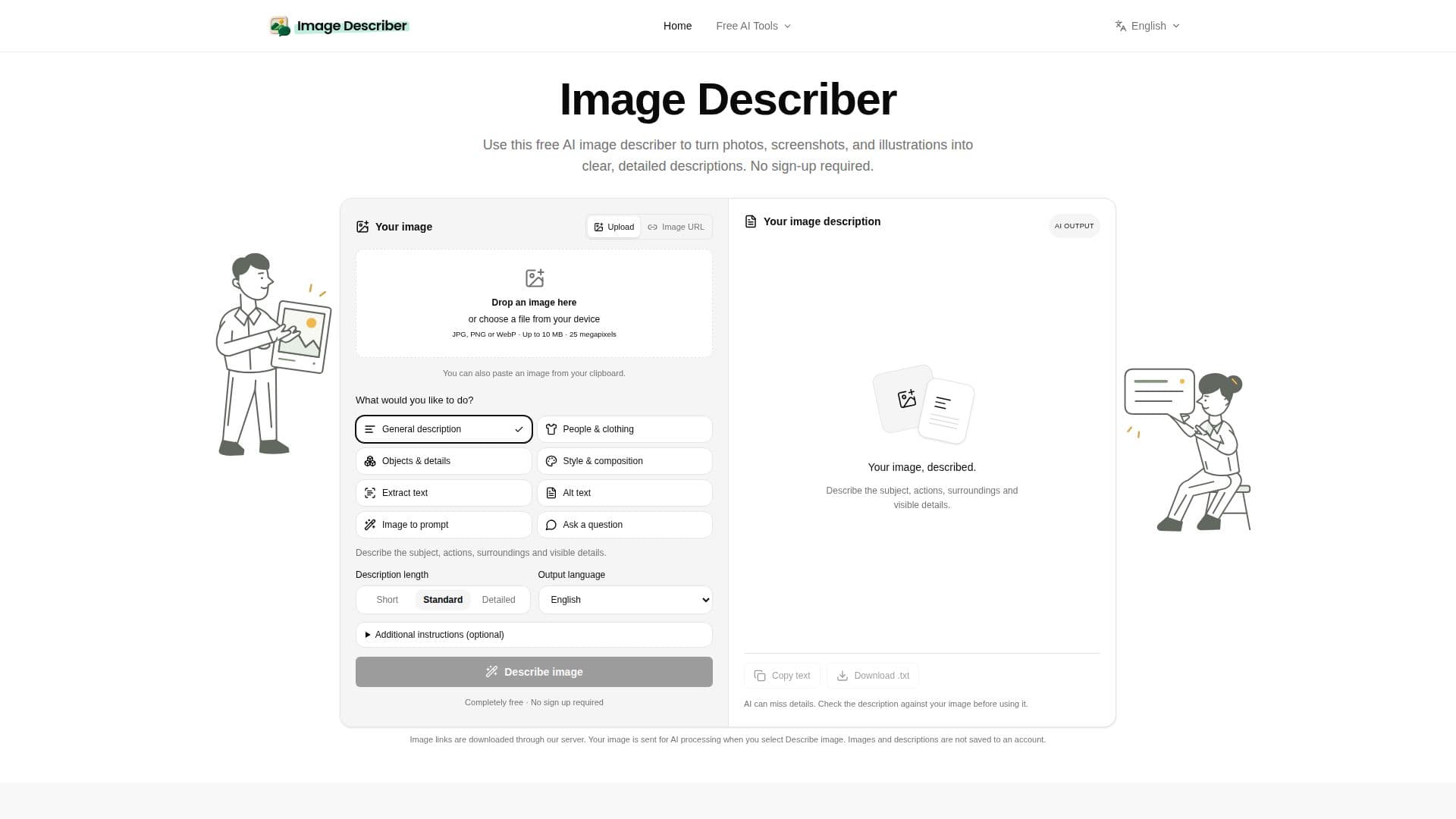
Image Describer is a versatile online tool designed to transform visual content into comprehensive text descriptions. It supports various image types, including photos, screenshots, and illustrations, providing users with detailed textual outputs. The platform is accessible without any sign-up requirements, making it convenient for quick use.
Read More
The tool offers eight distinct modes to cater to different needs. These include generating general descriptions that capture subjects, actions, surroundings, and visible details; creating concise alt text suitable for website accessibility; performing Optical Character Recognition (OCR) to extract visible text from images while preserving formatting; and converting images into creative prompts for AI art generators like Midjourney, Nano Banana, GPT Image, and Stable Diffusion.
Users can interact with Image Describer in a straightforward three-step process: upload an image (via file selection, drag-and-drop, or clipboard paste), choose the desired output type and language, and then generate the text. The generated descriptions can be reviewed, edited, copied to the clipboard, or downloaded as a text file. The platform emphasizes user privacy, stating that images and descriptions are not saved to an account and are only sent for AI processing when explicitly requested.
Beyond basic descriptions, Image Describer helps users explore visual details, draft website alt text, extract editable text from screenshots, and create reusable AI image prompts. The image-to-prompt feature allows for refining prompts by selecting target styles and adding specific instructions to focus on elements like color palette, lighting, or framing. While the public tool is free, paid account plans are available starting at $4.99/month for users requiring additional functionalities or higher usage limits.
- CategoryComputer Vision Tools
- Pricing ModelFreemium
- DeploymentCloud
- PlatformsWeb
Image Describer's Core Features
Free AI image description
No sign-up required for basic use
Converts photos, screenshots, and illustrations to text
Generates detailed descriptions
Creates alt text for web accessibility
Performs OCR for text extraction from images
Converts images into AI art prompts
Supports multiple output languages
Allows additional instructions for description focus
Results can be edited, copied, or downloaded
Privacy-focused: images and descriptions not saved
Drag-and-drop image upload
Paste image from clipboard functionality
Examples for scene, product, and screenshot descriptions
Paid account plans available
How to use Image Describer?
Upload Image: Select a photo, screenshot, or illustration, or drag and drop it into the tool.
Choose Output: Select a description type, choose an output language, and add any specific details for the AI to focus on.
Generate Text: Click to generate the description, then review the result.
Refine & Use: Edit the generated text if needed, then copy it or download it for your purposes.
Image Describer's Use Cases
- Generate Website Alt Text
- Extract Text from Screenshots
- Create AI Art Prompts
- Understand Visual Details
- Content Creation
- Accessibility Compliance
- Product Description Generation
- Creative Inspiration