Description
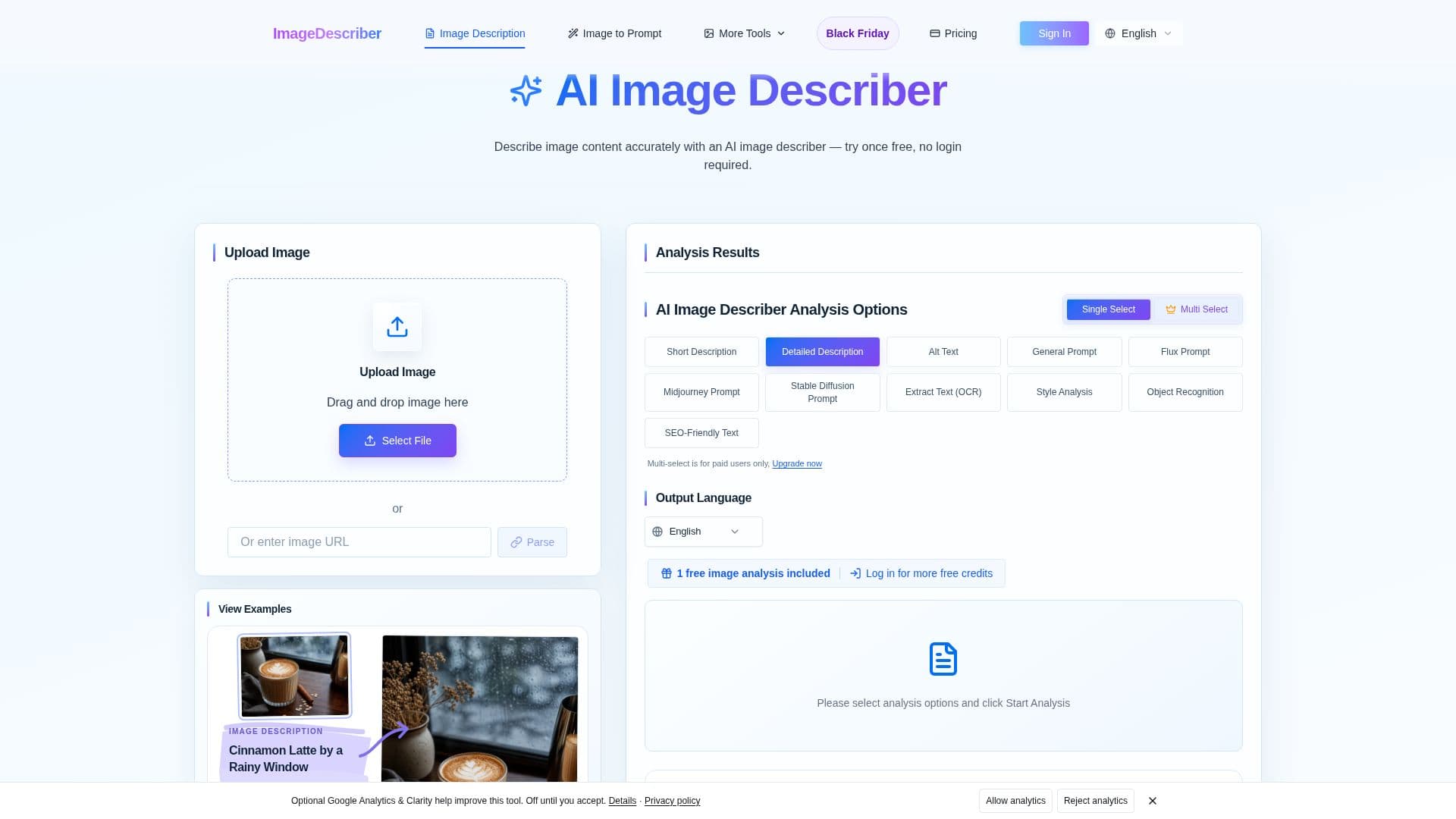
Image Describer is an AI-powered tool designed to automatically analyze visual content and generate ready-to-use text descriptions. It helps users understand and articulate what is happening in an image by identifying visible subjects, objects, scene details, and context. The tool supports various applications, including generating descriptions for accessibility, optimizing images for SEO, and creating content for social media.
Read More
The platform offers several core functionalities. Users can generate short or detailed descriptions of images, providing comprehensive explanations of visuals, including subjects, settings, actions, visible text, colors, and composition. For accessibility purposes, it can draft alt text, helping screen reader users understand images and supporting WCAG compliance. Additionally, Image Describer includes an "Image to Prompt" feature that converts reference images into structured prompts suitable for AI image generation models like Midjourney, Stable Diffusion, and Flux. It also provides an OCR (Optical Character Recognition) capability to extract readable text from images, screenshots, and scans.
Image Describer supports batch processing, allowing users to upload and analyze up to 100 images at once. This feature is ideal for generating consistent descriptions, alt text, or social media captions for large collections of visual assets, such as product catalogs or media libraries. Results can be exported in CSV, TXT, or JSON formats for easy integration into various workflows. The tool supports common image formats including JPG, PNG, WebP, and HEIC.
While the AI can describe visible details and suggest a scene’s mood, it cannot reliably know hidden context. Users are advised to review and add relevant context to the generated output. The service offers a free trial for single image analysis without login, and registered users can claim daily credits. Paid plans and one-time credit purchases are available for more extensive use, including multi-select output options and higher batch processing limits. Credits for one-time purchases do not expire, while subscription credits have a billing period expiry.
- CategoryAI Accessibility Tools
- Pricing ModelFreemium
- DeploymentCloud
- PlatformsWeb
Image Describer's Core Features
Generate short and detailed image descriptions
Create alt text drafts for accessibility and WCAG compliance
Convert images into AI prompts for models like Midjourney, Stable Diffusion, Flux
Extract readable text from images using OCR
Process multiple images in bulk with batch processing
Generate social media captions and hashtags from images
Support for JPG, PNG, WebP, HEIC, GIF, HEIF image formats
Export results in CSV, TXT, and JSON formats
Multi-select output types for paid users
Free trial available without login
Daily free credits for signed-in users
No credit card required for free trial
API key authentication available for direct analysis endpoint
Supports multiple output languages
Review and edit generated prompts
How to use Image Describer?
Upload Image: Drag and drop an image or paste an image URL (supports JPG, PNG, WebP, HEIC, GIF, HEIF).
Choose Options: Select desired analysis options such as short description, detailed description, alt text, image-to-prompt, or OCR.
Select Output Language: Choose the language for the generated text.
Start Analysis: Click to generate the AI analysis and description.
Review Results: Examine the generated text for accuracy and context.
Copy or Download: Copy the text or download the results for use in your projects.
Image Describer's Use Cases
- Accessibility Compliance
- SEO Optimization
- Content Creation
- Social Media Management
- AI Image Prompt Generation
- E-commerce Product Descriptions
- Media Library Management
- Text Extraction from Images
- Learning Prompt Engineering
- PTE Describe Image Practice