Description
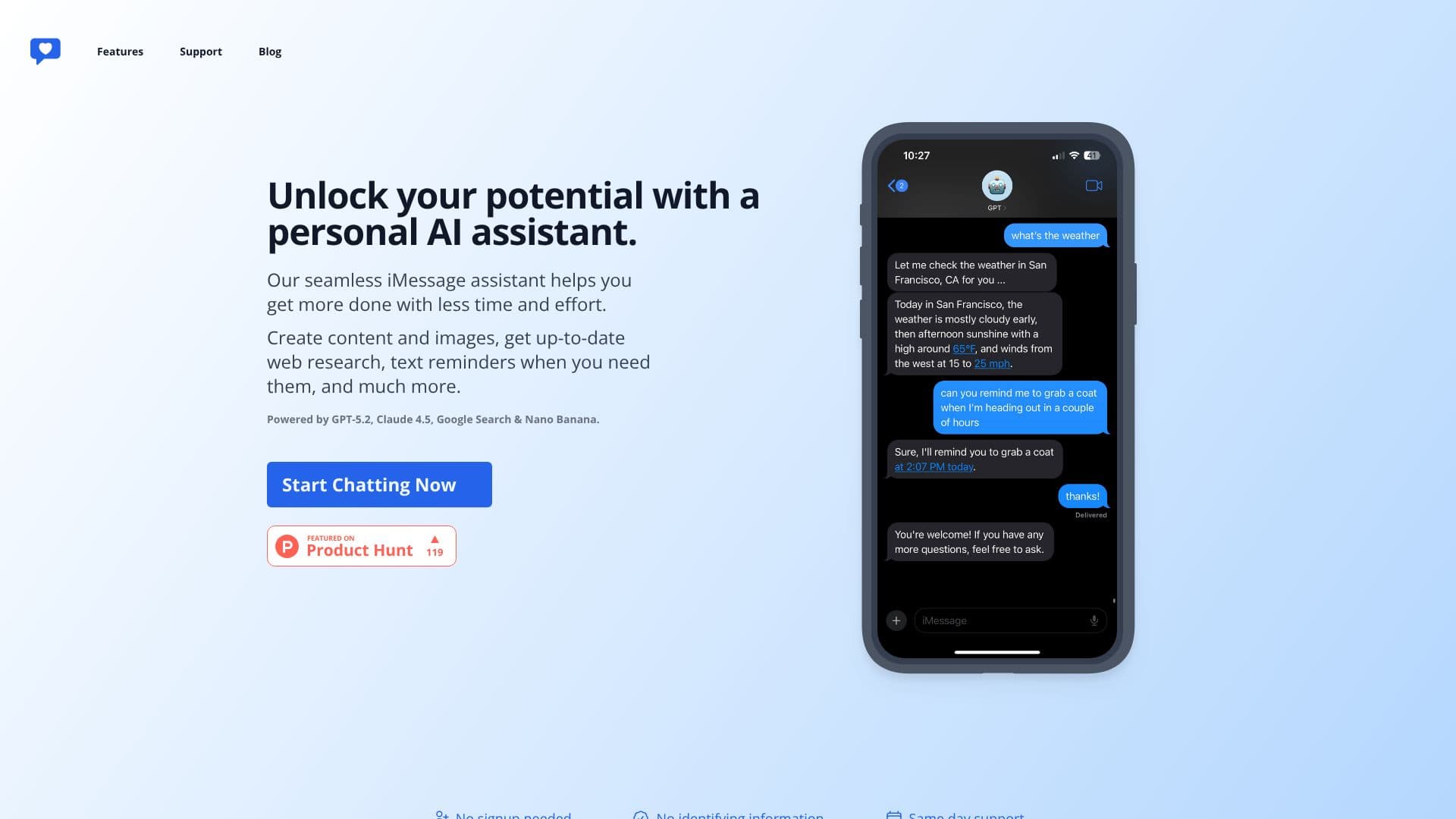
Unlock your potential with iChatWithGPT, a personal AI assistant seamlessly integrated into your iMessage conversations. This powerful tool is designed to help you accomplish more with less time and effort. Whether you need to create content and images, get up-to-date web research, or set timely text reminders, iChatWithGPT is at your fingertips.
Read More
Powered by a combination of advanced AI models including GPT-5.2 and Claude 4.5, alongside Google Search and Nano Banana, iChatWithGPT delivers comprehensive capabilities. It offers AI-powered web research for instant recommendations, news summaries, weather forecasts, and even game results. The assistant can also keep you on track with simple text reminders, helping you clear your mental list and build habits without missing a beat.
Visualize your ideas with the AI-powered image generation feature, capable of creating everything from conceptual designs to detailed illustrations. For hands-free operation, save iChatWithGPT as a contact and use voice commands via Siri. The assistant is accessible from your iPhone, Apple Watch, Macbook, and even your CarPlay system, ensuring you have support wherever you go.
Getting started is straightforward with no signup or identifying information required. iChatWithGPT prioritizes user privacy and offers same-day support. While a free tier is available for trying out its capabilities, an upgrade to Pro unlocks unlimited messaging. Simply ask your AI assistant within iMessage how to upgrade to Pro for continuous access to its advanced features and support.
- CategoryAI Personal Assistants
- Pricing ModelFreemium
- DeploymentCloud
- PlatformsiPhone, Watch, Macbook, CarPlay
iChatWithGPT's Core Features
Personal AI assistant integrated into iMessage
Accessible on iPhone, Watch, Macbook, and CarPlay via Siri
AI-powered content and image creation
Up-to-date web research and summaries
Text reminders for habit building and task management
Powered by GPT-5.2, Claude 4.5, Google Search, and Nano Banana
Voice-activated commands via Siri integration
No signup or identifying information required
Free tier available with optional Pro upgrade for unlimited messaging
AI-powered image generation for visualizing ideas
Web browsing enabled for real-time information
How to use iChatWithGPT?
Access: Open iChatWithGPT on your iPhone or Mac to begin.
Chat: Start a conversation with your AI assistant directly in iMessage.
Request: Ask questions, request content, or set reminders.
Visualize: Use prompts to generate images with the AI artist.
Remind: Set text reminders to stay organized and build habits.
Research: Ask for web-based information, news, or forecasts.
Upgrade: Ask your assistant how to upgrade to Pro for unlimited messaging.
iChatWithGPT's Use Cases
- Quick Information Retrieval
- Content Creation Assistance
- Personal Organization
- Travel Planning
- Recipe Suggestions
- Hands-Free Assistance
- Idea Visualization
- Daily Updates