
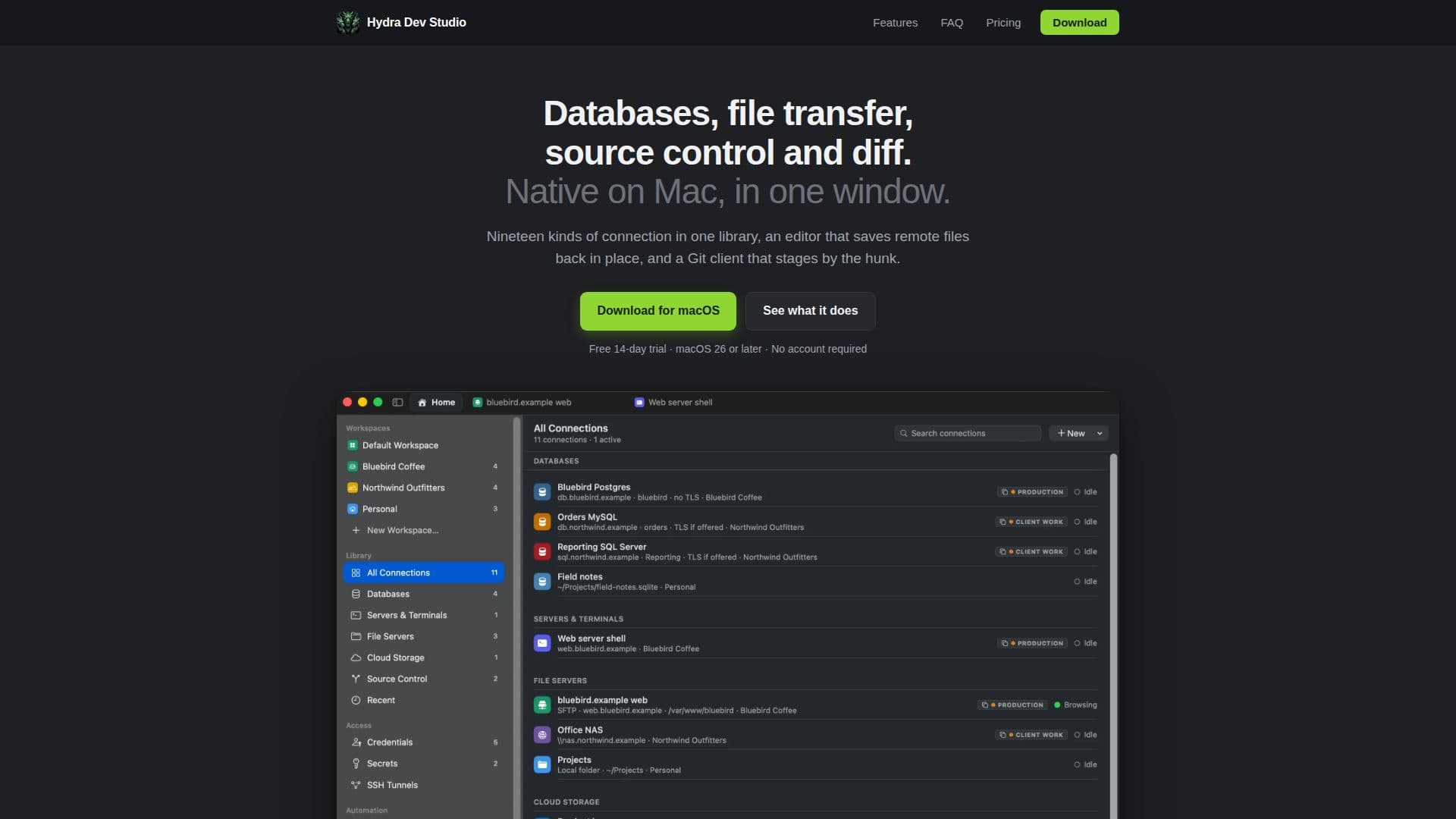
Description
Hydra Dev Studio is a comprehensive native macOS developer workspace designed to streamline the management of databases, SSH terminals, file servers, cloud storage, and Git repositories. It offers a unified platform with nineteen connection types, including MySQL, PostgreSQL, Oracle, SQLite, SFTP, FTP, Amazon S3, WebDAV, Azure Blob Storage, SMB, and Git. This integration allows developers to manage all their connections in one place, eliminating the need for multiple applications.
Read More
The platform features an editor that enables users to edit remote files in place, preserving encoding and line endings. It supports 36 languages and provides a seamless experience for developers working with various file types. Hydra Dev Studio also includes a robust Git client that allows users to stage by file or hunk, commit, browse history, switch branches, and resolve conflicts in a three-way merge.
Hydra Dev Studio is built using Swift and Go, ensuring a native experience with a small memory footprint and instant launch. It does not rely on Electron or Java, which contributes to its efficiency and performance. The application supports automation and AI agents, allowing them to work through connections without accessing passwords, enhancing security.
The pricing model for Hydra Dev Studio is a one-time purchase of $99, which includes a year of updates. After the initial year, users can continue using the version they purchased or opt for an additional year of updates for $75. A 14-day trial is available, allowing potential users to explore the full capabilities of the platform without creating an account.
Hydra Dev Studio is ideal for developers who require a reliable and efficient tool to manage their daily tasks involving databases, file transfers, source control, and more. Its integration capabilities and security features make it a valuable asset for enhancing productivity and managing complex workflows.
- CategoryCoding & Development
- Pricing ModelOne-time purchase
- DeploymentNative macOS app
- PlatformsmacOS
Hydra Dev Studio's Core Features
Nineteen connection types supported
Edit remote files in place
Integrated Git client with staging and merging
Built with Swift and Go for native performance
Automation support for AI agents
No external dependencies required
Syncs through iCloud Keychain for password management
Perpetual license with a year of updates
How to use Hydra Dev Studio?
Install: Download and install Hydra Dev Studio on macOS
Configure: Set up your database and server connections
Use: Manage files, databases, and Git repositories in one interface
Optimize: Utilize automation and AI agents for enhanced workflows
Hydra Dev Studio's Use Cases
- Database Management
- Remote File Editing
- Source Control
- Cloud Storage Integration
- Automation and AI