
Description
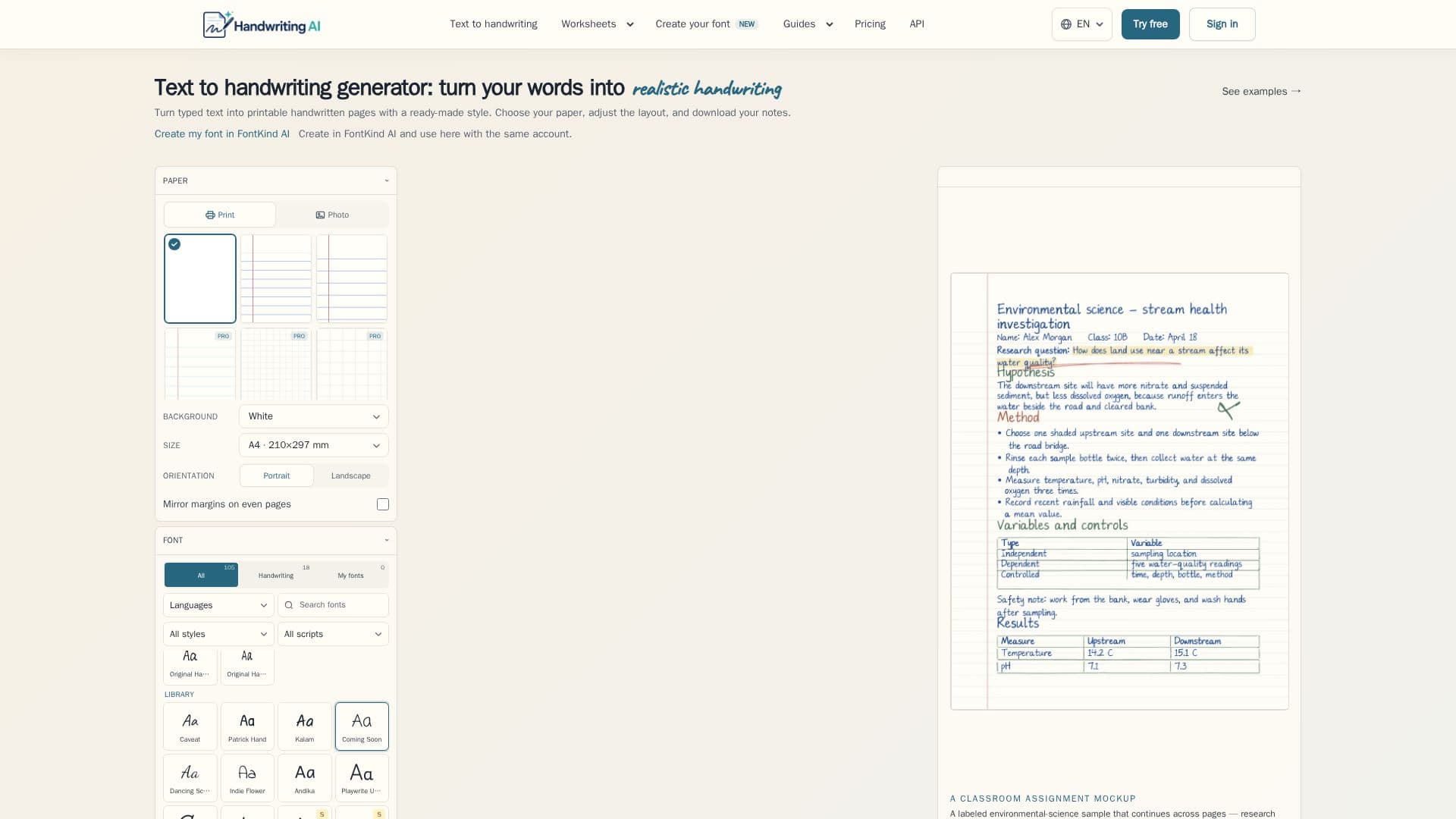
Handwriting AI is a versatile tool that converts typed text into realistic handwritten pages and printable handwriting worksheets. Users can choose from various handwriting styles, including print and cursive, and customize paper, ink, spacing, and layout to suit their needs. This tool is particularly beneficial for teachers and parents looking to create handwriting, cursive, name tracing, letter tracing, and spelling worksheets.
Read More
The platform offers a browser-based editor where users can type or paste text, select a handwriting style and paper, adjust size, position, and stroke, and then download the result as a JPEG, ZIP, or PDF. The handwriting can be made to look more natural by varying spacing, strokes, and ink, while keeping joined letters connected. A 'Shuffle' feature allows users to try different variations and compare results.
Handwriting AI provides a free plan with 6 monthly export credits, watermark-free downloads, and access to 10 handwriting styles. Paid plans, such as Starter, Pro, and Premium, offer additional features like higher export credits, exclusive fonts, and higher resolution outputs. The Premium plan includes AI Writer credits for drafting and improving text.
The tool also integrates with FontKind AI, allowing users to create reusable fonts from handwriting samples. These fonts can be used within Handwriting AI for a personalized touch. The platform supports various page sizes and text formatting options, making it suitable for creating notes, letters, cards, and more.
Handwriting AI is designed for educators, parents, and anyone who needs to create realistic handwritten documents quickly and efficiently. Its flexibility and range of features make it a valuable tool for both personal and professional use.
- CategoryAI Writing Assistants
- Pricing ModelFreemium
- DeploymentCloud
- PlatformsWeb
Handwriting AI's Core Features
Convert text to realistic handwriting
Customizable handwriting styles
Export in JPEG, ZIP, or PDF
Free plan with 6 monthly credits
Integration with FontKind AI
Supports various page sizes
Text formatting options
Premium plan includes AI Writer
How to use Handwriting AI?
Type or paste text: Enter your content into the editor.
Select style: Choose a handwriting style and paper.
Adjust layout: Modify size, position, and stroke.
Download: Export your document in the desired format.
Handwriting AI's Use Cases
- Educational Worksheets
- Personalized Letters
- Mockup Documents
- Custom Greeting Cards
- Name Tracing