
Description
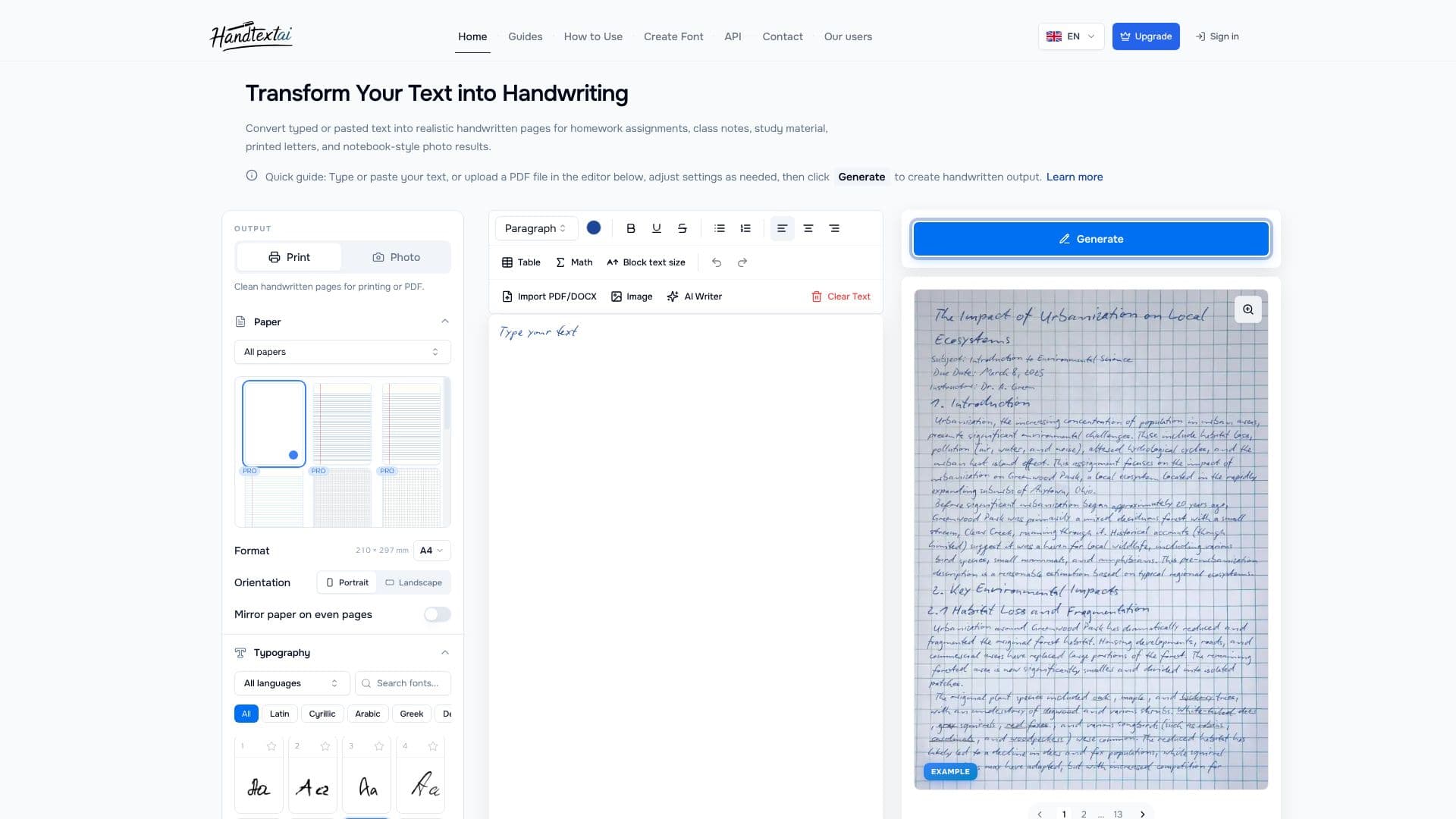
HandtextAI provides an AI-powered text-to-handwriting converter designed to transform digital text into authentic-looking handwritten documents. Users can paste their text or upload PDF files directly into the editor to generate realistic handwritten pages suitable for a variety of purposes, including homework assignments, class notes, study materials, printed letters, and even notebook-style photo results.
Read More
The process is straightforward: input your text, adjust settings such as font, paper style, and layout, and then click 'Generate' to create the handwritten output. The tool offers extensive customization options, allowing users to fine-tune font size, line height, letter spacing, word spacing, and margins. Advanced realism settings include ink flow variation, random word rotation, letter rotation, indentation, line spacing adjustments, blur effects, and shading, enabling a highly personalized and natural appearance.
HandtextAI supports a wide range of languages and scripts, including Latin, Cyrillic, Arabic, Greek, Devanagari, Hangul, Hiragana, Katakana, and CJK characters, with a math font option available for equations. Users can choose from various paper types for printing or select notebook scenes for photo-style outputs. The platform offers two primary output modes: Print mode, which generates clean, printable pages, and Photo mode, which places the handwriting into a notebook-style scene. For businesses, an API is available for programmatic generation of print-oriented workflows like postcards, envelopes, and personalized customer notes.
The service is accessible for everyday users with a free trial, and a premium plan unlocks additional features like custom font uploads. Document limits are generous, with the web editor supporting up to 700,000 characters and PDF downloads up to 500 pages. HandtextAI is a versatile tool for students, educators, writers, and professionals seeking to add a personal, handwritten touch to their digital content.
- CategoryAI Graphic Design Tools
- Pricing ModelFreemium
- DeploymentCloud
- PlatformsWeb
HandtextAI's Core Features
Converts typed or pasted text into realistic handwriting.
Generates printable pages for assignments, notes, and letters.
Offers customizable handwriting fonts and paper styles.
Supports multiple languages and character sets.
Provides Print mode for clean pages and Photo mode for notebook scenes.
Includes advanced realism settings like ink flow and blur effects.
Allows import of PDF and DOCX files.
Supports handwritten math equations and expressions.
Enables custom font uploads for personal handwriting styles.
Offers an API for business print workflows.
Supports multi-page document generation.
Includes table and image support within documents.
Provides visual effects like shading and paper texture.
How to use HandtextAI?
Input Text: Type or paste your text into the editor, or upload a PDF file.
Customize Style: Adjust font, paper type, layout, and realism settings.
Generate Preview: Click 'Generate' to see a preview of your handwritten output.
Refine Settings: Make any necessary adjustments to achieve the desired look.
Download Document: Export the final result as a printable PDF or image file.
HandtextAI's Use Cases
- Homework Assignments
- Class Notes
- Study Materials
- Handwritten Letters
- Printable Pages
- Language Practice
- Notebook Mockups
- Business Correspondence