Description
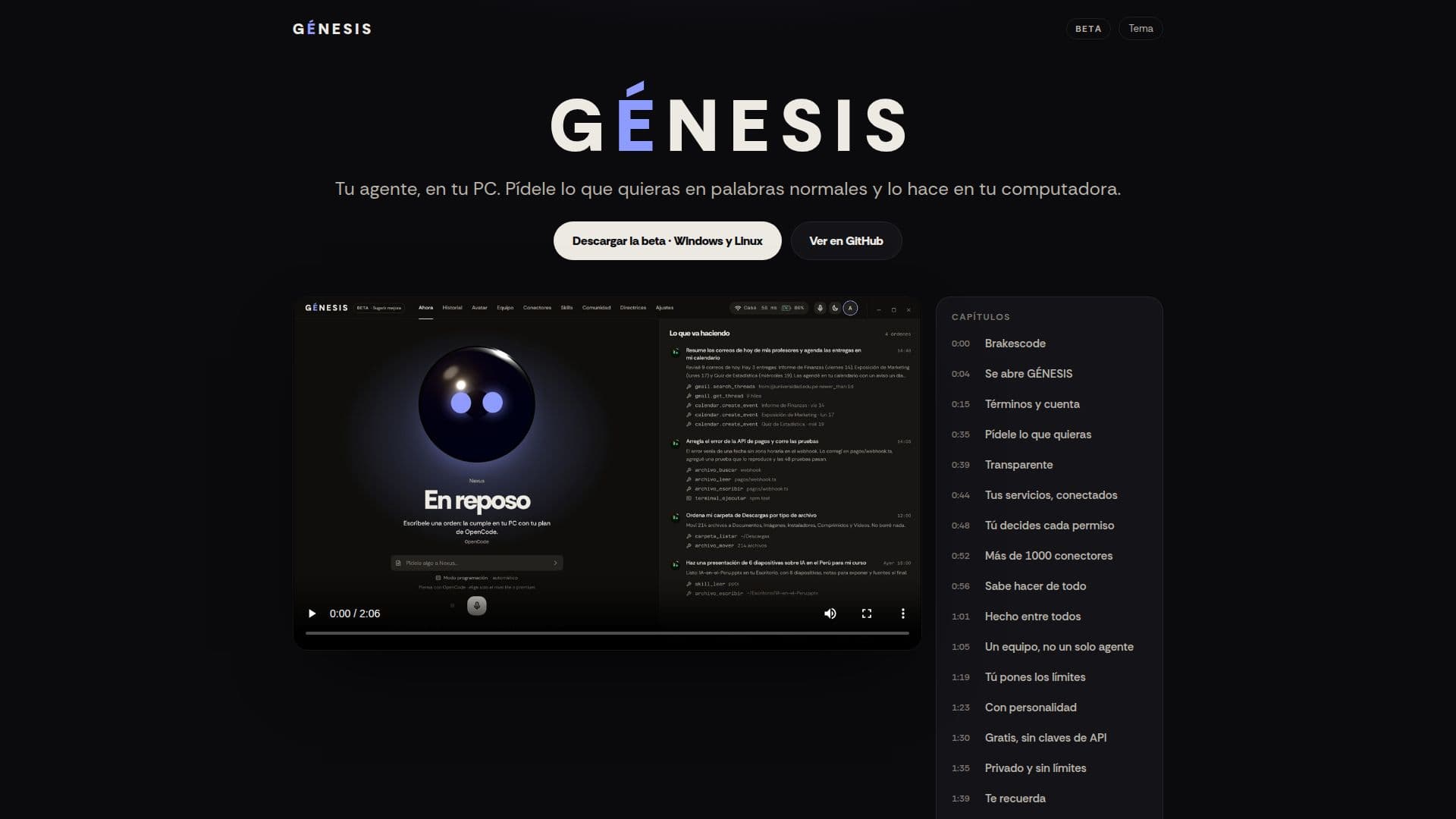
GÉNESIS is a desktop AI agent designed to perform tasks directly on your computer based on natural language commands. Unlike typical AI models that only respond, GÉNESIS takes action, such as opening programs, organizing files, writing documents, programming, and utilizing your existing services. Every step it takes is recorded in a comprehensive history for transparency and review.
Read More
A key feature of GÉNESIS is its persistent memory. It retains conversational context even when you switch between different AI engines like OpenCode, Claude, or local models, or if you restart the application. This ensures a continuous workflow, as the memory resides within GÉNESIS itself and is presented to the AI engine with each new command. This separation of the agent's memory from the model's ephemeral process allows for greater flexibility and an uninterrupted user experience.
GÉNESIS offers a free entry point, particularly with OpenCode, which does not require an account or API keys. Users who already subscribe to services like Claude, ChatGPT, or Gemini can integrate their existing plans. It also supports local models, enabling offline operation. The agent provides robust control features, allowing users to set limits on its actions, define protected paths, veto specific applications, schedule operating hours, and use a keyword to activate or deactivate its functions. Each tool within every connector can be individually permitted, queried for permission, or blocked.
The platform supports a team-based approach, allowing multiple agents to work on a single project. Each agent operates in its own copy, fostering competition or task distribution, with a reviewer checking the work before integration. GÉNESIS boasts a vast catalog of over 1000 connectors, including more than 60 accessible with a single click, community-contributed connectors, and any MCP server on GitHub. A strong emphasis is placed on data privacy, as all files, conversations, memory, and API keys remain stored locally on the user's PC, with internet access only for explicitly requested actions. The application is available for Windows and Linux, with signed updates ensuring security, and supports Spanish, English, and Portuguese languages.
- CategoryAI Agent Builders
- Pricing ModelFreemium
- DeploymentDesktop
- PlatformsWindows, Linux
GÉNESIS's Core Features
Desktop AI Agent: Executes commands directly on your PC.
Persistent Memory: Retains context across AI models and app restarts.
Action-Oriented: Opens programs, organizes files, writes documents, programs, and uses services.
Activity History: Records every action taken by the agent.
Flexible AI Engine Support: Works with OpenCode, Claude, ChatGPT, Gemini, and local models.
Free to Start: OpenCode is free and requires no account or API keys.
User Control: Set limits, protected paths, app vetoes, schedules, and keywords.
Granular Tool Permissions: Control each connector's tools individually.
Team Collaboration: Multiple agents can work on a single project with a reviewer.
Extensive Connectors: Over 1000 connectors, including one-click and community options.
Local Data Storage: All user data, conversations, and keys remain on your PC.
Cross-Platform: Available for Windows and Linux.
Secure Updates: Updates are signed by Brakescode for verification.
Multilingual Support: Available in Spanish, English, and Portuguese.
How to use GÉNESIS?
Install GÉNESIS: Download and install the application on your Windows or Linux PC.
Configure AI Engine: Choose your preferred AI model (OpenCode, Claude, local, etc.) or use the free OpenCode.
Issue Commands: Speak or type natural language commands to GÉNESIS.
Monitor Actions: Review the agent's actions and progress in the activity history.
Set Controls: Define limits, protected paths, and app permissions to customize agent behavior.
Integrate Services: Connect GÉNESIS with your existing programs and services.
Manage Projects: Utilize multiple agents for complex projects, with a reviewer for quality control.
GÉNESIS's Use Cases
- Automated File Management
- Document Creation
- Program Execution
- Coding Assistance
- Service Automation
- Project Collaboration
- Personalized Agent