Description
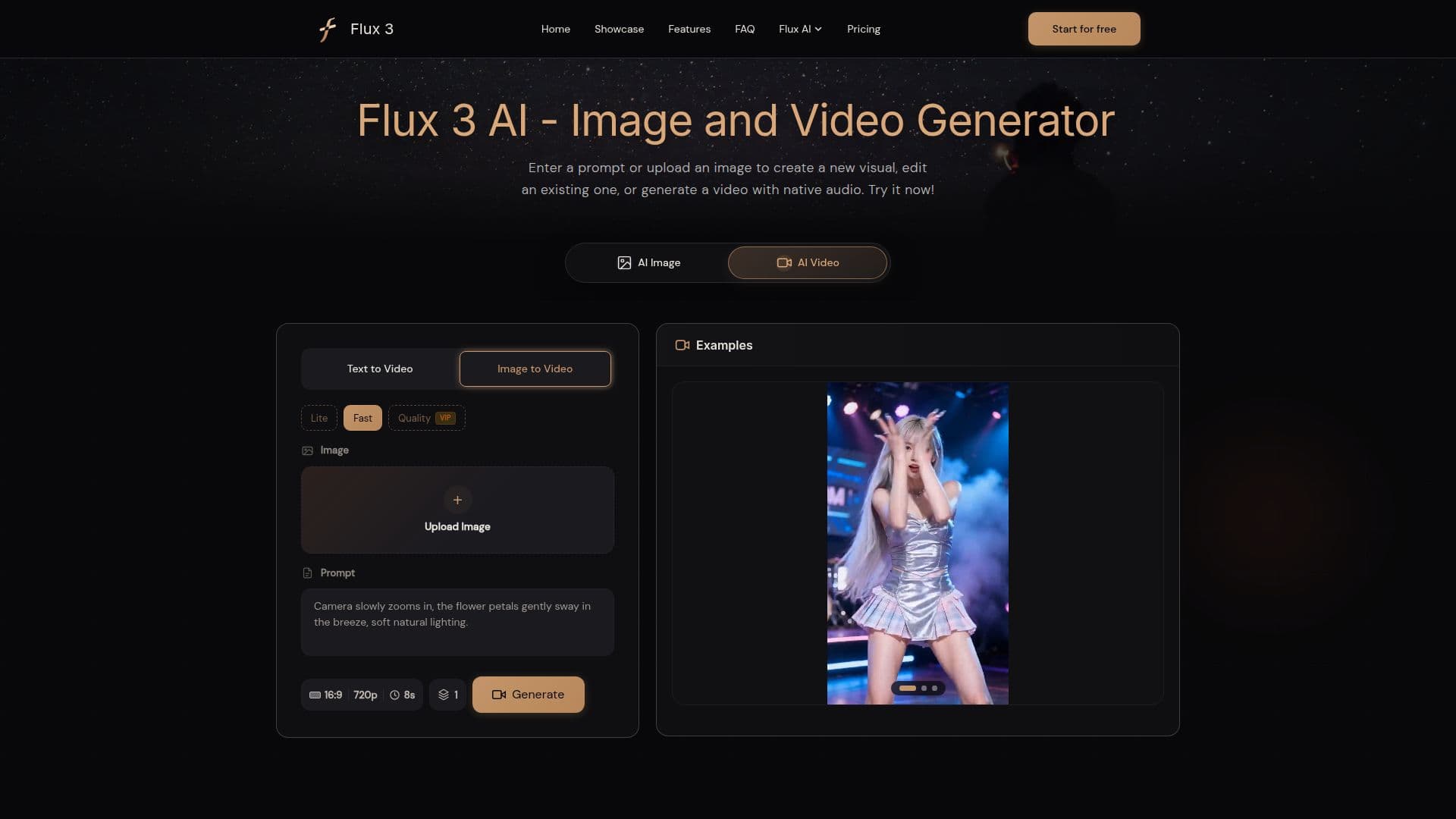
Free Flux 3 AI is a unified multimodal foundation model developed by Black Forest Labs, designed for image synthesis, image editing, and video generation, all within a single platform. This independent, browser-based creative tool enables users to generate images, edit photos, and transform text or images into videos that include native audio. With its user-friendly interface, creators can easily navigate between image and video modes, making it a practical choice for various visual-intelligence tasks.
Read More
To use Flux 3 AI, users simply select either Image or Video mode, describe their desired outcome, and can even add reference materials for more precise control. The image generator can create visuals from detailed text prompts and edit existing images using natural-language instructions. It supports a variety of styles, aspect ratios, and complex prompts, making it suitable for product concepts, campaigns, characters, environments, and social graphics.
The video generator is equally powerful, supporting text-to-video, image-to-video, and video-to-video transformations. Users can create clips up to 20 seconds long, complete with native audio, multilingual dialogue, and sound linked to specific events. This integration of audio with video enhances the storytelling capabilities of the platform.
Flux 3 AI is free to try, with new users receiving credits to start creating. For those who require more extensive features, additional credits and paid plans are available. The platform is designed for creators, designers, marketers, and small businesses, providing a streamlined workflow that allows for rapid experimentation and iteration from concept to final visual asset. By consolidating image and video creation into one workspace, Flux 3 AI eliminates the need for multiple tools, making it easier for users to bring their creative visions to life.
- CategoryAI Image Generators
- Pricing ModelFreemium
- DeploymentCloud
- PlatformsWeb
Free Flux 3 AI's Core Features
Text-to-image generation
Image editing with references
Text-to-video generation
Image-to-video generation
Native synchronized audio
Supports multilingual dialogue
Up to 20 seconds video clips
Free credits for new users
Various aspect ratios and quality options
Integrated workflow for images and videos
How to use Free Flux 3 AI?
Choose Image or Video: Open Image mode for generation or editing, or Video mode for video creation.
Add Your Prompt and References: Describe the subject, style, and any references for consistency.
Set the Output: Select aspect ratio and quality options based on your needs.
Generate and Refine: Review the output, update instructions, or reuse results for further refinement.
Free Flux 3 AI's Use Cases
- Product Images
- Social Media Content
- Storyboarding
- Character Development
- Campaign Assets