
Description
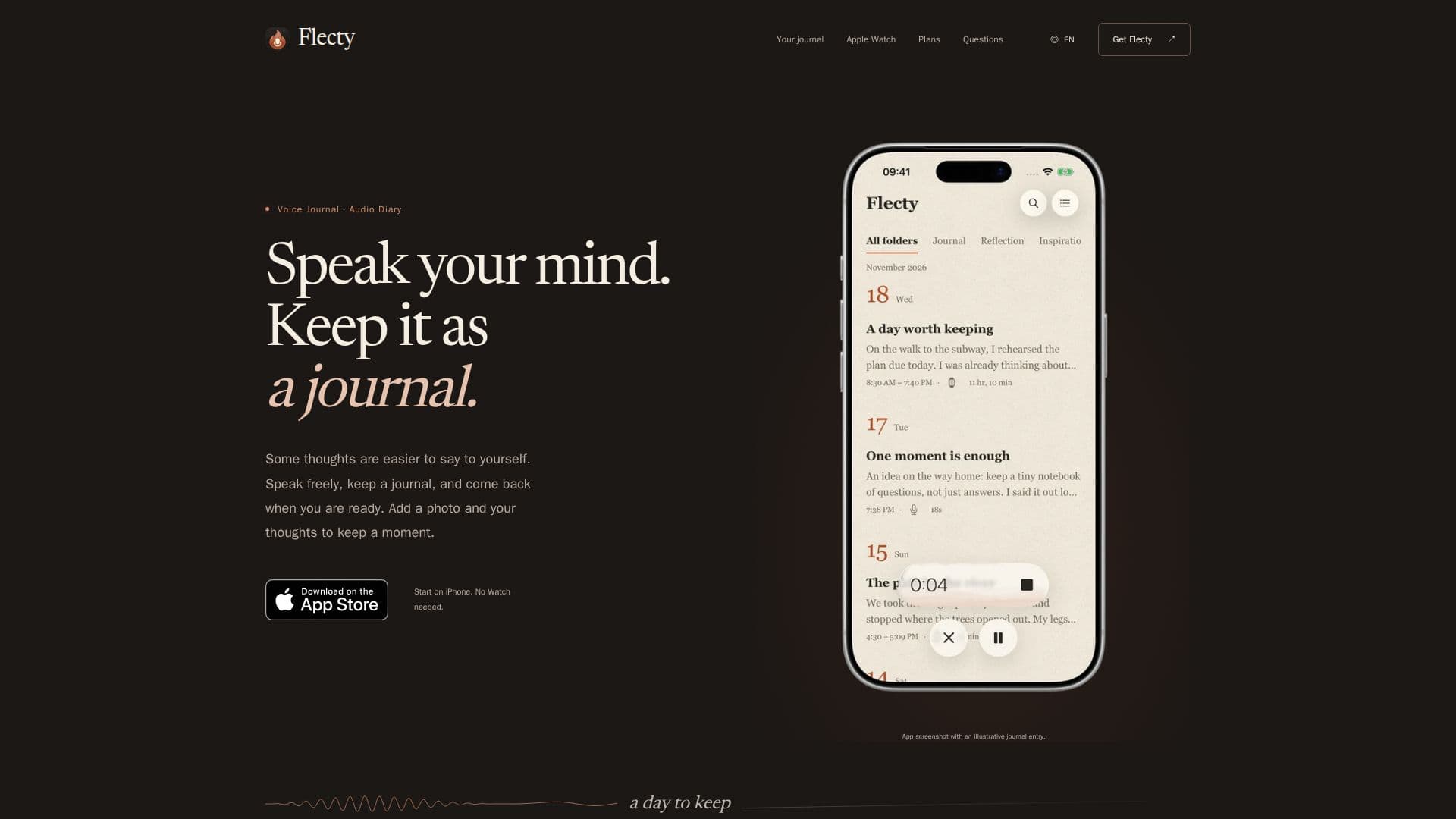
Flecty is a comprehensive voice journal application designed for iPhone and Apple Watch users, enabling them to capture thoughts and moments through spoken words, written entries, and photos. The app's core functionality revolves around converting voice recordings into text, which then forms the basis for journal entries, event timelines, and even optional AI coaching.
Read More
Users can speak freely into their device, and Flecty will transcribe the audio, allowing them to revisit their thoughts both by reading the text and listening to the original recording. Beyond voice, the app supports manual text entry and photo additions, providing a versatile platform for journaling. For Apple Watch users, Flecty offers convenient on-the-go recording, with the ability to continue recording even when the wrist is lowered, making it ideal for capturing thoughts during walks or throughout the day.
Flecty offers various plans, including an All-inclusive yearly or monthly subscription that provides fast transcription minutes and features like writing styles, timelines, and coaching. Alternatively, the "Bring Your Own Key" (BYOK) option allows users to connect their own OpenAI or OpenRouter API key for transcription and AI services, with usage billed directly by their chosen provider. A free tier is also available, offering text entries, photo additions, and a daily allowance of cloud transcriptions.
The app prioritizes user privacy, allowing content to sync securely through private iCloud with a paid plan. Users can also enable a journal lock using Face ID, Touch ID, or a device passcode for added security on their device. Flecty supports 18 interface languages and offers various transcription language options, including automatic detection. It can also integrate with Apple Health to display heart rate and HRV data alongside journal entries, offering a unique perspective on emotional and physical states, though it explicitly states it does not provide medical advice or continuous vital sign monitoring.
- CategoryAI Note-Taking Apps
- Pricing ModelFreemium
- DeploymentCloud
- PlatformsiPhone, Apple Watch
Flecty's Core Features
Voice Journaling: Record thoughts and conversations on iPhone and Apple Watch.
Audio-to-Text Transcription: Converts spoken words into readable text entries.
Original Audio Retention: Keeps the original voice recordings alongside text.
Manual Text Entry: Allows users to write journal entries directly.
Photo Integration: Add photos to journal entries to capture moments.
Event Timelines: Generates timelines from recordings of sufficient length.
Optional AI Coaching: Provides thoughtful suggestions based on transcripts, configurable by user.
Apple Watch Recording: Capture thoughts on the go, with continuous recording support.
Private iCloud Sync: Syncs saved recordings and journal content across devices with a paid plan.
Journal Lock: Secure access to entries using Face ID, Touch ID, or device passcode.
Multi-language Support: 18 interface languages and various transcription options.
Apple Health Integration: Displays heart rate and HRV data from Apple Health samples.
BYOK (Bring Your Own Key) Option: Connect personal OpenAI or OpenRouter API keys.
Free Tier: Offers text entries, photo additions, and daily cloud transcription allowance.
Subscription Plans: All-inclusive yearly and monthly plans with fast transcription minutes.
How to use Flecty?
Start a Recording: Tap the microphone on iPhone or Apple Watch to begin a voice recording.
Write an Entry: Press and hold the microphone on the home screen, then choose 'Write it down' to type text.
Add Photos: Include photos in your journal entries to capture visual memories.
Review Entries: Read transcribed text, replay original audio, or view event timelines on your iPhone.
Configure AI Coach: Edit the coach's role and instructions in settings to customize its focus.
Enable Sync: Activate private iCloud sync in settings with a paid plan to synchronize content across devices.
Secure Your Journal: Turn on the journal lock in settings to protect access with Face ID, Touch ID, or passcode.
Connect Your AI Key: For BYOK users, add your OpenAI or OpenRouter API key in Flecty settings.
Flecty's Use Cases
- Personal Reflection
- Idea Generation
- Meeting Notes
- Emotional Tracking
- Creative Writing Prompts
- Memory Keeping
- Goal Setting & Review
- Travel Journaling