Description
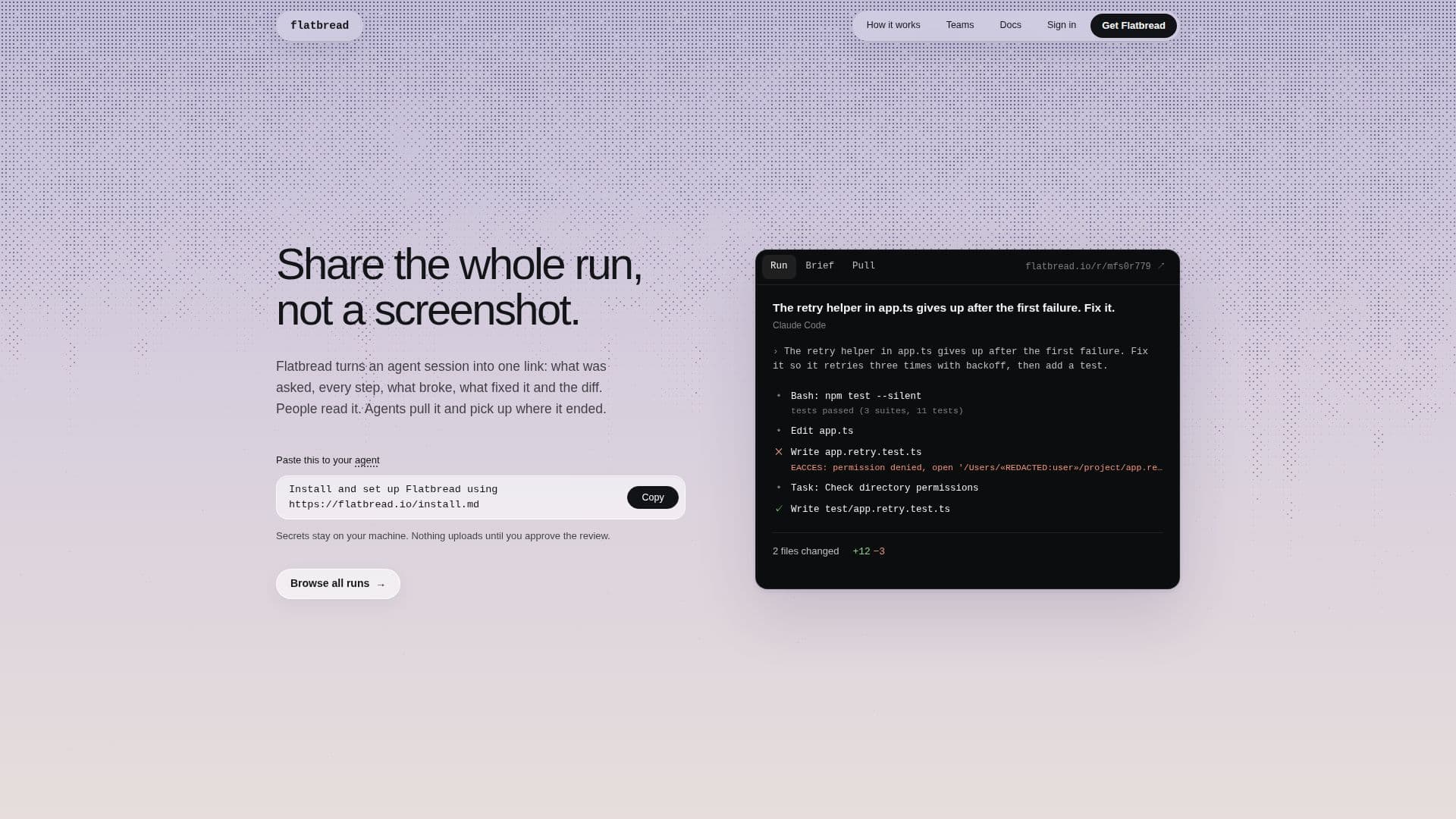
Flatbread is a tool designed to streamline the sharing and reuse of AI agent development sessions. Instead of relying on screenshots, it converts an entire agent run—including prompts, every execution step, what broke, how it was fixed, and the resulting code diffs—into a single, comprehensive link. This allows developers to easily share their work with colleagues or for other agents to pick up where a previous session left off.
Read More
A core feature of Flatbread is its robust privacy and security measures. Before any data leaves the user's machine, Flatbread automatically redacts sensitive information such as API tokens, database credentials, private IP addresses, usernames in paths, and high-entropy strings. Users can review the redacted content on a local page (served at 127.0.0.1) and confirm before anything is uploaded. This ensures that proprietary code and confidential data remain secure.
Flatbread integrates with various agent development environments, including Claude Code, Codex, Cursor, Google Antigravity, OpenCode, Gemini CLI, GitHub Copilot CLI, and Cline. Installation is straightforward, typically involving a single command or instructing the agent to install it. Once set up, users can tell their agent to "share this run" or use the `flatbread share` CLI command.
For teams, Flatbread offers advanced capabilities to prevent repeated mistakes. The "Flatbread Teams" feature identifies when multiple agents encounter the same failure. Once a fix is merged (often as a pull request), subsequent agents are stopped before repeating the known mistake and are provided with the correct solution. This creates a collective learning mechanism, improving team efficiency and reducing wasted time on recurring issues. Teams runs are kept private, with all redactions occurring on individual developer machines.
Shared runs can be set to private (only visible to the user), unlisted (accessible via link), or public (searchable). Users retain full control over their runs, able to change visibility, add further redactions, or delete runs at any time. The platform also provides a CLI for managing runs, pulling execution briefs, and searching for shared content.
- CategoryAI DevOps & Cloud Tools
- Pricing ModelFreemium
- DeploymentCLI
- PlatformsWeb
Flatbread's Core Features
Share Agent Runs as Links
Automatic Secret Redaction
Local Review Before Upload
Integrates with Multiple AI Agents
Team Collaboration for Error Prevention
Agents Can Pull Previous Runs
Detailed Session Trajectory
Code Diffs Included
Configurable Run Visibility (Private, Unlisted, Public)
CLI for Run Management
Supports Node.js 20 or Newer
No Background Recording
Rule-Based Error Prevention for Teams
Account Management with Supabase Auth
Secure Data Handling
How to use Flatbread?
Install Flatbread: Tell your agent to install Flatbread or run `npm install -g flatbread-cli && flatbread setup` in your terminal.
Connect Agents: Flatbread setup registers with supported agents like Claude Code, Codex, and Gemini CLI.
Share a Run: Instruct your agent to "share this run" or use `flatbread share` in the terminal.
Review and Confirm: Inspect the local review page (127.0.0.1) where secrets are redacted, then confirm the upload.
Read Shared Runs: Access a run via its link to view prompts, steps, fixes, and diffs.
Pull a Run: Tell your agent `pull flatbread <id>` or use `flatbread pull <id>` to load a run's brief into context.
Manage Runs: Use the "Manage run" option to change visibility, add redactions, or delete runs.
Flatbread's Use Cases
- Debugging AI Agent Failures
- Collaborative Agent Development
- Knowledge Transfer for New Agents
- Code Review for Agent Outputs
- Documenting Agent Behavior
- Training and Onboarding
- Preventing Duplicate Work