Description
FileConcat is designed to streamline the process of feeding multi-file projects and documents into AI models. It addresses the challenge of providing AI with context that spans numerous files by consolidating them into a single, easily parsable output. The tool ensures that AI models receive not only the content of each file but also its structural context within the project.
Read More
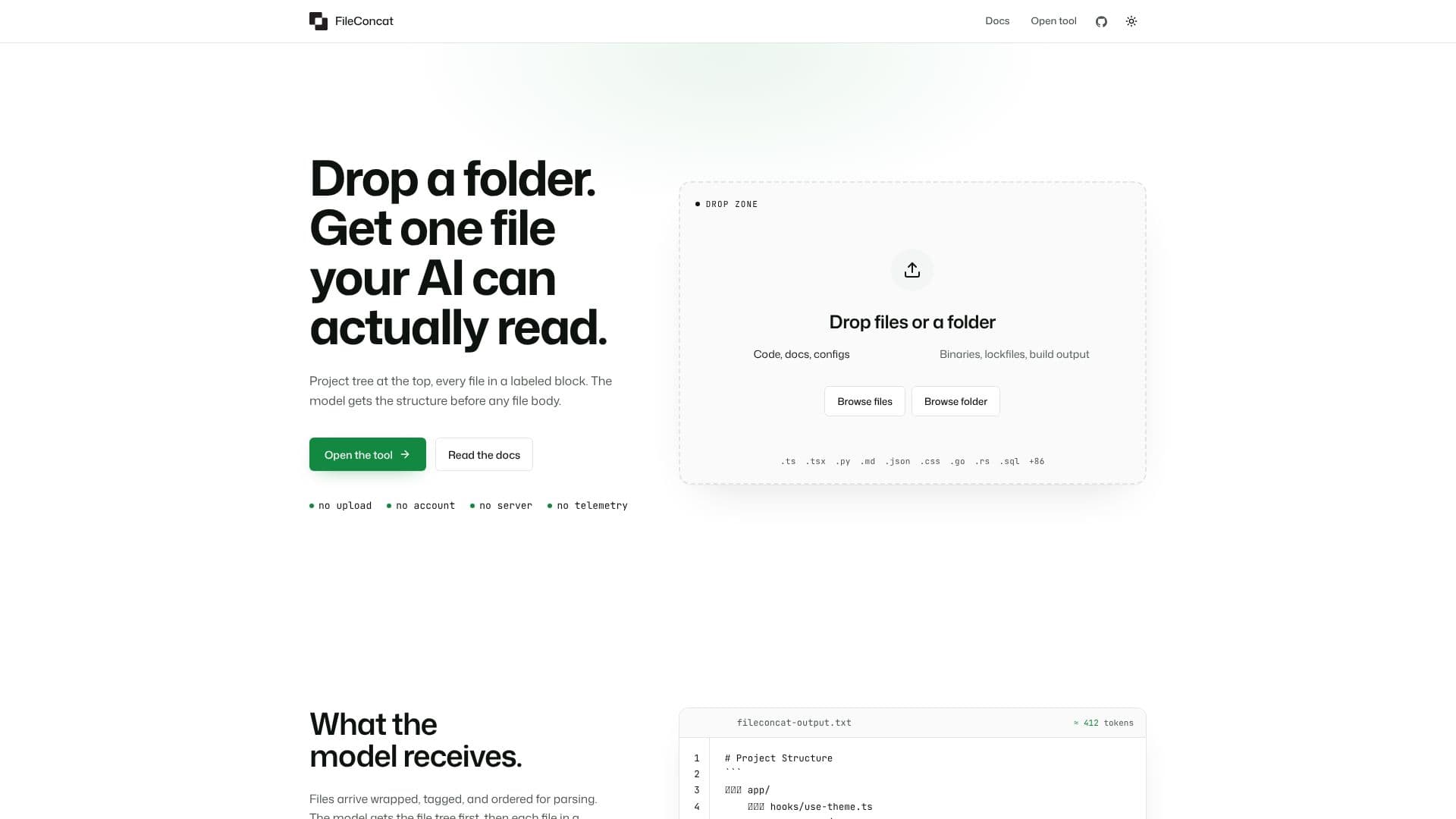
When you drop a folder or pipe a directory into FileConcat, it processes the files and generates a unified output. This output is structured with an ASCII map of the project tree at the top, followed by each file enclosed in labeled blocks. These blocks include the file's path and language, with code fences for syntax highlighting. This method allows AI models like ChatGPT, Claude, and Gemini to understand the relationships between files and navigate the project as a developer would.
FileConcat offers both a browser-based interface and a command-line interface (CLI). The CLI version, installable via npm, allows for seamless integration into workflows. It can pipe directory contents directly into AI models, with progress reported on stderr and the final artifact on stdout. The `--parse` option enables extraction of plain text from various document formats, including PDF, DOCX, XLSX, and others, making them AI-readable.
The tool prioritizes privacy and efficiency, operating without requiring uploads, accounts, or servers, and featuring no telemetry. It runs locally in your browser or terminal, ensuring that your data remains private. The structured output, often in XML format, helps AI models maintain context, especially when dealing with mixed content like code and extracted text from documents. This structured approach aligns with prompt engineering best practices for complex AI interactions.
FileConcat is particularly useful for tasks such as code review, document synthesis, editing scattered markdown chapters, or compiling assignments from multiple files. By providing a well-organized context, it enhances the AI's ability to understand, analyze, and generate relevant responses, saving users the tedious effort of manually consolidating information from numerous sources.
- CategoryAI Coding Assistants
- Pricing ModelFree
- DeploymentBrowser, Terminal
- PlatformsWeb, Command line
FileConcat's Core Features
Combines multiple files into a single AI-readable output
Preserves project structure and file metadata
Supports code, documentation, and configuration files
Extracts plain text from PDFs and DOCX files
Web-based interface and command-line tool (CLI)
Operates offline with no uploads, accounts, or telemetry
Outputs structured XML for AI context
Provides a JSON summary of processing results via CLI
Syntax highlighting for code files
Handles large numbers of files efficiently
Supports various document formats for text extraction
How to use FileConcat?
Access the tool: Open the FileConcat website or install the CLI using `npm install -g @fileconcat/cli`.
Input files: Drop files or a folder into the web interface's drop zone, or pipe a directory into the CLI.
Configure parsing (CLI): Use the `--parse` flag with document extensions (e.g., `pdf,docx`) to extract text.
Generate output: The tool processes the input and generates a single structured file.
Use with AI: Feed the generated output into your AI model (e.g., ChatGPT, Claude, Gemini).
Parse CLI summary (optional): Use the `--json` flag with the CLI to get a JSON summary of the run.
FileConcat's Use Cases
- Codebase Analysis
- Document Synthesis
- Configuration Management
- Assignment Compilation
- Technical Documentation
- Research Paper Synthesis