Description
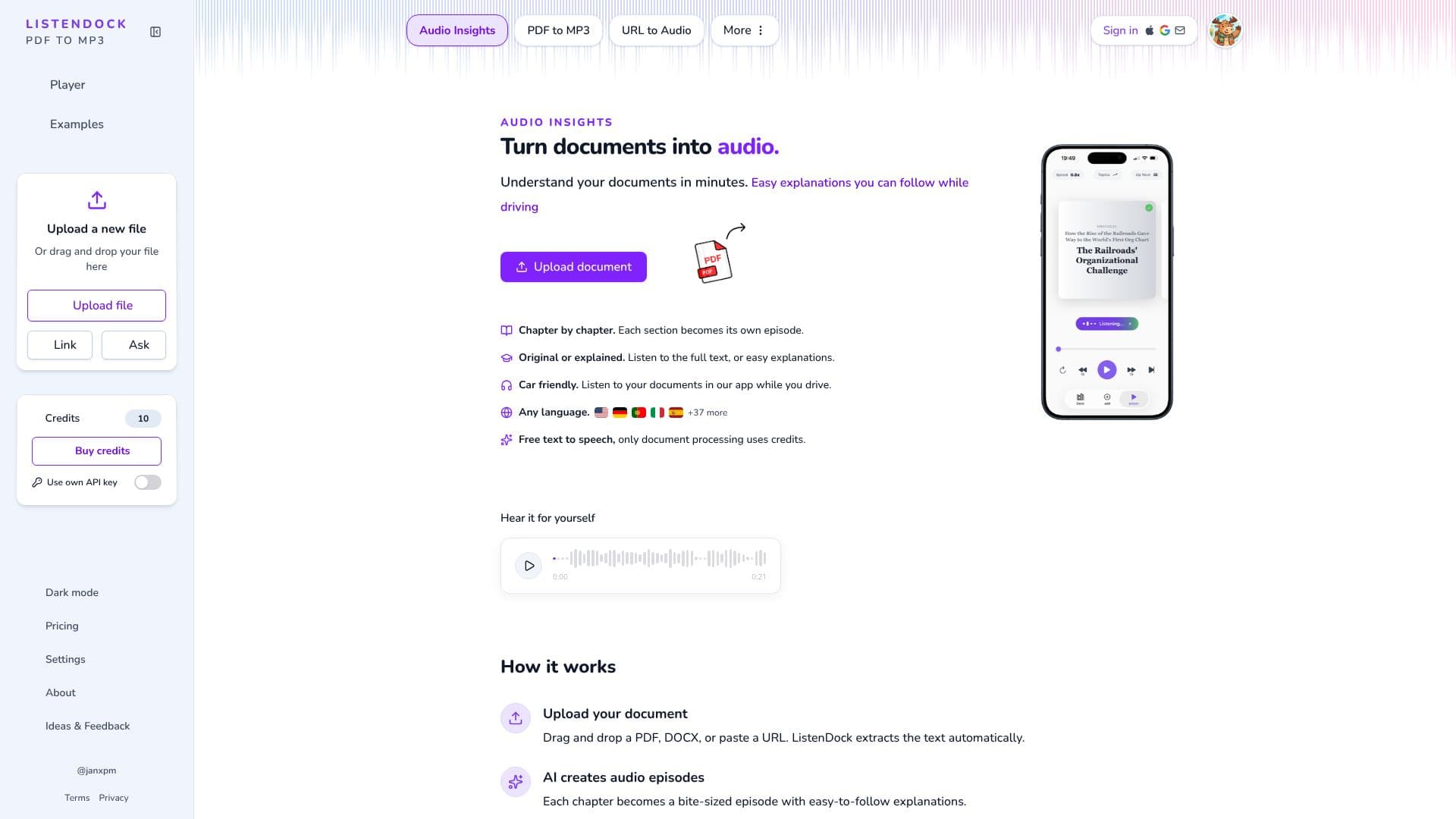
Document Player converts documents into audio that plays one sentence at a time, rather than as a continuous stream like a typical audiobook. Users upload a PDF or other document, and the app extracts the text and breaks it into chapters and paragraphs for playback.
Read More
The core idea is control. Instead of letting playback run and losing track of a passage when attention drifts, users decide when to move to the next sentence or hear the current one again. Auto Play can be turned on for a more continuous listening experience, or off so each sentence waits for the user's input, which the product's creator describes as leading to a stronger understanding of dense material.
Two buttons extend this beyond plain narration. The Ask button lets a user ask a question about the current sentence, including requests for a translation into another language, and get an answer from the AI. The Explain button gives a simpler, context-aware explanation of a sentence that was not clear. There is also an "Explained" mode that generates an easy-to-follow explanation of each paragraph rather than reading the original text verbatim, with an optional multi-speaker voice setting.
Document Player is built for situations where full attention on a screen is not possible: it can be controlled from AirPods, from a car's steering wheel buttons, or with keyboard arrow keys and space to play or pause. The web app, an iPhone and Android app, and a Chrome extension for reading webpages are all part of the product.
A free plan allows up to 3,000 words of audio per month, using the original text with one speaker. Paid plans (weekly, monthly or yearly) add larger credit allowances, translation of documents into another language's audio, downloadable MP3s for a whole document or by chapter, the mobile apps, live questions, and premium text-to-speech with multiple speaker voices. Document Player supports audio in English, Spanish, French, German, Italian, Portuguese, Chinese, Japanese, Hindi, Korean and Russian.
It is aimed at people who want to get through long documents such as research papers, reports or books while doing something else, like driving, and who want more comprehension than a passive audiobook typically gives.
- CategoryAI Document & PDF Tools
- Pricing ModelFreemium
- DeploymentCloud
- PlatformsWeb, iOS, Android
Document Player's Core Features
Sentence-by-sentence audio playback with manual or automatic advance
Ask button to ask questions or request a translation for any sentence
Explain button for a simpler, in-context explanation of a sentence
Explained mode that narrates a paragraph-level explanation instead of the raw text
Optional multi-speaker text-to-speech voices
Car-friendly controls via AirPods and steering wheel buttons
Downloadable MP3s for a full document or individual chapters
Document translation: upload in one language, listen in another
iPhone, Android and Chrome apps alongside the web player
Chapter and paragraph navigation with adjustable playback speed
How to use Document Player?
Upload a document: add a PDF or supported document on the website or in the app
Wait for extraction: Document Player pulls out the text and splits it into chapters
Choose a mode: play the original text, or switch to an Explained, multi-speaker version
Listen sentence by sentence: use Auto Play, or advance manually with the on-screen, keyboard or car controls
Ask or Explain: tap Ask for a question or translation, or Explain for a simpler rewording
Download if needed: export the audio as an MP3 for the document or a single chapter
Document Player's Use Cases
- Listening while driving
- Studying dense material
- Cross-language reading
- Reading webpages aloud