
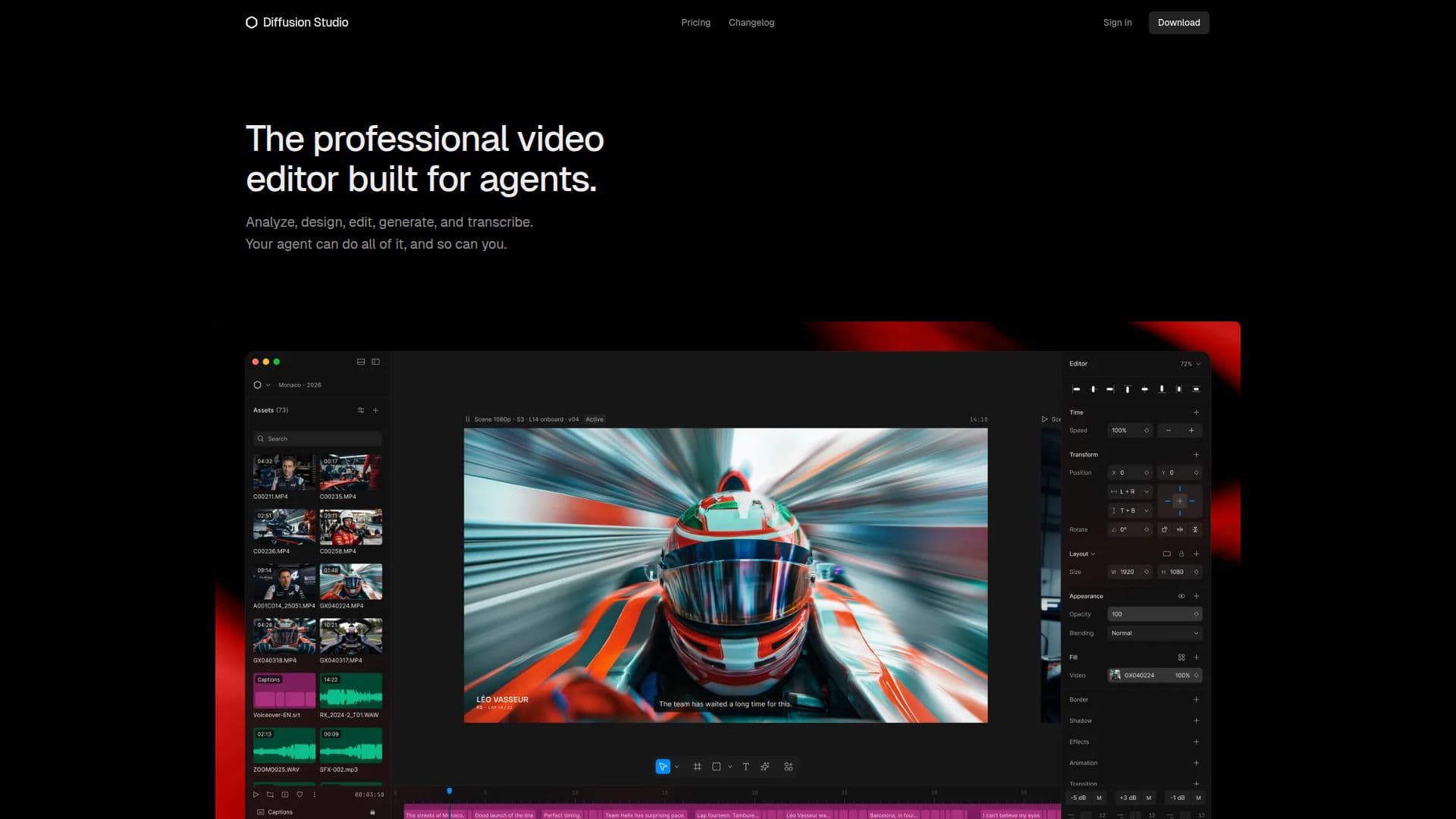
Description
Diffusion Studio is a professional AI video editor tailored for both agents and humans, enabling collaborative video editing on an infinite canvas. Users can edit videos themselves or enlist the help of AI agents like Claude Code, Codex, or Cursor to analyze, edit, and generate video content. The platform's unique design tool interface allows for a seamless editing experience, integrating HTML, WebGL, 3D, and shaders to push the boundaries of traditional video editing.
Read More
One of the standout features of Diffusion Studio is its infinite canvas, which can accommodate hundreds of scenes, formats, languages, and versions within a single project. This is particularly beneficial for teams managing extensive video productions and campaigns, as it allows for efficient organization and iteration without the need to repeat work. The compositions are TSX, enabling teams to maintain reusable components and ensure consistent, on-brand video production through shared resources like GitHub.
Diffusion Studio is accessible entirely through a web browser, supporting Windows, macOS, and Linux, with Google Chrome recommended for optimal performance. While the web version is free to use, coding agent support and advanced editing workflows currently require the macOS app. Users can enjoy unlimited 4K exports without watermarks, and while the platform is free and open-source, credits are needed for AI-powered actions such as generating video or transcribing footage. Paid plans are available for users who wish to purchase additional credits for these features.
The platform is designed for creative speed, allowing users to move from the first frame to final export without unnecessary delays. It offers precise property control, built-in effects and audio mixing, and a range of animation options to enhance the editing process. With over 75,000 creators already using Diffusion Studio, it is an innovative tool for anyone looking to elevate their video editing capabilities.
- CategoryAI Video Editors
- Pricing ModelFreemium
- DeploymentCloud
- PlatformsWeb, macOS
Diffusion Studio's Core Features
Infinite canvas for video editing
Collaborative editing with AI agents
Supports HTML, WebGL, and 3D
Unlimited 4K exports without watermarks
Open source under MPL 2.0
Supports multiple coding agents
Built-in effects and audio mixing
Version control with GitHub integration
How to use Diffusion Studio?
Open your browser: Access Diffusion Studio directly in your web browser.
Upload footage: Drag and drop your video files onto the infinite canvas.
Edit collaboratively: Work with AI agents or team members to edit your video.
Utilize features: Use built-in effects, audio mixing, and animation tools to enhance your project.
Export your video: Once editing is complete, export your video in 4K without watermarks.
Diffusion Studio's Use Cases
- Collaborative Video Editing
- AI-Powered Video Generation
- Unlimited Exports
- Creative Animation
- Team Project Management