Description
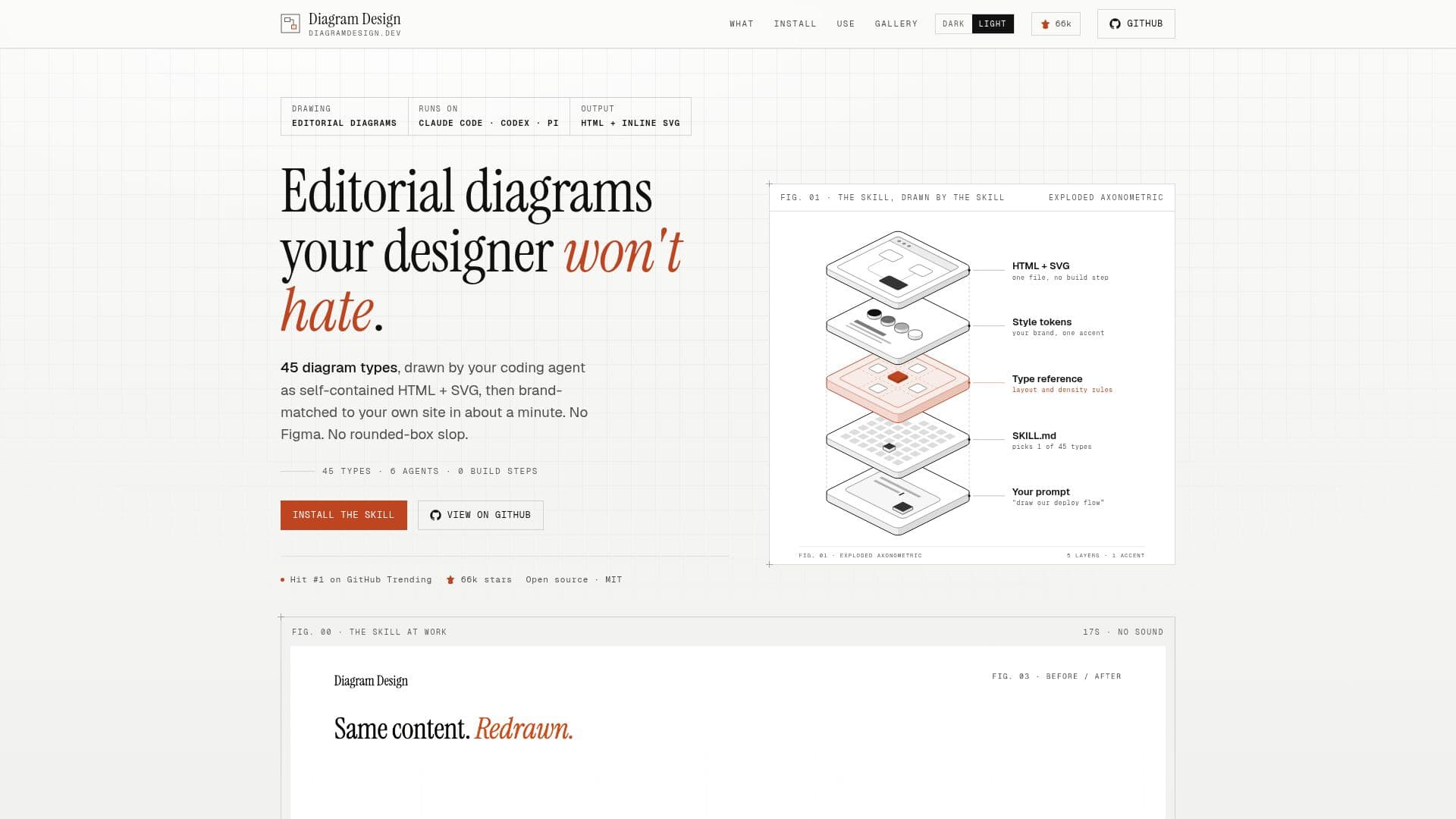
Diagram Design is an innovative agent skill designed to generate editorial-quality diagrams directly from natural language prompts. It integrates seamlessly with popular agent hosts such as Claude Code, Codex, Pi, GitHub Copilot, Cursor, Factory Droid, and Qoder, allowing users to create sophisticated visuals without leaving their existing environment. The core premise is to provide 'taste' to AI models, ensuring that the generated diagrams are not only accurate in content but also aesthetically pleasing and brand-consistent.
Read More
The skill offers a comprehensive library of 45 distinct diagram types, including architecture, Sankey, heatmap, exploded axonometric, database schema, and more. Each type adheres to its own specific rules, ensuring visual integrity and avoiding generic, 'rounded-box' aesthetics. A key feature is its ability to brand-match diagrams to a user's website. By simply pointing the skill at a URL, it extracts colors, fonts, and other stylistic elements, applying them to every generated diagram within about 60 seconds. This ensures that all visuals align with the user's established brand identity.
Diagrams are produced as self-contained HTML + SVG files, which can be opened offline with a double-click, requiring no build steps, dashboards, or hosting. This makes them highly portable and easy to share. The tool also supports importing and redrawing existing diagrams from popular formats like draw.io, Mermaid, and Excalidraw. Instead of merely converting, Diagram Design intelligently redraws these sources to fit the desired size, detail, and audience, applying its editorial style.
Accessibility is a core consideration, with diagrams designed to be screen-reader friendly, announcing titles and descriptions rather than just blank rectangles. Optional accessible motion can be added to diagrams to enhance explanations, with static output as the default. The skill also includes advanced features like two new axonometric types for exploded views and plan layouts, and a robust design system that prioritizes clarity, hierarchy, and a clean aesthetic with specific rules for color, typography, and spacing.
Installation is straightforward, typically involving adding the skill via a command-line interface or marketplace within the agent host. Users interact by describing their desired diagram in plain English, with no complex syntax or configuration required. The output quality depends on the underlying model, and while the results are not editable source formats like traditional design files, diagrams can be regenerated by asking the agent again or by directly editing the SVG. For those needing to customize the style guide, an editable installation option is available, and named profiles allow for managing multiple client brands efficiently.
- CategoryAI Graphic Design Tools
- DeploymentCloud
- PlatformsWeb
Diagram Design's Core Features
Generate diagrams from plain English descriptions
Supports 45 distinct editorial diagram types
Brand-matching to website colors and fonts in ~60 seconds
Outputs self-contained HTML + SVG files
Imports and redraws draw.io, Mermaid, and Excalidraw files
Accessible by default for screen readers
Optional accessible motion for explanations
Integrates with multiple agent hosts (Claude Code, Codex, Pi, GitHub Copilot, Cursor, Factory Droid, Qoder)
Provides a consistent, opinionated editorial design style
Supports export to SVG and PNG formats
Offers two new axonometric diagram types (exploded and plan)
Allows for manual style guide overrides and named profiles for multiple brands
Includes an icon set for richer diagrams
Features semantic patterns for behavior-driven diagrams
Performs WCAG AA contrast checks automatically during brand matching
How to use Diagram Design?
Install Skill: Add Diagram Design to your preferred agent host using the provided installation commands or marketplace.
Onboard Brand: Point the skill to your website to automatically extract and apply your brand's colors and fonts to diagrams.
Describe Diagram: Ask your agent in plain English to create a diagram, specifying the type and content you need.
Redraw Existing: Provide a draw.io, Mermaid, or Excalidraw file and ask the agent to redraw it in the editorial style.
Export Output: Export generated diagrams to SVG or PNG formats for use in other applications or presentations.
Manage Profiles: Save brand settings as named profiles to easily switch between different client styles.
Diagram Design's Use Cases
- Architecture Diagrams
- Flowcharts and Process Maps
- Data Models and ER Diagrams
- Organizational Charts
- Timeline and Gantt Charts
- Exploded Axonometric Views
- Brand-Matched Visuals
- Editorial Content Illustrations
- Presentation Slides
- Comparing System Topologies