Description
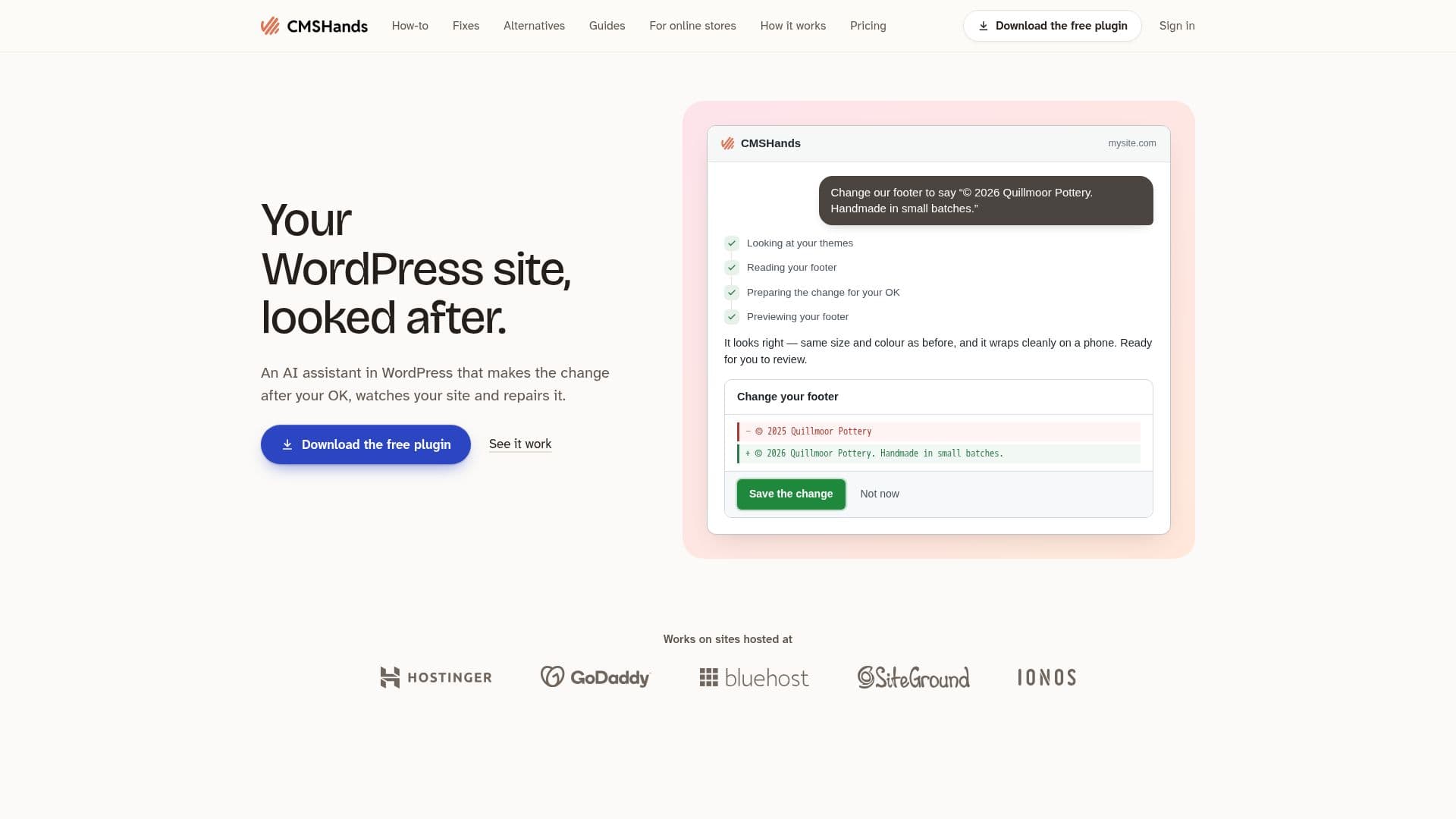
CMSHands is a WordPress plugin designed to simplify website management by integrating an AI assistant directly into the user's dashboard. This tool allows users to request changes to their WordPress site using natural language, eliminating the need for technical skills or coding knowledge. The AI assistant processes these requests, generates the proposed changes, and presents them for review. Users can preview the modifications, seeing old content in red and new content in green, along with before-and-after visuals for layout changes, before deciding to apply them.
Read More
A core feature of CMSHands is its emphasis on safety and control. Nothing changes on the website until the user explicitly presses an "OK" button. Most changes can be undone with a single click, and for actions that cannot be easily reversed (like deleting a page), the system provides a clear warning beforehand. It also prevents overwriting existing edits by re-reading the site before any modification and pausing if conflicts are detected. Furthermore, the plugin includes a self-healing mechanism for updates: if a plugin update causes the site to break, CMSHands can automatically revert to the previous working version.
Beyond making requested changes, CMSHands actively monitors the website's health. On the free plan, sites are checked daily, while Pro and Max plans offer more frequent checks. In case of a crash, the system immediately detects the issue via small "rescue files" installed with the plugin. A person at CMSHands then approves any repair plan before it is executed, ensuring human oversight. Users can receive email alerts about site downtime and repair actions.
CMSHands offers a flexible pricing model, starting with a free tier that includes a limited number of changes and questions per month. Paid plans, Pro and Max, provide more changes, support for multiple websites, and enhanced monitoring. The plugin is developed by RankRolo Limited, a company registered in Hong Kong. It is installed by downloading a zip file from the CMSHands website, as it updates itself directly from their servers, which is not permitted by the official WordPress plugin directory rules. The tool is compatible with WordPress 6.3 or newer and PHP 8.0 or newer, with some features available on older versions.
- CategoryProductivity
- Pricing ModelFreemium
- DeploymentPlugin
- PlatformsWordPress
CMSHands's Core Features
AI assistant in WordPress dashboard
Natural language site changes
Preview changes before applying
One-click undo for most changes
Site health monitoring and crash rescue
Human-approved site repairs
Automatic plugin update rollback if site breaks
No password sharing required
Supports block themes for header/footer changes
Generates CSS for older themes
WooCommerce store management by asking
Email alerts for site downtime and repairs
Free tier available with monthly changes and questions
Paid plans for increased usage and multi-site support
Self-updating plugin from developer's site
How to use CMSHands?
Download Plugin: Obtain the free zip file from the CMSHands website.
Upload & Activate: Go to WordPress dashboard, navigate to Plugins > Add Plugin > Upload Plugin, then activate it.
Turn On CMSHands: Press "Turn on CMSHands" in the dashboard, then "Start working" in the chat that opens.
Ask for Changes: Type your desired changes in natural language within the CMSHands chat interface.
Review & Approve: Preview the proposed changes presented as a card, then press "OK" to apply or "Not now" to dismiss.
Monitor Site: CMSHands will check your site daily (or more frequently on paid plans) and alert you to issues.
CMSHands's Use Cases
- Website Content Updates
- Theme Customization
- WooCommerce Store Management
- Site Health Monitoring
- Automated Site Repairs
- Plugin Management
- WordPress Maintenance
- Beginner-Friendly Site Editing