
Description
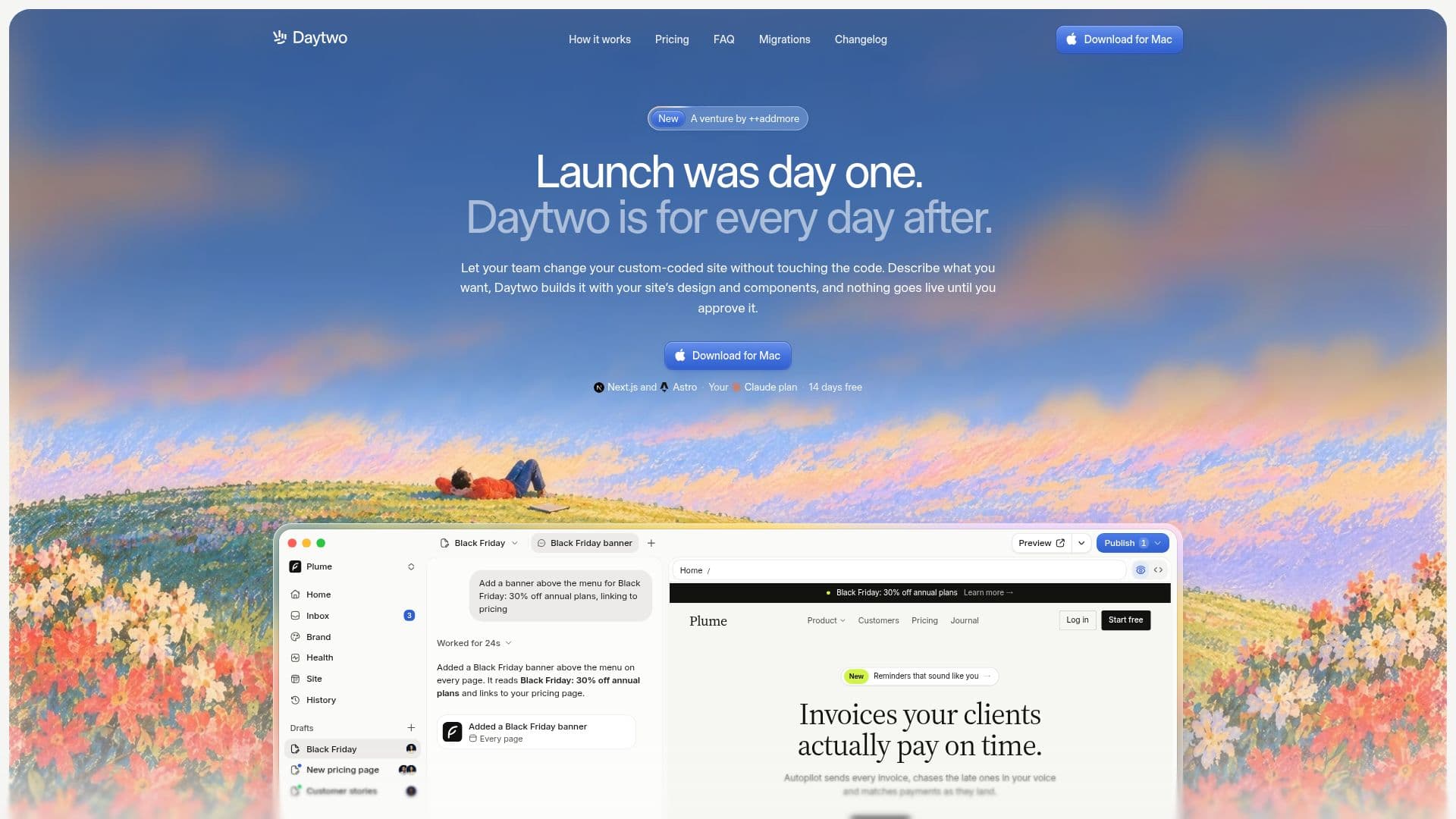
Daytwo is a specialized platform designed to empower marketing teams and non-developers to make changes to custom-coded websites built with Next.js or Astro, without needing to write or understand code. It addresses the common challenge where custom sites, while offering flexibility, become slow and costly to update post-launch, often requiring developer involvement for even minor text or image changes.
Read More
The core functionality of Daytwo revolves around a descriptive interface. Users simply describe the desired changes, whether it's a new page, a section update, or a quick fix. Daytwo then generates these edits within a private draft, adhering to the site's existing design system, components, colors, fonts, and tone of voice. This ensures that all new content or modifications seamlessly integrate with the established brand identity.
A key aspect of Daytwo's workflow is its robust review and approval process. Nothing goes live until it has been explicitly approved by the user or a designated teammate. Drafts can be shared for review via Slack, email, or a browser, allowing for collaborative sign-off. Once approved, changes are committed directly to the site's GitHub repository, triggering a standard site deployment. This integration with GitHub also means every version is saved, providing an undo button to roll back changes if needed.
Daytwo supports websites built with Next.js 15.5+ (App Router) and Astro 5, 6, and 7, hosted on Vercel or Cloudflare. It operates on the user's own Claude plan, managed through a dedicated Mac application (macOS 13+). The platform also offers a migration service for sites currently on Webflow or Framer, rebuilding them into Next.js or Astro with clean code, Tailwind, and TypeScript.
Beyond basic editing, Daytwo includes features like daily site health checks (monitoring search visibility, content quality, broken links, loading speed, and accessibility) and proactive suggestions for improvements. It also maintains a comprehensive change history, showing who approved what and when. The platform emphasizes no migration and no lock-in, working with existing hosting and repositories, making it easy to adopt and remove if desired.
- CategoryAI Website Builders
- Pricing ModelSubscription
- DeploymentCloud
- PlatformsmacOS
Daytwo's Core Features
Code-free website editing for marketing teams
Supports Next.js and Astro websites
Generates changes in private drafts
Adheres to existing site design and components
Review and approval workflow before publishing
Integrates with GitHub for version control
Automatic site deployment upon approval
Rollback functionality for any change
Daily site health checks (SEO, accessibility, speed)
Proactive suggestions for site improvements
Brand knowledge integration (colors, fonts, tone)
Collaborative editing and review
Migration service from Webflow or Framer
Mac app for managing edits
Multilingual site support
How to use Daytwo?
Describe Changes: Articulate desired website updates, new pages, or sections in natural language.
Review Draft: Daytwo builds the changes in a private draft, allowing you to click and edit text, images, or links.
Approve or Share: Preview the changes and either approve them yourself or send to a teammate for review via Slack, email, or browser.
Publish Updates: Once approved, changes are committed to your GitHub repo and your site deploys automatically.
Monitor Site Health: Daytwo performs daily checks on search visibility, content quality, and accessibility, offering proactive suggestions.
Daytwo's Use Cases
- Marketing Content Updates
- New Page Creation
- Brand Consistency
- Website Migrations
- SEO and Accessibility Improvements
- Collaborative Content Review
- Version Control and Rollback
- Proactive Site Maintenance