Description
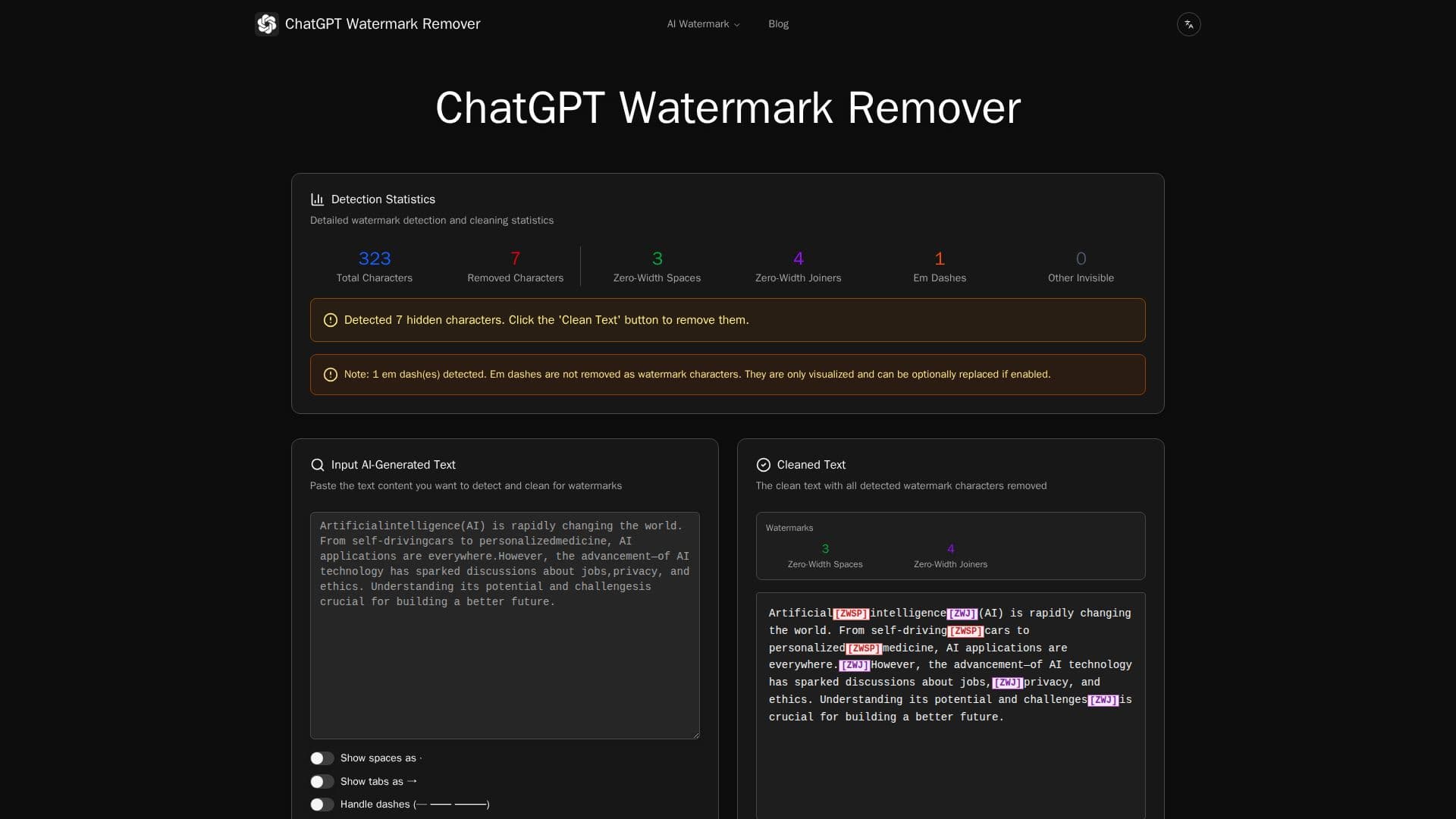
ChatGPT Watermark Remover is a free online tool that detects and strips invisible watermark characters from text. AI systems can embed non-printing Unicode characters such as zero-width spaces, zero-width joiners, word joiners, and other formatting marks that act as hidden watermarks or fingerprints without changing how the text looks. This tool scans pasted text, visualizes those characters, and cleans them out.
Read More
It recognizes more than 30 types of invisible and special characters, including zero-width space, zero-width joiner and non-joiner, word joiner, non-breaking space, en and em spaces, ideographic space, line and paragraph separators, left-to-right and right-to-left marks, byte order mark, tabs, and line breaks. Em dashes are visualized but not treated as watermark characters by default, and can optionally be replaced if enabled. Color-coded visualization and real-time statistics show exactly which characters are present.
A key feature is that everything processes directly in your browser using client-side technology, so your text never leaves your device and nothing is uploaded to any server. This makes it fast, fully private, and able to work offline once loaded. Visualization options let you toggle spaces, tabs, and em-dash handling to customize the cleaning process.
The workflow is simple: paste AI-generated text, optionally visualize the hidden characters, clean the text, and copy the watermark-free result. The tool is aimed at anyone who wants to remove invisible tracking characters from AI-generated content before reusing it.
- CategoryAI Humanizers
- Pricing ModelFree
- DeploymentBrowser extension
- PlatformsWeb
ChatGPT Watermark Remover's Core Features
Detection of 30+ invisible and special Unicode characters
Removal of zero-width, formatting, and directional marks
Color-coded visualization of hidden characters
Real-time statistics of detected watermark characters
Optional em-dash handling and toggle for spaces and tabs
Fully client-side, browser-based processing
Works offline once loaded with no data upload
One-click copy of cleaned text
How to use ChatGPT Watermark Remover?
Paste your text: Copy AI-generated text into the input box.
Visualize characters: Highlight all invisible characters with color-coded badges.
Configure options: Toggle showing spaces and tabs, or enable em-dash handling.
Clean the text: Remove all detected watermark characters and view the statistics.
Copy the result: Copy your watermark-free text, ready to use anywhere.
ChatGPT Watermark Remover's Use Cases
- Clean AI-generated text
- Inspect hidden characters
- Private text processing
- Prepare text for publishing