
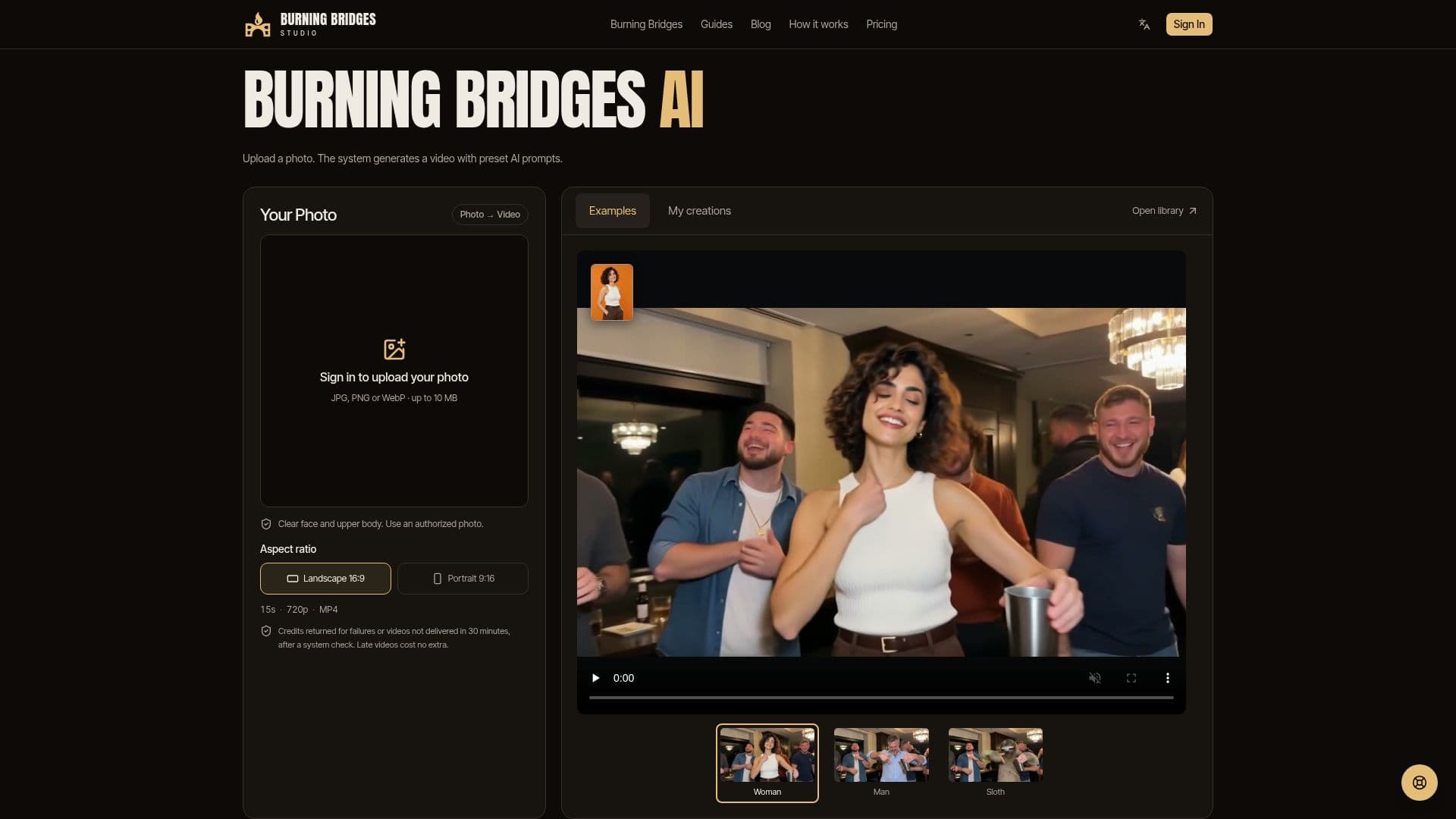
Description
Burning Bridges Studio offers an AI video generator that converts a single authorized photo into a dynamic, party-themed video. The platform utilizes preset AI prompts, meaning users do not need to write their own text instructions. This simplifies the creation process, making it accessible even for those without experience in AI prompting or video editing.
Read More
To create a video, users must sign in, ensure their account has sufficient credits (each video uses 100 credits), and upload one clear photo of an adult they have permission to depict. The generation process is estimated to take about 10 minutes, though queue and processing load may extend this time. Users can leave the page while the video generates and check its progress later in their "My videos" section.
The generated videos are approximately 15 seconds long, delivered in 720p MP4 format, and include generated party audio by default. It's important to note that this audio is not a licensed song, and users are advised to add official trending sounds from platforms like TikTok, Reels, or Shorts if posting there. The AI-generated details and motion can vary, so reviewing the completed video before sharing is recommended.
Burning Bridges Studio operates on a credit-pack system, with no subscription required. Credits never expire, and confirmed failed generations result in credits being returned. The platform stores uploaded photos to process the video and sends them to its AI provider, fal.ai. Users can delete completed, failed, or canceled tasks, along with their associated photos and videos, from their account. The service is designed for one-time purchases, offering packs like Single (1 video), Trio (3 videos), and Party (6 videos), with prices starting from $9.99.
The tool is ideal for creating unique social media content, playful invitations, or group-chat surprises. It provides a simple, three-step process: pick a photo, generate the video, and save the moment. Users are encouraged to review the video's picture and sound quality before sharing to ensure satisfaction with the AI-generated output.
- CategoryAI Video Generators
- Pricing ModelPaid
- DeploymentCloud
- PlatformsWeb
Burning Bridges Studio's Core Features
Photo-to-video generation
Preset AI prompts (no prompt writing required)
Generates 15-second party-style videos
Output in 720p MP4 format
Includes generated party audio
Credit-pack pricing model
No subscription required
Purchased credits never expire
Google Sign-in for account access
Credit returns for confirmed failed generations
User control over photo and video deletion
Preview completed videos before download
Estimated 10-minute generation time
Supports JPG/PNG/WebP up to 10 MB
How to use Burning Bridges Studio?
Sign In: Access your account using Google Sign-in.
Buy Credits: Purchase a one-time credit pack; each video uses 100 credits.
Pick Photo: Choose one clear, authorized photo of an adult (JPG/PNG/WebP, up to 10 MB).
Generate Video: Click 'Generate' to start the process with preset AI prompts.
Monitor Progress: Check the status in 'My videos'; generation takes about 10 minutes.
Download MP4: Preview and download your finished 720p MP4 video with generated audio.
Burning Bridges Studio's Use Cases
- Social Media Content Creation
- Personalized Invitations
- Group Chat Surprises
- Digital Storytelling
- Quick Video Production