Description
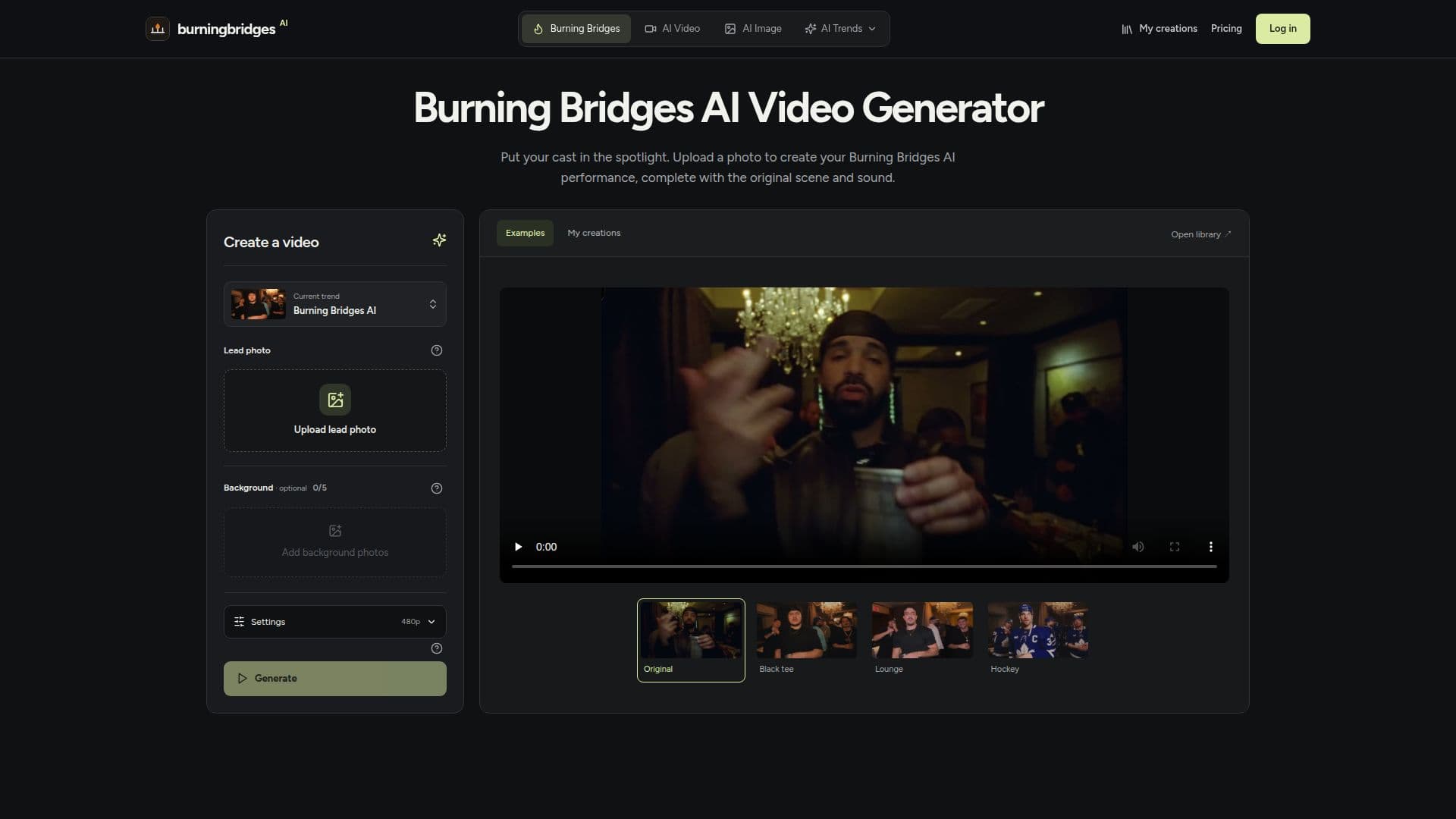
Burning Bridges AI Video Generator is a tool designed to transform video scenes by allowing users to replace characters with their own photos. Users start by uploading a lead photo, which serves as the primary character in the video. Additional background photos can be added to replace supporting characters, with a maximum of five additional images allowed. The tool uses a pre-loaded video performance, which lasts approximately 29 seconds, and retains the original soundtrack.
Read More
The process begins with selecting a lead photo, ensuring it includes visible clothing and accessories, as these elements are used in the video generation. Users can choose to keep the original supporting cast or replace them with their own photos. The tool does not require a full cast to function, and users can opt for a lead-only edit by leaving the background group empty.
Burning Bridges AI Video Generator offers three resolution settings: 480p, 720p, and 1080p. Users can preview examples and arrange photos without consuming credits, but generating a video requires sufficient credits in the user's account. The tool provides an estimate of credits needed before submission, ensuring users are aware of the cost.
The generated videos can be downloaded from the 'My creations' section, where users can also check the audio and visual quality. If the soundtrack is missing, an audio retry option is available. The tool emphasizes the importance of obtaining appropriate permissions when using photos of others and respecting the rights associated with reference footage and soundtracks.
Burning Bridges AI Video Generator is suitable for users looking to create personalized video content by recasting familiar scenes. It offers a creative platform for experimenting with character appearances and exploring different visual themes.
- CategoryAI Video Generators
- Pricing ModelCredit-based
- DeploymentCloud
- PlatformsWeb
Burning Bridges AI Video Generator's Core Features
Lead photo upload
Background photo support
Pre-loaded video performance
Original soundtrack retention
Resolution settings: 480p, 720p, 1080p
Credit-based generation
Downloadable video results
Audio retry option
How to use Burning Bridges AI Video Generator?
Upload: Add a lead photo to start
Configure: Choose resolution and settings
Generate: Use credits to create the video
Download: Access completed videos in 'My creations'
Burning Bridges AI Video Generator's Use Cases
- Personalized Video Creation
- Creative Experimentation
- Content Personalization
- Visual Storytelling
- Community Sharing