Description
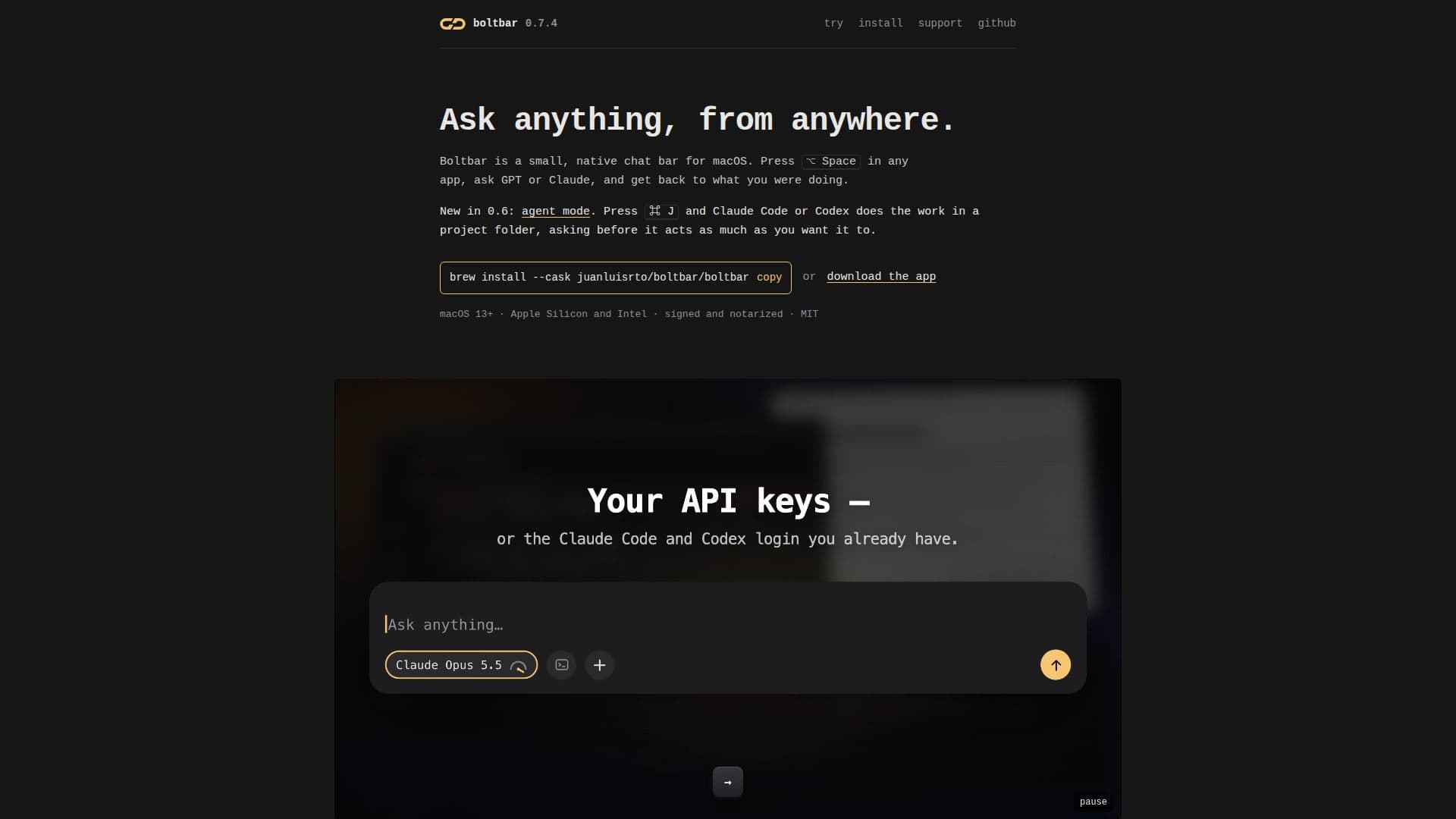
Boltbar is a compact, native chat bar designed for macOS, providing seamless integration with large language models like GPT and Claude. Users can activate the bar with a simple ⌥ Space shortcut from any application, enabling quick queries and interactions without interrupting their current workflow. This tool is built to be lightweight and efficient, utilizing Swift and AppKit, resulting in a small installation size of approximately 12 MB and a download size under 4 MB, with no reliance on Electron or requiring an account.
Read More
A key feature of Boltbar is its agent mode, introduced in version 0.6. By pressing ⌘ J, users can engage Claude Code or Codex to perform tasks directly within a specified project folder. This agent operates with configurable permission levels, ranging from 'look' (read-only) to 'full' (executing any command anywhere on the Mac), and can be set to ask for confirmation before each action. This allows for powerful automation and code generation capabilities, with the user retaining control over the agent's operations.
Boltbar supports various functionalities, including switching between models, adjusting thinking effort, accessing previous chats, and searching message history. It also offers attachment support for images, PDFs, and text files, which remain associated with messages for follow-up questions. Web search capabilities are available, allowing models to cite sources when needed. Users can customize the interface with different themes and accent colors.
Installation is straightforward via Homebrew or by downloading the signed DMG or ZIP file. Boltbar requires macOS 13 Ventura or later and an OpenAI or Anthropic API key, or a Codex or Claude Code login. Privacy is a core principle; API keys are stored in the Keychain, and chats and attachments remain on the user's Mac. There are no analytics collected, ensuring user data stays private. While Boltbar is free and open source under the MIT license, a one-off supporter license is available for €19 or $19 to help sustain its development and remove occasional reminders.
- CategoryAI Personal Assistants
- Pricing ModelFreemium
- DeploymentDesktop app
- PlatformsmacOS 13+
Boltbar's Core Features
Native macOS Chat Bar
GPT and Claude Integration
Agent Mode for Claude Code and Codex
Project Folder Integration for Agents
Configurable Agent Permissions (Look, Ask, Edit, Full)
Keyboard Shortcuts for Quick Access and Control
Attachment Support (Images, PDFs, Text Files)
Web Search with Source Citation
Chat History and Search Functionality
Multiple Themes and Accent Colors
Lightweight and Native Application (Swift and AppKit)
No Account Required
Local Storage of Keys, Chats, and Attachments
In-App Updates
Open Source and MIT Licensed
How to use Boltbar?
Install Boltbar: Use Homebrew with `brew install --cask juanluisrto/boltbar/boltbar` or download the signed DMG/ZIP from the official website.
Configure API Keys: Add your OpenAI or Anthropic API keys in the settings, or log in with your existing Codex or Claude Code credentials.
Open Chat Bar: Press ⌥ Space in any application to open Boltbar and start asking questions to GPT or Claude.
Engage Agent Mode: Press ⌘ J to activate agent mode, select a project folder, and let Claude Code or Codex work on tasks.
Manage Agent Permissions: Adjust the agent's permission level (look, ask, edit, full) to control its actions within your project.
Utilize Attachments: Paste, drop, or pick images, PDFs, or text files into the chat for context-aware conversations.
Access Commands and Help: Type `/` to see available commands like `/help`, `/new`, `/agent`, and `/terminal`.
Boltbar's Use Cases
- Quick Information Retrieval
- Code Generation and Refactoring
- Document Analysis
- Automated Task Execution
- Research and Web Search
- Personal Assistant
- Developer Workflow Enhancement
- Content Creation Assistance