
Description
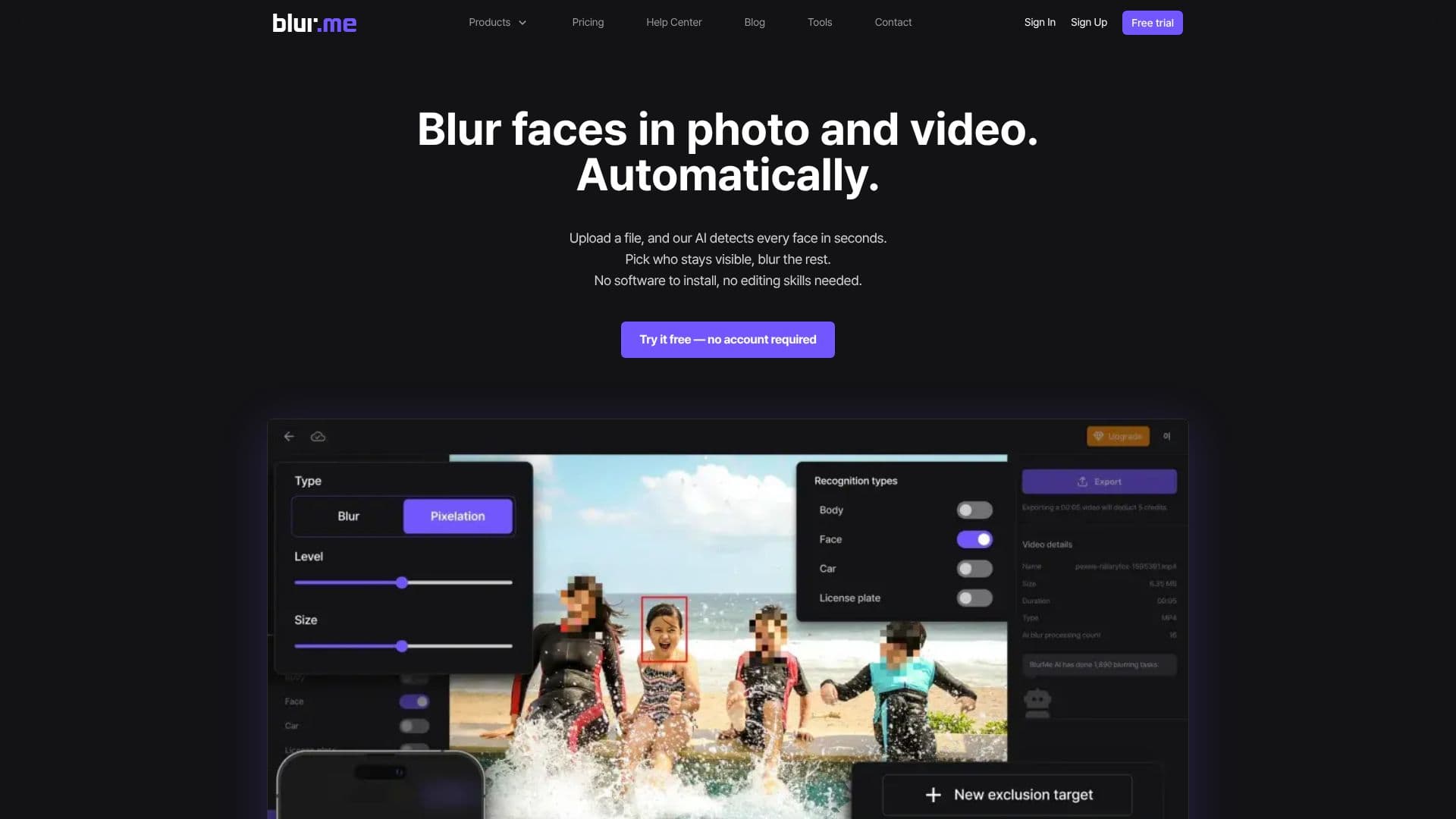
BlurMe is a browser-based tool for blurring faces in photos and videos automatically. Upload a file and its AI detects every face in the frame within seconds; from there, a user can choose which faces stay visible and blur the rest, rather than blurring everyone by default.
Read More
Beyond automatic face detection, BlurMe supports custom blur zones for covering any area manually, adjustable blur or pixelation with an intensity slider, and batch processing so multiple files can be blurred in one pass instead of one at a time. The product is split into three lines: BlurMe Video for frame-by-frame video blurring, pixelation or masking; BlurMe Photo for batch-processing large sets of images with custom blur zones; and BlurMe Enterprise, which adds on-premises deployment, API access and volume pricing for organizations with security requirements, such as blurring faces in CCTV footage.
Pricing runs on a credit system across four tiers. The free plan allows unlimited photo exports but adds a watermark and is capped at 1GB files. The Standard plan ($7/month, or $84/year) removes the watermark, adds 1080p support and 700 monthly credits, roughly 700 images or 11 minutes of video, with a 2GB file limit. Pro ($26/month, or $312/year) is the most popular tier, raising the cap to 3,500 credits, 4K support and 5GB files. Premium ($78/month, or $936/year) goes up to 14,500 credits, 4K export and 10GB files, with higher limits available by contacting the company directly. All paid tiers add AI blurring of heads, bodies and vehicles on top of faces and license plates, multi-file batch upload, and project file saving.
BlurMe is built by Jarasoft Inc. and reports users across more than 100 countries, with well over a million files blurred to date. It suits anyone who needs to protect identities in visual content, such as video creators publishing footage of crowds, bloggers reusing photos with bystanders in them, and security teams reviewing CCTV recordings, without installing dedicated editing software.
- CategoryAI Privacy Tools
- Pricing ModelFreemium
- DeploymentCloud, On-premises
- PlatformsWeb
BlurMe's Core Features
Automatic AI face detection in photos and videos
Selective unblur to keep chosen faces visible
Custom blur zones for manual area coverage
Adjustable blur intensity and a pixelation option
Batch processing of multiple files in one pass
100% browser-based, no software installation required
AI blurring of heads, bodies, vehicles and license plates on paid plans
BlurMe Enterprise: on-premises deployment, API access and volume pricing
How to use BlurMe?
Upload a file: Add a photo or video to BlurMe; no account is required for a first try.
Let AI detect faces: BlurMe scans the file and blurs every face it finds within seconds.
Choose who stays visible: Use selective unblur to keep specific people clear.
Add custom blur zones: Manually cover any other area that needs hiding.
Export your result: Download the free watermarked export, or upgrade to a paid plan for no-watermark, higher-resolution output.
Batch process at scale: On a paid plan, upload multiple files and export them together.
BlurMe's Use Cases
- Video creator privacy
- Blog and social photos
- CCTV footage review
- Bulk photo processing