Description
BankStatementMate offers a secure and efficient solution for converting bank statements from PDF, PNG, or JPG formats into structured Excel or CSV files. Designed for privacy, all processing occurs directly within your browser, eliminating the need to upload sensitive financial documents to external servers. This ensures that your data remains on your device throughout the conversion process.
Read More
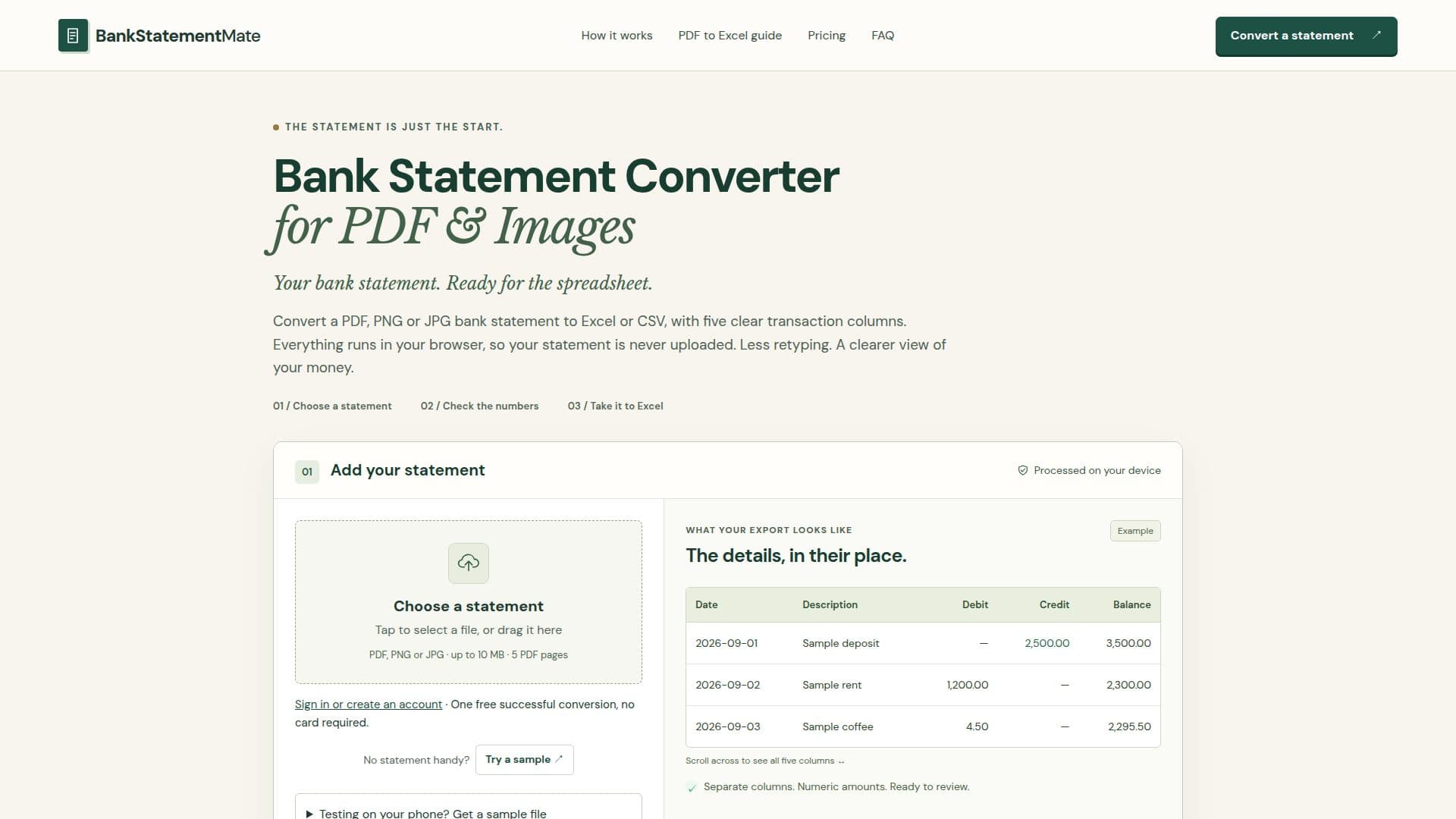
The converter is specifically tuned to extract English transaction tables featuring Date, Description, Debit, Credit, and Balance columns. It supports both digital PDFs, using text extraction, and scanned PDFs or images, employing on-device Optical Character Recognition (OCR). Before final export, users can review the extracted transactions, checking dates, amounts, and balances against the original statement. The system flags running-balance mismatches and stops exports if columns are missing or ambiguous, promoting data accuracy.
BankStatementMate provides two primary export options: Excel and CSV. The Excel output creates a workbook with numeric amounts and explicit text dates, ideal for detailed review, filtering, and adding notes within spreadsheet applications. The CSV output delivers plain-text tabular data, suitable for importing into other applications, though users are advised to verify column names and date formats for compatibility.
This tool is designed to provide an editable starting point for financial management, rather than offering accounting or categorization services. It does not connect to bank accounts, generate QBO or OFX files, or provide financial advice. Users are encouraged to compare the exported data with their original statements to ensure accuracy before further use. A free successful conversion is available, allowing users to test the service before committing to a page pack or subscription plan.
- CategoryAI Accounting Tools
- Pricing ModelFreemium
- DeploymentCloud
- PlatformsWeb
BankStatementMate's Core Features
Convert PDF, PNG, and JPG bank statements to Excel or CSV.
Local, in-browser processing ensures no file uploads for privacy.
Extracts transaction tables with Date, Description, Debit, Credit, and Balance columns.
Supports text extraction for digital PDFs.
Utilizes on-device OCR for scanned PDFs and images.
Allows review of extracted transactions before export.
Flags running-balance mismatches for user attention.
Provides Excel output with numeric amounts and explicit text dates.
Offers CSV output for importing data into other applications.
One free successful conversion available without card details.
Supports files up to 10 MB and PDFs up to 5 pages.
Designed for clear English transaction tables.
Does not categorize spending or connect to bank accounts.
Does not generate QBO, OFX, or dedicated accounting-system imports.
Account stores email, page allowance, and conversion status, not statement files.
How to use BankStatementMate?
Add Statement: Select a PDF, PNG, or JPG file from your device, or drag and drop it into the converter.
Review Transactions: Inspect the extracted columns, checking dates, amounts, and balances against your original statement.
Choose Export Format: Select either Excel (XLSX) for a readable workbook or CSV for plain-text data.
Download Spreadsheet: Download the converted file to your device and open it in your preferred spreadsheet application.
Verify Data: Compare the downloaded spreadsheet with your original statement to ensure accuracy and completeness.
BankStatementMate's Use Cases
- Financial Data Entry
- Transaction Reconciliation
- Budgeting and Analysis
- Tax Preparation
- Auditing and Review
- Data Migration
- Personal Finance Management
- Small Business Accounting