Description
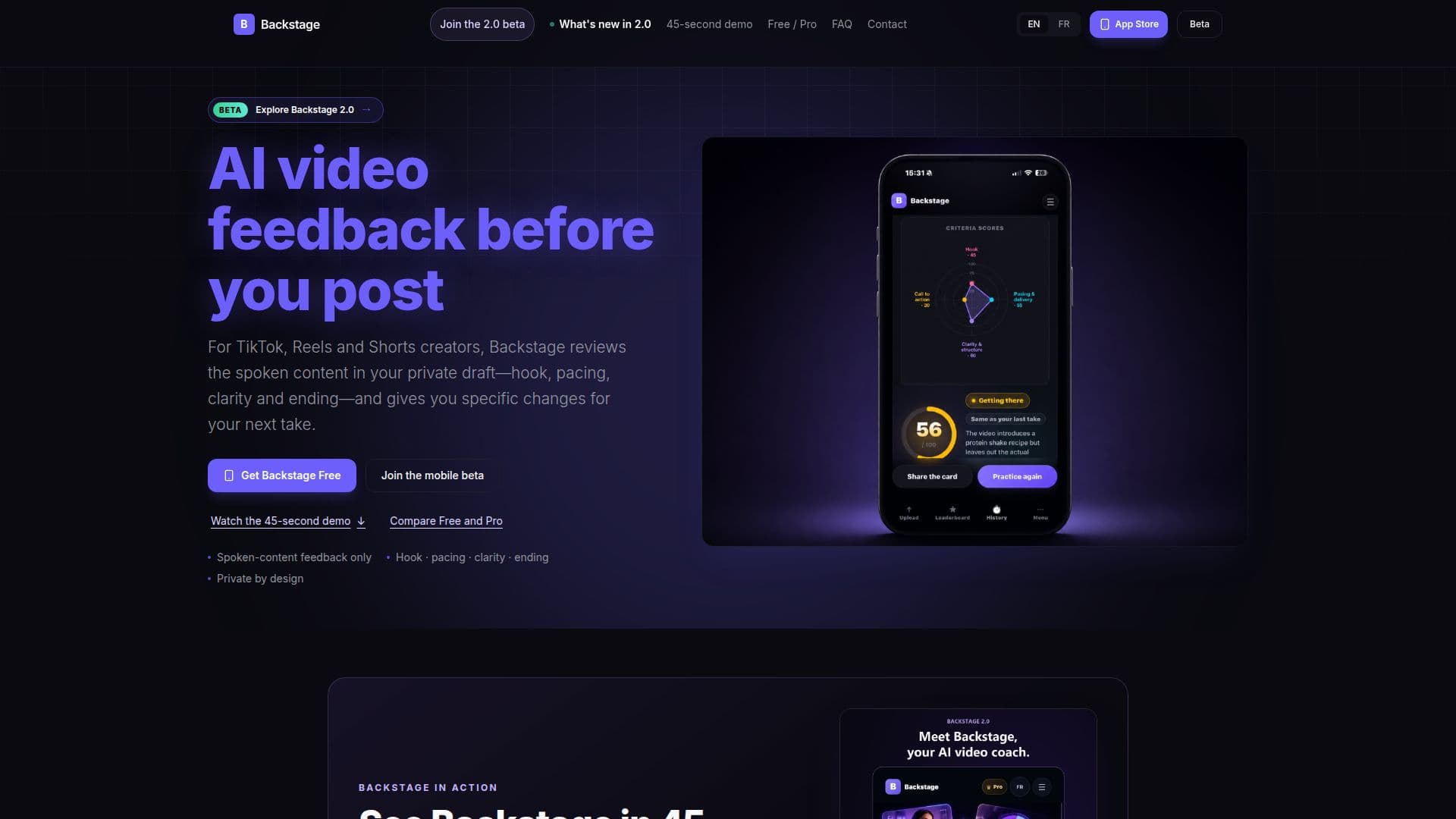
Backstage is an AI video coach designed for creators producing short-form video content like TikToks, Instagram Reels, and YouTube Shorts. Its primary purpose is to provide private, audio-based feedback on the spoken elements of a video before it is posted. The tool focuses on key aspects of verbal delivery, including the hook, pacing, clarity, and ending of the spoken message.
Read More
When a creator uploads a private draft video, Backstage transcribes the audio and analyzes these specific criteria. It then generates a score, a verdict, and actionable feedback, offering concrete suggestions for improving the next take. This process helps creators refine their content and delivery, making their message clearer and more engaging. The platform emphasizes privacy, ensuring that videos remain private to the user's account and are never published.
Backstage does not analyze visuals, captions, on-screen text, or platform analytics. It also does not predict views, reach, engagement, or virality. The audience reactions and attention curves provided are AI-generated simulations for practice purposes, not real user comments or measured viewer retention. This clear distinction ensures creators focus on improving their spoken content rather than chasing metrics.
Backstage offers both a free plan and a Pro subscription. The free plan includes 9 analyses per month, providing essential feedback. The Pro plan, available through an auto-renewable App Store subscription, offers 30 analyses per month, access to an "AI room" chat for clip-specific questions, a simulated attention curve (when available), and a focused improvement plan. The upcoming Backstage 2.0 update promises redesigned results, transcripts, local private video playback, sharing features, and enhanced coaching tools, further expanding its capabilities for creators.
- CategorySocial Media
- Pricing ModelFreemium
- DeploymentCloud
- PlatformsiPhone, Android
Backstage's Core Features
Private AI video feedback on spoken content
Analyzes hook, pacing, clarity, and ending
Provides specific suggestions for next take
Audio transcription of submitted videos
Overall score and criterion scores
Simulated AI audience reactions for practice
AI room chat for deeper coaching (Pro feature)
Simulated attention curve (Pro feature)
Focused improvement plan (Pro feature)
History and progress tracking
Take challenges and League participation
Private video playback on device
Shareable score cards
Free plan with 9 analyses/month
Pro plan with 30 analyses/month
How to use Backstage?
Install App: Download the Backstage app on iPhone via TestFlight or Android via Google Play beta.
Upload Draft: Choose a private video draft (up to 60 seconds) with clear spoken audio.
Get Feedback: Review the analysis on your spoken hook, pacing, clarity, and ending, along with simulated audience reactions.
Record Next Take: Apply the suggested changes and record an improved version of your video.
Track Progress: Use your analysis history to monitor improvements over time and refine your skills.
Go Deeper with Pro: Upgrade to Pro for more analyses, AI room chat, and simulated attention curve for advanced coaching.
Backstage's Use Cases
- Improving Video Hooks
- Optimizing Pacing and Delivery
- Enhancing Spoken Clarity
- Strengthening Video Endings
- Private Practice for Creators
- Coaching for TikTok Creators
- Reels Content Improvement
- YouTube Shorts Refinement
- Iterative Content Creation