
Description
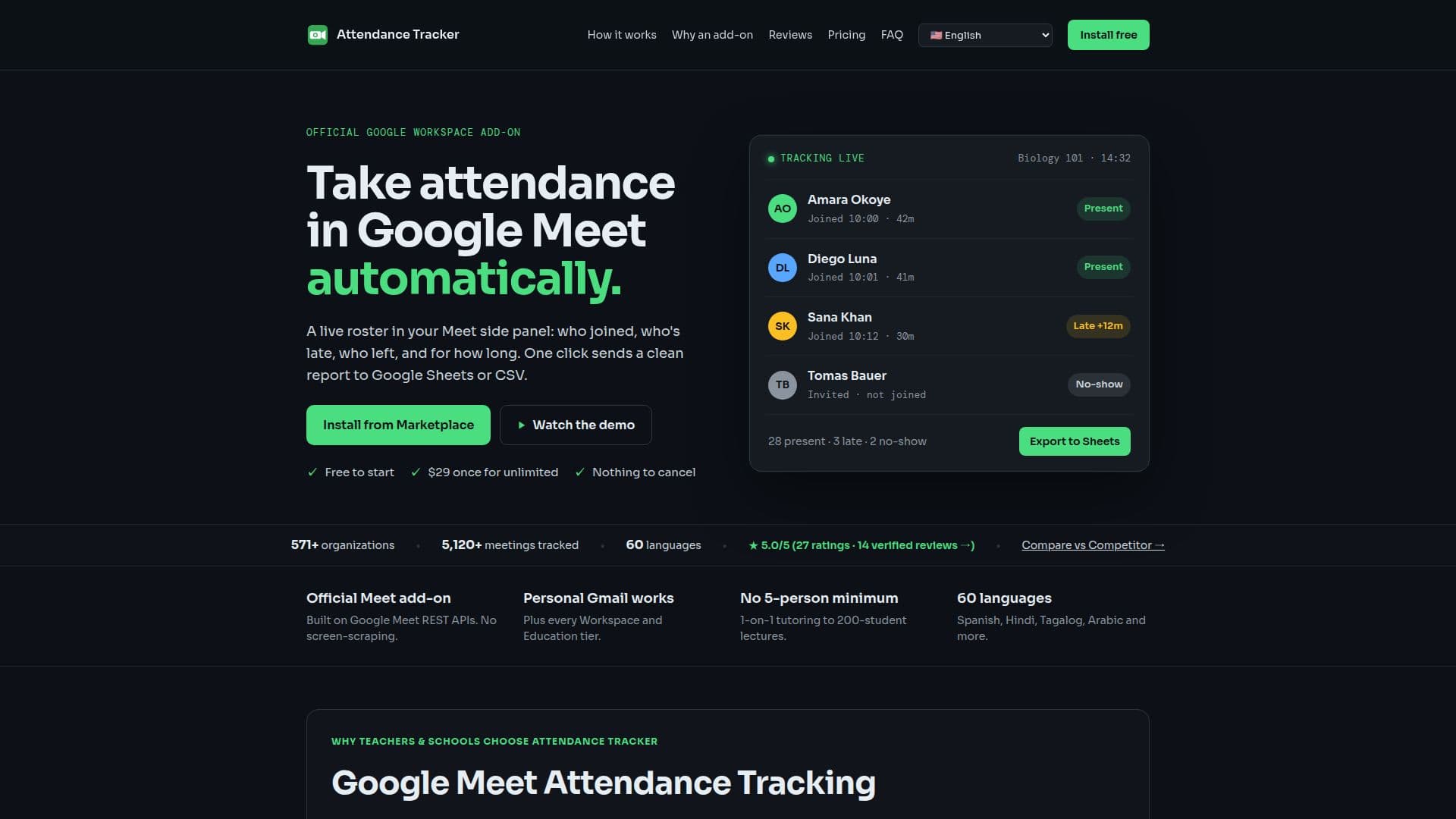
Attendance Tracker for Google Meet is a comprehensive tool designed to facilitate real-time attendance tracking during Google Meet sessions. It automatically logs participant join and leave times, as well as the duration of their attendance. The tool offers seamless integration with Google Sheets, allowing users to export attendance data with a single click. It also supports Google Classroom roster synchronization and provides alerts for late arrivals.
Read More
The tool is available for free, with a basic plan that includes real-time tracking and two free exports per month for meetings with up to 25 attendees. For those requiring more extensive features, paid plans are available. These include the Educator Pass, which costs between $4.99 and $14.99 per year, and the Pro Annual plan at $29 per year. A one-time purchase option for lifetime access is also available, ranging from $9.99 to $29.
Attendance Tracker is compatible with all Google account tiers, including personal Gmail accounts and various Google Workspace plans. It ensures privacy and security by using Google-verified OAuth scopes and encrypting data with AES-256-GCM. The tool does not access audio, video, or chat messages, focusing solely on attendance data.
In addition to Google Sheets, the tool supports exports to CSV and Excel formats, and it can integrate with learning management systems like Canvas and Moodle. Users can also generate attendance certificates and send summaries to platforms like Slack, Google Chat, and Discord. With its robust features and flexible pricing, Attendance Tracker is ideal for educators, remote teams, and anyone needing reliable attendance tracking in Google Meet.
- CategoryProductivity
- Pricing ModelFreemium
- DeploymentCloud
- PlatformsGoogle Meet
Attendance Tracker for Google Meet's Core Features
Real-time attendance tracking
One-click export to Google Sheets
Google Classroom roster sync
Late arrival alerts
Free and paid plans
Supports CSV and Excel exports
Integration with Canvas and Moodle
Attendance certificates generation
How to use Attendance Tracker for Google Meet?
Install: Add Attendance Tracker from Google Workspace Marketplace
Join: Open Google Meet and access the side panel
Track: Automatically log attendance in real-time
Export: Use one-click export to save data to Google Sheets
Attendance Tracker for Google Meet's Use Cases
- Classroom Attendance
- Remote Team Meetings
- Training Sessions
- Webinars
- Client Meetings