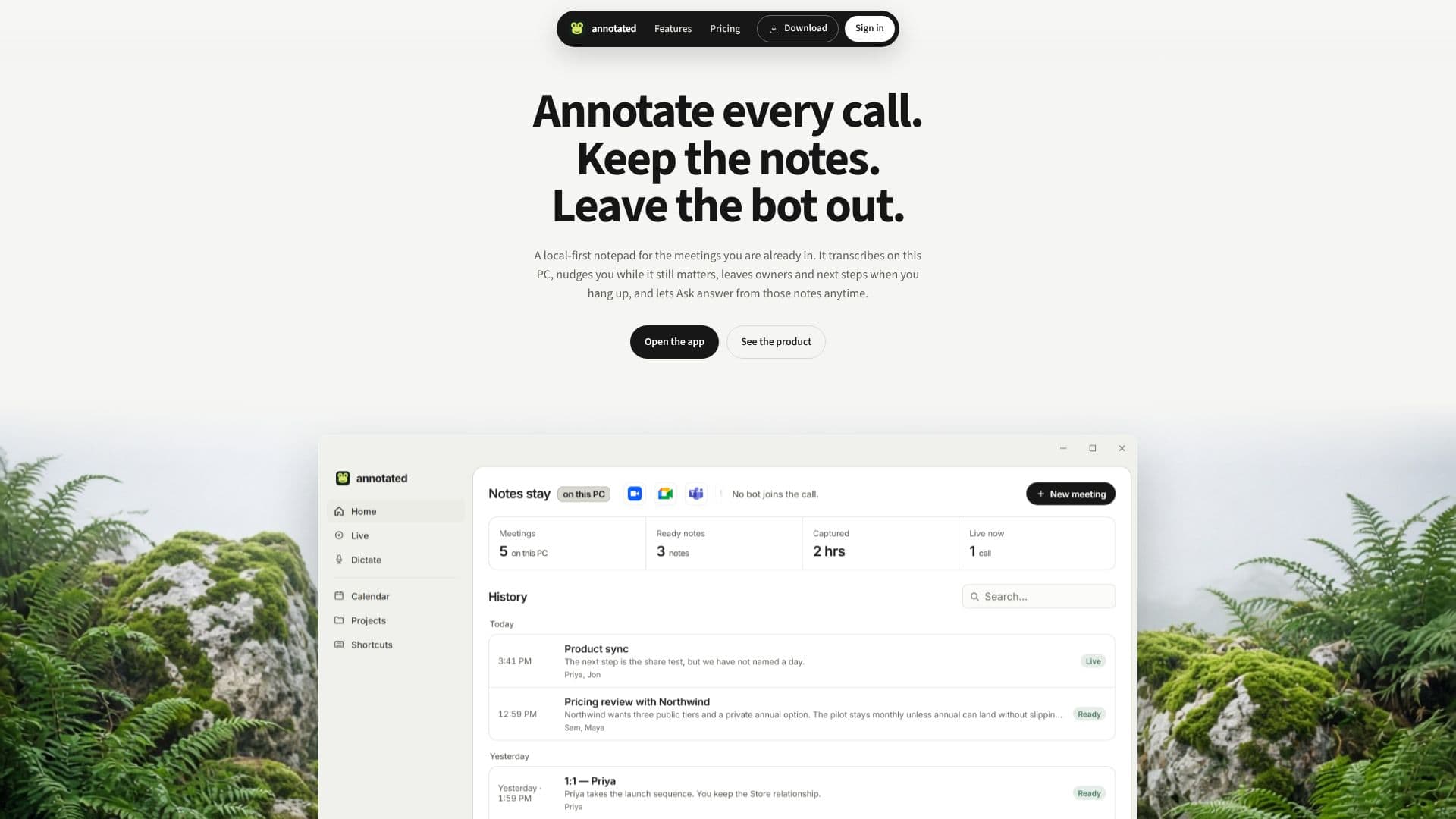
Description
annotated is a unique local-first AI notepad specifically designed to enhance your meeting experience while prioritizing privacy and data security. Unlike many other meeting transcription services, annotated operates entirely on your local PC, meaning all transcriptions, summaries, and notes never leave your machine. This ensures that sensitive meeting content remains confidential and under your control.
Read More
The tool integrates seamlessly with popular meeting platforms such as Zoom, Google Meet, Microsoft Teams, Slack, and Webex. Crucially, annotated never appears in the participant list, allowing it to capture meeting details discreetly without disrupting the flow or raising privacy concerns among attendees. Its core functionality includes real-time transcription, live coaching, and intelligent note organization.
During a call, annotated provides quiet, mid-call cues to help you improve your participation, such as reminding you about missing dates, identifying stacked questions, or monitoring your talk ratio. These cues are hidden from screen shares, offering private, actionable feedback while you can still make a difference. Once the meeting concludes, it automatically generates a summary, identifies owners for action items, and assigns due dates, all searchable directly on your PC. You can also export these notes in Markdown format, allowing you to share specific insights without sharing the entire transcript.
A standout feature is the "Ask your notes" capability. A small chat bar within the app allows you to query your entire history of meetings, notes, actions, and calendar events stored locally. This enables you to quickly find answers to questions like "Who owns the open next steps?" or "What did we decide on pricing?" without sending any audio or text data to the cloud. For users who require more advanced AI models, an optional larger model can be integrated, but it only ever processes text, maintaining the local-first principle for audio.
annotated also offers a local MCP (Meeting Content Protocol) server, enabling other tools you already use, such as Claude, Cursor, and ChatGPT, to access and search your local meeting data. This integration is local-only and read-only, ensuring no data is shipped off your machine to the cloud. The pricing model is a one-time purchase, offering a seven-day free trial followed by a $35 fee for one PC, or $45 for two PCs. A monthly subscription plan is also planned for $10/month, providing flexibility for different user preferences.
- CategoryAI Meeting Assistants
- Pricing ModelOne-time purchase
- DeploymentLocal-first
- PlatformsWindows
annotated's Core Features
Local-first operation: Notes and transcriptions stay on your PC
Discreet integration: Never appears in meeting participant lists
Live coaching: Mid-call cues for missing dates, questions, and talk ratio
Automatic summaries: Generates summaries, owners, and due dates post-meeting
Searchable notes: Full history searchable locally on your PC
Markdown export: Share notes without sharing full transcripts
Ask your notes: AI chat bar answers questions from local meeting data
Supports major platforms: Zoom, Google Meet, Microsoft Teams, Slack, Webex
Optional larger AI model: Text-only processing for enhanced capabilities
Local MCP server: Connects with Claude, Cursor, ChatGPT locally
One-time purchase model: $35 for one PC, $45 for two PCs
Seven-day free trial available
Windows OS compatibility
Hidden from screen share during live coaching
How to use annotated?
Install annotated: Download and install the application on your Windows PC.
Start a meeting: Join your scheduled meeting on Zoom, Google Meet, Teams, or other supported platforms.
Receive live coaching: Get quiet, mid-call cues to improve your participation without others seeing.
Conclude meeting: annotated automatically processes the call to generate notes, owners, and next steps.
Review and export notes: Access summaries and action items, then export them as Markdown if needed.
Query your notes: Use the "Ask your notes" feature to find answers from your local meeting history.
annotated's Use Cases
- Meeting Note-Taking
- Meeting Productivity Improvement
- Action Item Management
- Historical Meeting Search
- Data Privacy for Meetings
- Knowledge Retrieval
- Meeting Content Sharing