
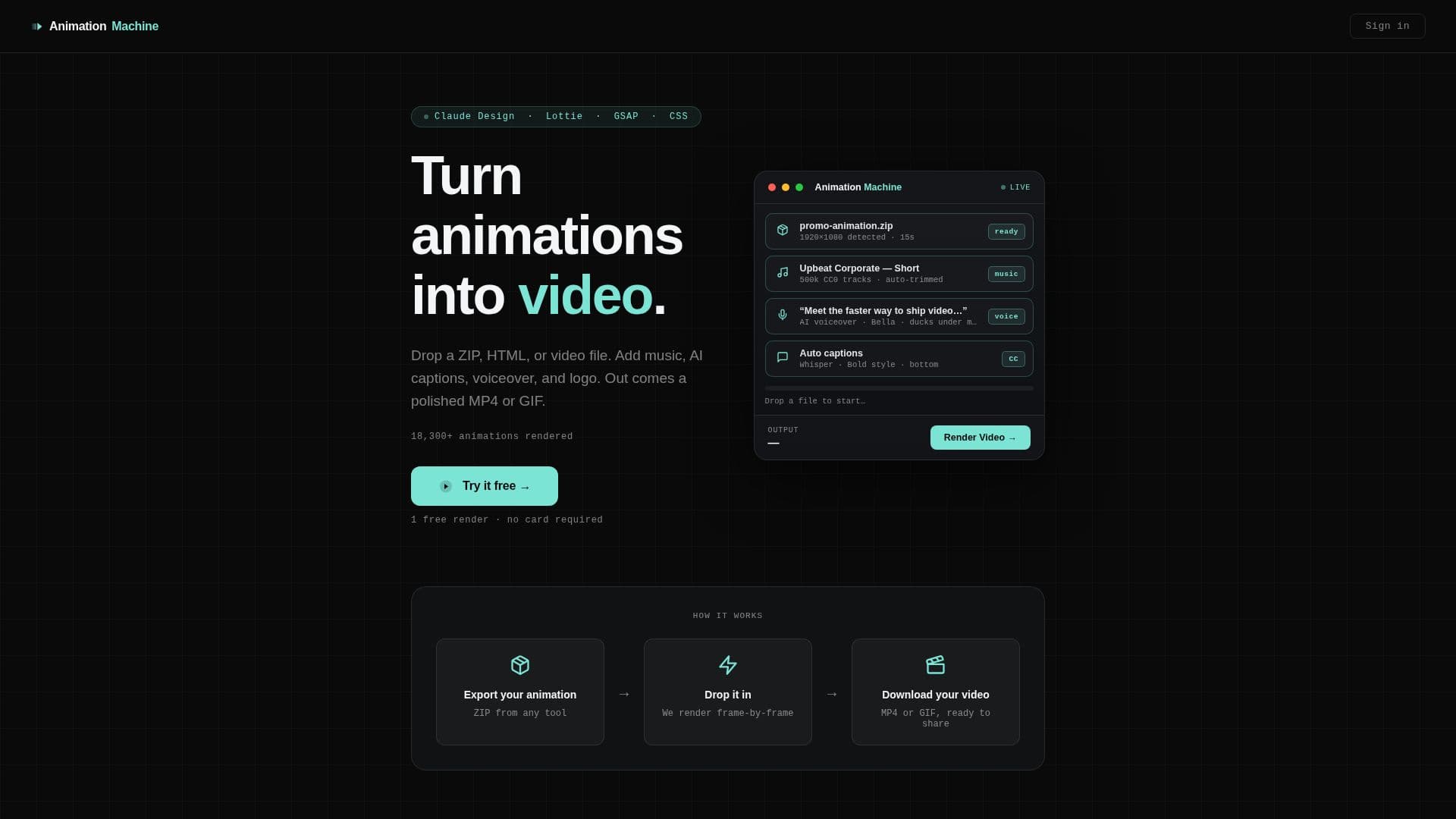
Description
Animation Machine is a versatile web application designed to transform HTML animations and existing video files into high-quality MP4 or GIF formats. It supports various animation sources, including Claude Design, Lottie, GSAP, and CSS, as well as standard video files like MP4, MOV, M4V, and WebM. The platform ensures frame-perfect rendering up to 4K resolution by utilizing a headless Chromium browser and a synthetic clock, eliminating timing drift often associated with screen recording.
Read More
Key capabilities include AI-powered auto-captions, generated locally using Whisper technology, available in 7 styles (including viral word-by-word) and translatable into 16 languages. Users can also add AI voiceovers by typing a script and selecting from 14 natural voices (American and British, male and female), powered by local Kokoro TTS. The system automatically ducks background music under voiceovers for a professional sound. A vast library of over 500,000 CC0-licensed music tracks is available, with options to upload custom audio, and music is automatically looped and trimmed to fit video duration.
For social media content creation, Animation Machine offers a one-click "Make it a Short" feature, reframing any clip to a vertical 9:16 aspect ratio with punchy word-by-word captions, ideal for TikTok, Instagram Reels, and YouTube Shorts. After rendering, an AI Post Kit generates captions, hooks, and hashtags. The tool also supports adding intro and outro cards, logo watermarks, and various platform presets. It can be integrated with AI tools like Claude and ChatGPT via an MCP server, allowing AI to write and render animations directly.
Animation Machine provides flexible export options, including MP4 (H.264 or H.265) and animated GIF, with resolutions such as 720p, 1080p, 4K, vertical 1080x1920, and square 1080x1080, at 24, 30, or 60 fps. Quality presets range from Draft to Max. Users can process up to 3 files in a batch. Pricing includes a free watermarked render, a pay-per-render option at $1 each, or a monthly subscription of $5 (or $3/month billed annually) for unlimited renders and all AI features.
- CategoryAI Animation Tools
- Pricing ModelFreemium
- DeploymentWeb App
- PlatformsWeb
Animation Machine's Core Features
Convert HTML animations to MP4 or GIF
Convert existing video files (MP4, MOV, WebM) to MP4 or GIF
Frame-perfect rendering up to 4K resolution
AI auto-captions in 16 languages with 7 styles
AI voiceover with 14 natural voices
Background music from a 500,000-track CC0 library
One-click vertical Shorts for social media
AI Post Kit for captions, hooks, and hashtags
Add intro and outro cards and logo watermarks
Integrate with Claude, ChatGPT, Cursor, VS Code via MCP server
Batch processing for up to 3 files
Export as MP4 (H.264/H.265) or animated GIF
Multiple resolutions and frame rates (24, 30, 60 fps)
No per-minute or per-word fees for AI features
How to use Animation Machine?
Upload File: Drop a ZIP, HTML, or video file (MP4, MOV, M4V, WebM) into the platform.
Customize Content: Add AI auto-captions, AI voiceover by typing a script, and select background music from the library or upload your own.
Brand Your Video: Include your logo, and add intro and outro cards for a professional touch.
Optimize for Social Media: Use the one-click "Make it a Short" feature for vertical 9:16 aspect ratio, or select specific resolutions for Instagram and presentations.
Configure Export Settings: Choose output format (MP4 or GIF), resolution (e.g., 720p, 1080p, 4K), and frame rate (24, 30, 60 fps).
Render and Download: Export your polished video or GIF, with an AI Post Kit available for social media content.
Animation Machine's Use Cases
- Social Media Content Creation
- Presentation Enhancement
- Marketing and Advertising
- Developer Workflow Integration
- Video Localization
- Existing Video Enhancement
- Educational Content
- Web Animation Conversion