
Description
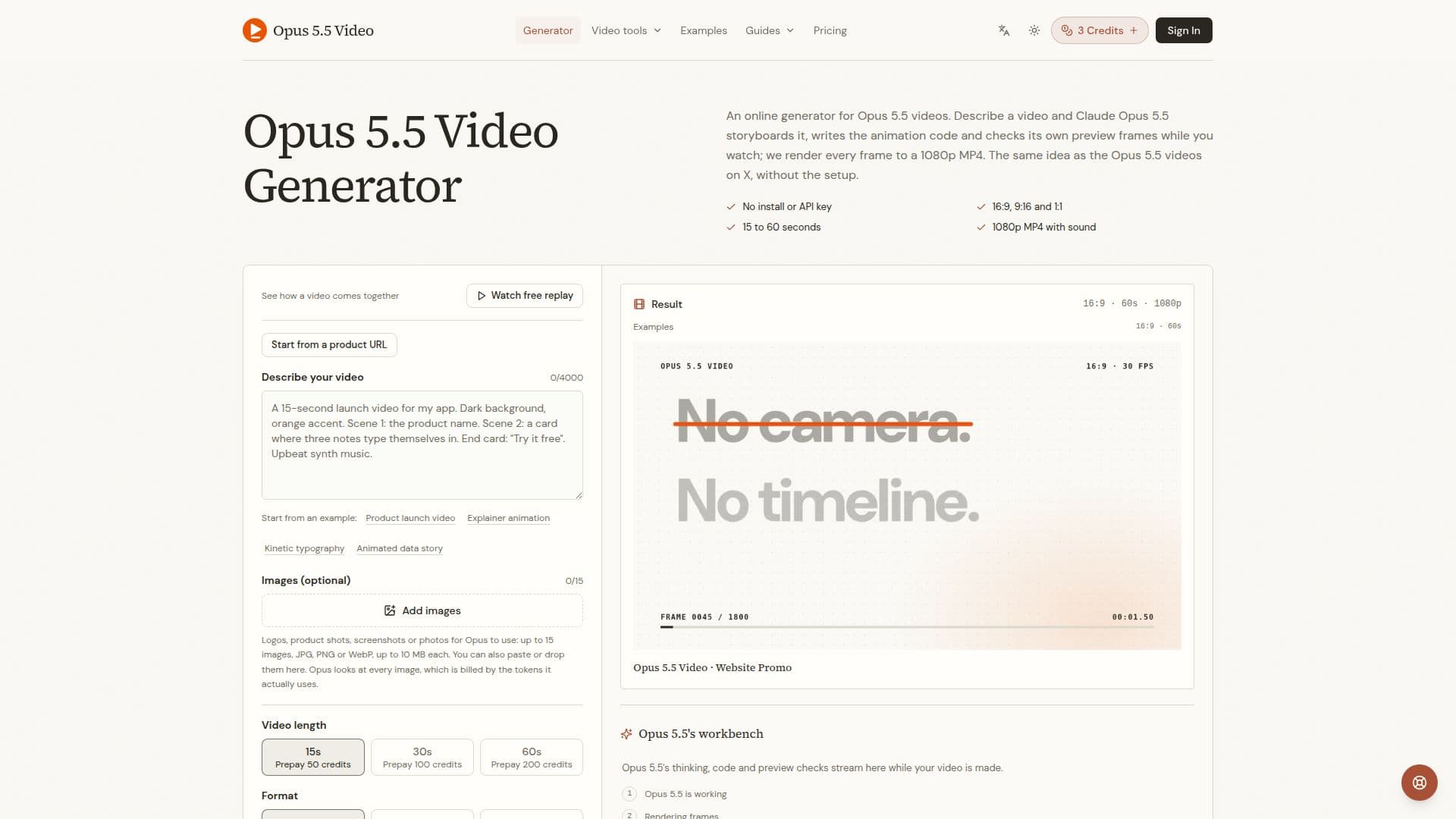
Opus 5.5 Video Generator is a web-based tool designed to create short motion-graphics videos from text prompts. It leverages Claude Opus 5.5 to plan scenes and write animation code, which is then rendered into a 1080p MP4 video. Users can choose from 15, 30, or 60-second durations and various aspect ratios, including 16:9, 9:16, and 1:1, making it suitable for diverse platforms like YouTube, TikTok, and LinkedIn.
Read More
The generator excels at creating content such as product launch videos, motion graphics, explainer animations, animated charts, and social media ads. A key differentiator is its ability to render text, logos, and numbers precisely as specified in the prompt, ensuring accuracy in on-screen information. Unlike generative models that produce frames directly, Opus 5.5 writes an animation program, offering greater control over precise layouts and data representation.
Users can enhance their videos with narration, quiet music beds, or by uploading their own audio files (MP3, WAV, M4A, OGG up to 10 MB). The tool also supports image integration, allowing users to attach up to 15 JPG, PNG, or WebP images (up to 10 MB each) which Opus 5.5 incorporates into the animation with pans, crops, and transitions. The process is entirely web-based, requiring no software installation or API keys.
Pricing operates on a credit system, where users prepay a small amount to start and are charged based on actual usage within an approved budget. Unused credits are returned, and failed video generations are fully refunded. This pay-as-you-go model ensures users only pay for successful outcomes. Monthly subscription plans and one-time credit packs are available, offering different cost-per-credit rates. The platform also provides a live view of Claude Opus 5.5 planning, coding, and checking the video as it generates.
While highly effective for motion graphics and precise text, Opus 5.5 Video Generator is not suited for photorealistic footage, real people, or natural scenes, which are better handled by generative video models like Veo, Kling, or Runway. The tool emphasizes an iterative creation process: to make changes, users simply edit their brief and generate a new video, rather than using a timeline editor.
- CategoryAI Video Generators
- Pricing ModelFreemium
- DeploymentCloud
- PlatformsWeb
Opus 5.5 Video Generator's Core Features
Generate 1080p MP4 videos from text prompts
Video lengths: 15, 30, or 60 seconds
Multiple aspect ratios: 16:9, 9:16, 1:1
Exact text, logo, and number rendering
Narration with quiet music bed included
Upload custom audio (MP3, WAV, M4A, OGG up to 10 MB)
Attach up to 15 images (JPG, PNG, WebP up to 10 MB each)
No software installation or API key required
Credit-based payment for actual usage
Unused credits returned, failed videos fully refunded
Live view of video generation process
Suitable for product launches, explainers, motion graphics, social ads
Edit brief to regenerate and modify videos
Supports public web page links for content extraction
Secure payment processing via encrypted connection
How to use Opus 5.5 Video Generator?
Write a Brief: Type a detailed text prompt describing your video's purpose, on-screen text, scenes, colors, and mood.
Choose Settings: Select video length (15, 30, or 60 seconds), format (16:9, 9:16, or 1:1), and sound options (music, voiceover, custom audio, or silent).
Add Visuals: Optionally attach up to 15 images (JPG, PNG, WebP) or link public web pages for content.
Generate Video: Press 'Generate' and watch Claude Opus 5.5 plan, code, and render the animation live.
Review and Download: Once complete, the MP4 video plays in the page, ready for download. Edit the brief and regenerate if changes are needed.
Opus 5.5 Video Generator's Use Cases
- Product Launch Videos
- Explainer Animations
- Motion Graphics
- Animated Charts
- Social Media Ads
- Corporate Presentations
- Educational Content